

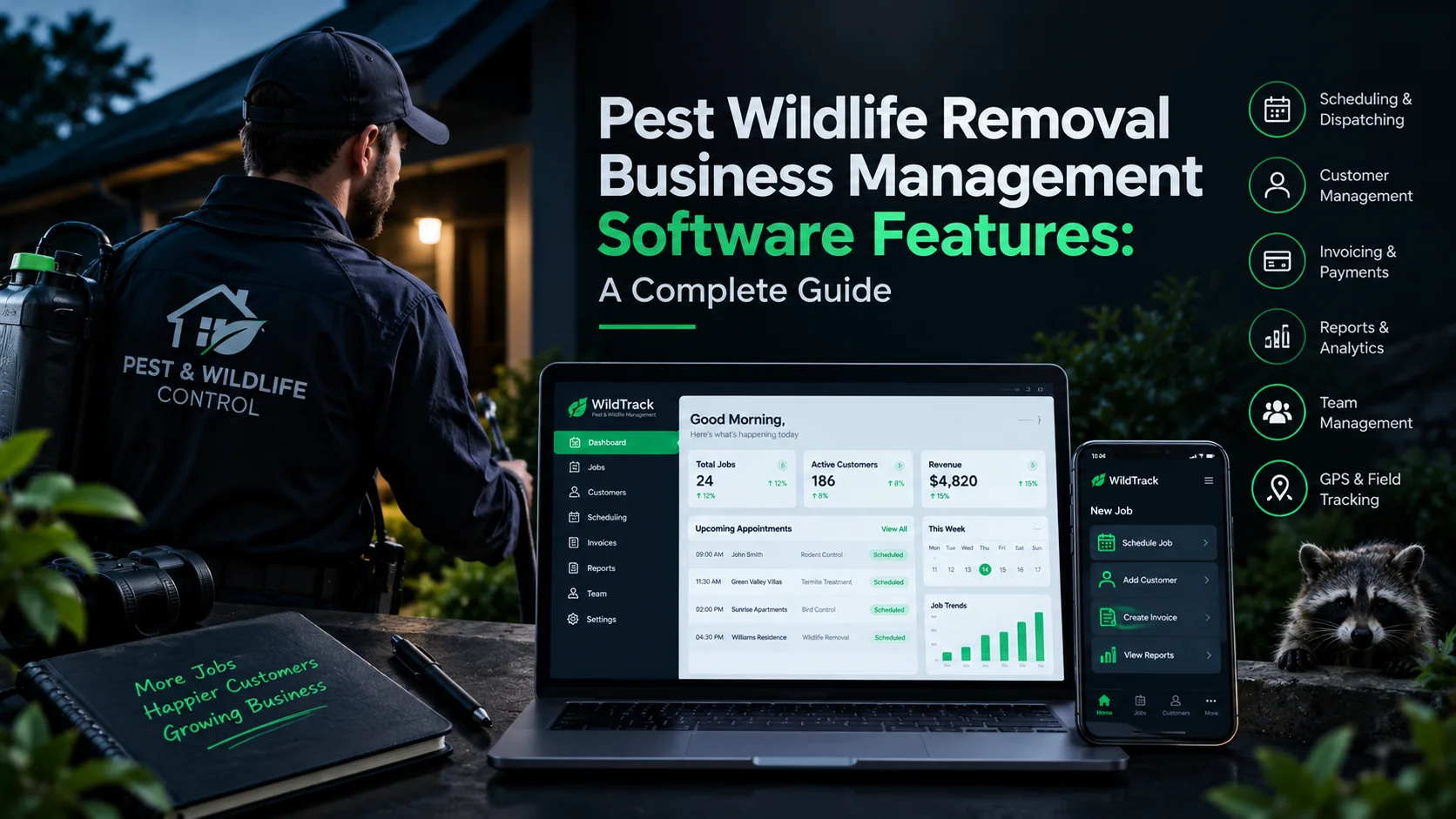
Running a pest and wildlife removal company means juggling emergency calls, attic inspections, state trap checks, and roof repair quotes all at once. Handling jobs on paper clipboards and sticky notes quickly leads to double-booked technicians, missed appointments, and delayed payments.
Specialized pest wildlife removal business management software solves this chaos by organizing your daily dispatching, technician routing, customer CRM records, and job-site invoicing into one simple app.
At Software Cora, we break down complex business tech to help field service teams work smarter and grow faster.
What Is Pest Wildlife Removal Business Management Software?
Pest and wildlife removal management software is an all-in-one digital command center built specifically for field service operators. Instead of juggling separate tools for scheduling, customer files, and paper receipts, this software connects your front office directly to your technicians’ smartphones or tablets.
Unlike general plumbing or handyman software, wildlife management platforms accommodate multi-step jobs like initial entry-point inspections, state-mandated daily trap checks, exclusion repair estimates, and recurring warranty visits.
[ Central Office Dashboard ]
│
├──► Assigns Emergency Calls ──► [ Tech Mobile App (GPS Active) ]
├──► Send Digital Estimates ──► [ Homeowner Phone / Portal ]
└──► Track Daily Trap Checks ──► [ State Compliance Logs ]
Top Tools to Streamline Scheduling and Dispatch in Pest Wildlife Removal Management Software
In the wildlife removal business, your daily schedule rarely goes exactly as planned. You might start the morning doing a routine attic inspection, only to get an emergency call about a raccoon trapped in a living room fireplace.
Trying to manage these sudden changes using paper calendars, whiteboards, or endless phone calls to your technicians is stressful. This leads to double-booking, wasted fuel, and frustrated customers.
Specialized pest wildlife removal management software fixes this mess. It takes all the chaos of dispatching and puts it into an organized, easy-to-use digital calendar that updates in real time.
Key Scheduling Features That Make Life Easier
To keep your trucks moving smoothly and your team stress-free, look for software that includes these specific tools:
1. Drag-and-Drop Calendar Boards
When an emergency call comes in, you shouldn’t have to erase a whiteboard or text three different technicians to see who is available.
How it helps: With a digital drag-and-drop calendar, your office manager can simply click on an emergency job, drag it over to the closest technician’s schedule, and drop it in. The technician’s phone app updates instantly with the new address and job details.
2. Color-Coded Job Tags
When you look at a busy calendar with 30 tasks scheduled, it can look like a confusing wall of text.
How it helps: Colour-coding makes your schedule readable at a glance. You can set the system to show Red for emergency animal removals, Blue for initial property inspections, and Green for construction repair work. This helps the dispatcher instantly see what type of work is happening throughout the day.
3. Automated “On-My-Way” Customer Texts
When a homeowner has a bat flying around their house, they are anxious. They don’t want to wait around wondering when help will arrive.
How it helps: The software automatically sends a text message to the customer when the technician starts driving. You can even include a small photo of the technician and an estimated arrival time. This makes your business look highly professional and puts the homeowner at ease.
4. Automated Trap Check Reminders
Unlike regular bug spraying, wildlife removal involves state laws. If you set a live trap, the law usually requires you to check it every 24 hours. Forgetting to check for a trap can lead to heavy fines.
How it helps: The software automatically creates recurring reminders. As soon as a tech marks a trap as “set” on Monday, the system automatically blocks out time on Tuesday’s calendar for a trap check. Technicians can even take a photo of the empty trap on their phone to prove they followed the law.
Which Pest and Wildlife Removal Business Software Offers the Best Invoicing and Payment Integration?
Once a technician seals a roof vent or safely removes a wildlife nuisance, your team shouldn’t have to wait weeks to get paid. Integrated billing software allows field staff to collect credit card payments directly on site.
Here is how leading field service management platforms compare:
| Software Platform | Best Target Fit | Key Invoicing & Payment Capabilities |
| Jobber | Small-to-midsize service teams | On-site mobile payments, customer financing options for major repair jobs, and automated SMS invoice reminders. |
| GorillaDesk | Solo operators & growing pest pros | Built-in recurring card payments, batch invoicing for commercial clients, and 1-click QuickBooks sync. |
| FieldEdge / ServiceTitan | Large enterprise fleets | Complex multi-branch billing, custom pricebooks, and advanced corporate merchant integrations. |
| WorkWave PestPac | Dedicated structural pest enterprises | Industry-standard commercial billing, automated payment posting, and state regulatory report logging. |
User-Friendly CRM Features in Pest Wildlife Removal Business Management Software
CRM stands for Customer Relationship Management. It acts as your company’s permanent digital filing cabinet. When a client calls two years after an initial attic restoration, your office staff should be able to view their entire history in seconds.
Essential CRM tools for wildlife control include:
- Entry Point Photo Storage: Attach high-resolution photos of animal entry points, chewed wires, or roof damage directly to a customer’s profile.
- Interactive Property Mapping: Mark specific trap locations, bait stations, or repair zones on a digital property layout.
- Automated Review Requests: Automatically text a Google Review link to the client the moment a technician completes a job.
- Service & Warranty Logs: Instantly track a vehicle’s history, past repair warranties, and previous quotes before stepping onto the site.
How to Track Technician Routes and Job Completion in Pest Wildlife Removal Software
Driving back and forth across town burns fuel and wastes billable hours. Route optimization and digital completion tools keep your technicians accountable and efficient.
[ Unoptimized Driving: 85 Miles ] [ Optimized Driving: 42 Miles ]
(Office) ──► Stop A ──► Stop C (Office) ──► Stop A ──► Stop B
▲ │ │
│ ▼ ▼
Stop B ◄────┘ Stop C
Managing a field crew means keeping an eye on two big things: how your technicians get to their jobs and what happens once they arrive. When your team is driving all over town and working on roofs or in attics, you can’t be at every job site with them.
That’s where route tracking and digital job completion tools help out. They act like a digital co-pilot that keeps your drivers safe, cuts down on wasted gas money, and makes sure every single repair step is done right.
Tools That Keep Field Teams Efficient and Accountable
1. GPS Route Optimization (Stop Wasting Gas Money)
When you let technicians plan their own driving routes, they often crisscross the city, driving back and forth between neighbourhoods. With gas prices high, that extra driving burns right into your hard-earned profits.
How it helps: Instead of guessing the best way to go, the software looks at all the addresses scheduled for the day and automatically arranges them in the shortest, fastest driving order. It cuts down unnecessary mileage, saves wear and tear on your trucks, and helps your techs get to their appointments on time.
2. Geofenced Mobile Clock-In (Real Proof of Time on Site)
“Did the tech show up at 9:00 AM, or were they sitting in a coffee shop around the corner?” Geofencing takes away all the guessing.
How it helps: A geofence creates an invisible digital boundary around the customer’s home address. Technicians can only tap “Start Job” on their mobile app when their phone’s GPS proves they are physically standing on the property. This gives you exact, honest time-tracking for payroll and client billing.
3. Digital Safety Checklists (Never Skip a Safety Step)
Wildlife work involves dangerous tasks, climbing steep ladders, handling wild animals, and working in hot attics. It’s easy for a tech in a rush to forget a critical safety rule or miss a state-required trap inspection step.
How it helps: Before a technician can mark a job as “Complete” in the app, the software pops up a quick checklist. They have to tick off key safety items like securing ladder feet, wearing protective respirators, or taking a photo of an open entry point before closing out the ticket. It protects your workers from injuries and protects your business from legal mistakes.
4. On-Site Digital E-Signatures (Get Clear Approval Instantly)
Nothing is worse than finishing an expensive attic repair, only for a homeowner to claim later, “I never agreed to that price!”
How it helps: Before your technician pulls out their tools or seals a chimney vent, they hand their phone or tablet to the homeowner. The customer reads the digital estimate and signs it right on the screen with their finger. The app instantly saves a signed PDF copy to the cloud so both you and the customer have clear proof of work authorization.
Frequently Asked Questions
Looking for software solutions with integrated CRM for pest and wildlife businesses?
Platforms such as Jobber, GorillaDesk, ServiceTitan, and Housecall Pro feature fully integrated CRMs. They store communication logs, property photos, job notes, and quotes within a single profile accessible from desktop computers and mobile devices.
How much does pest control business software typically cost per month?
- Solo Technicians / Small Teams: $~$49 to $129 per month for core plans.
- Growing Mid-Sized Teams (3 to 9 Techs): ~$139 to $350 per month.
- Large Enterprise Fleets (10+ Techs): $499 to over $1,000 per month based on feature add-ons, user counts, and custom integrations.
What are the essential features for wildlife control scheduling software?
Key scheduling features include drag-and-drop calendars, GPS route optimization, automated SMS arrival notifications, and recurring reminder alerts for 24-hour trap checks and follow-up inspections.
What are the benefits of using mobile apps for wildlife removal technicians?
Mobile apps give technicians instant access to daily schedules, driving directions, customer notes, and property photos. Field teams can generate quotes, capture customer signatures, and accept credit card payments directly from the job site without carrying paper forms.
Streamline Your Business Operations with Software Cora
Adopting the right software removes administrative headaches, cuts fuel costs, and keeps your technicians moving efficiently from job to job.
At Software Cora, we build custom digital solutions, integrate business software APIs, and help service companies choose tech stacks that scale.
Want to contribute a software or SaaS article? Check out our Write for Us guidelines.
