

It’s 4 p.m. on release day. Someone in the team chat types, “Is the API down, or is it just me?”
Nobody answers for a minute. That silence is the worst part.
Here’s what makes API problems so annoying: nothing looks broken at first. The login button just spins. The checkout page just hangs. Then the support tickets start piling up, and suddenly everyone is digging through logs instead of enjoying their Friday.
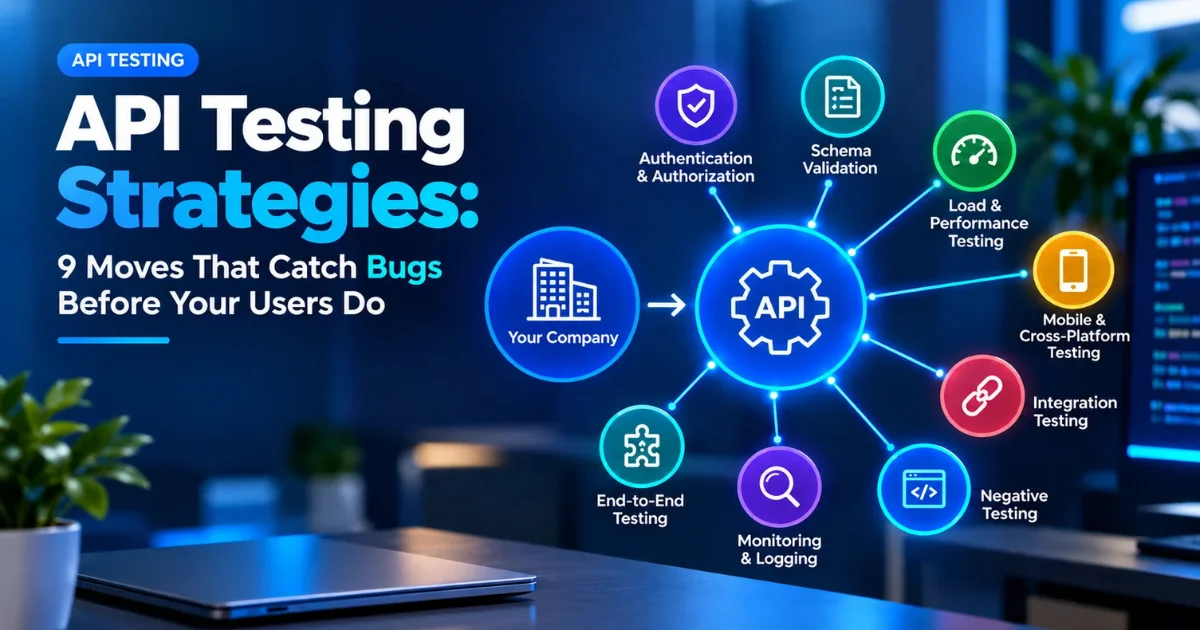
The fix isn’t magic. It’s having a plan for how you test your APIs, what you test first, and when each test runs. That plan is what people mean by an API testing strategy. And the nice thing is, it doesn’t have to be complicated. API tests also run about 10 to 50 times faster than the same checks done through a browser, so you get answers quickly instead of waiting around.
So let’s go through it together. Nine moves, a few tools worth knowing, and a simple document you can copy for your own team.
So, What Is an API Testing Strategy?
Think of it as your team’s answer to four simple questions:
- What are we testing?
- How are we testing it?
- When is each test run?
- Who owns what?
A car is a good comparison. You check the brakes every single time you drive. Look at the tyres once a month. The engine gets a full checkup once a year. Different checks, different timing. Your API testing strategy does the same job for your software.
1. Start With the Endpoints That Would Hurt Most
You can’t test everything equally, and honestly, you shouldn’t try. Sort your endpoints into three piles:
- The must-not-break ones: login, payments, creating orders. These get automated tests on every pull request.
- The ones that change a lot: anything developers touch every week. Contract tests fit nicely here.
- The quiet, stable ones: they rarely change, so a quick check or a production monitor is usually plenty.
Skip this step, and you’ll probably end up automating everything at once, then wondering why your test suite is slow and nobody trusts it.
2. Get the Basics of Your REST API Testing Strategy Right
Most teams are dealing with REST APIs, so that’s the natural starting point. For each endpoint, a decent REST API testing strategy checks:
- Status codes. A good request should return 200. A bad one should return the right 4xx error, not a random 500.
- The response body. Is the data correct, complete, and shaped the way it’s supposed to be?
- Headers. Content type, caching, security headers.
- The methods. GET, POST, PUT, PATCH and DELETE should each do their own job and nothing extra.
- Speed. Fast enough that a real person wouldn’t get bored waiting.
If you’re new to this, try Postman. You can send requests and read answers without writing a single line of code, which makes it a gentle way to learn.
3. Break Things on Purpose
A test that only checks the happy path proves very little. It shows your API works when everyone behaves nicely, and that’s not how the internet works.
So try the ugly stuff. Leave out a required field. Send text where a number should be. Use an expired login token. Paste in something absurdly long. Request a record that belongs to a different user.
If your time is tight, remember this: functional tests plus negative tests are the bare minimum for any API. If you can only do two kinds of testing, do those two.
4. Use Contract Testing So Teams Stop Breaking Each Other
Picture this. One team renamed a field from “user_name” to “username.” Their own tests pass. Everything looks fine on their side. Meanwhile, another team’s service that depends on that field quietly falls over.
Contract testing exists to stop exactly this. It checks that what an API sends still matches what the other side expects. Pact is the tool most people reach for. This matters most when you have several services talking to each other, because it lets you catch breaking changes in your pipeline instead of in a shared test environment where the fallout hits everyone.
5. Plan Your API Performance Testing Strategy Early
Checking the speed the week before launch is a stressful way to live. A calmer API performance testing strategy asks three things:
- Load testing: how does it behave under normal traffic?
- Stress testing: what happens when traffic goes far above normal, and where does it finally crack?
- Spike testing: can it survive a sudden jump, like a sale that starts at noon?
Start early, keep the tests small, and run them on a schedule or before big releases. K6, JMeter and Gatling are the usual tools. Another tip: set a baseline first, something like “95% of requests should answer in under 300 milliseconds.” Without a baseline, you won’t notice when things slowly get worse.
6. Make Security Testing a Habit, Not a Yearly Event
APIs hand out data directly, which makes them a favorite target. Your strategy should cover the usual troublemakers: broken login checks, users reaching other people’s data (often called BOLA), and endpoints that let someone fire off unlimited requests.
The OWASP API Security Top 10 is a friendly checklist to work from. Tools like OWASP ZAP can scan for common problems automatically, so these checks can live inside your pipeline rather than waiting for a once-a-year penetration test.
7. Build Your API Test Automation Strategy in Layers
Automation is where a good plan either shines or turns into a chore. The trick is simple: match the speed of the test to the moment it runs.
| When it runs | What runs | Aim for |
| Every commit | Unit tests, contract tests, schema checks | Under 2 minutes |
| Every pull request | Full functional suite, integration tests, key regression tests | Under 10 minutes |
| Before staging or release | Performance checks, security scans, end-to-end flows | Under 30 minutes |
| In production | Small monitors that keep pinging key endpoints | Always on |
A few habits keep this from getting messy. Run independent tests in parallel. Stop early if the login tests fail, since nothing after that will make sense anyway. And use mocks so outside services don’t make your tests flaky for no good reason.
8. Keep Your Toolbox Small
More tools sound impressive, but it also means more upkeep. Pick the smallest set that covers what you need:
- Postman or Insomnia for exploring and manual checks
- REST Assured and SuperTest for code-based functional tests
- Karate for readable, BDD-style tests when your team has mixed skills
- Pact for contract testing
- K6, JMeter or Gatling for performance
- OWASP ZAP for security scans
Let your team’s language guide you. A Java team will probably love REST Assured. A JavaScript team will probably feel at home with SuperTest.
9. Write It Down in an API Test Strategy Document
A plan that lives only in one person’s head isn’t a strategy. It’s a rumour.
Your API testing strategy document doesn’t need to be fancy, and it definitely doesn’t need 40 pages. Keep it short enough that people will read it, and put it somewhere easy to find. If someone asks for an API testing strategy PDF, you can just export the same document.
Here’s a simple test strategy for API testing that you can copy and tweak:
- Purpose and scope: which APIs are covered, and what’s left out
- Risk list: which endpoints or flows would hurt most if they broke
- Test types: functional, negative, contract, performance, security, and how much of each
- Automation plan: what runs on commit, on pull request, and before release
- Tools: the short list your team agreed on
- Test data: where realistic, anonymized data comes from
- Environments: local, staging, and production monitors
- Ownership: who writes, runs and fixes what
- Exit criteria: what “tested enough” means before shipping
- Review schedule: when you’ll update this document, like every quarter
A small business note on test data, because it gets ignored a lot. Your tests are only as good as the data behind them. Use realistic but anonymized data, start each run from a clean state, and avoid tests that only pass when they run in a certain order.
Using GraphQL or gRPC? Same Idea, Different Details
REST isn’t the only style anymore. With GraphQL, add checks for query depth limits and for each resolver. With gRPC, test against your Protocol Buffer definitions and keep an eye on failures in streaming calls. The strategy stays the same. Only the details change.
Frequently Asked Questions
What is the best approach to API testing?
There’s no single best approach, but a layered one works for most teams. Start with functional and negative tests on your important endpoints. Add contract testing if you run several services. Add performance and security testing for busy or sensitive APIs. Then automate as much as makes sense inside your pipeline.
What are the 9 types of API testing?
The usual list is functional, unit, integration, contract, negative, security, performance (load), end-to-end, and fuzz or validation testing. Different sources group them a little differently, but these nine cover what most teams do.
What are the 7 most common types of APIs?
The ones you’ll run into most are REST, SOAP, GraphQL, gRPC, WebSocket, webhooks, and RPC-style APIs like JSON-RPC. You may also see APIs sorted by who can use them, such as public, partner and internal APIs. Lists vary, but REST is by far the most common.
What are the methods in API testing?
It can mean two things. First, the HTTP methods you test: GET, POST, PUT, PATCH and DELETE, plus HEAD and OPTIONS. Second, the testing approaches: manual testing for exploration, and automated testing for repeatable checks in your pipeline.
Ready to Build Yours?
You don’t need a perfect plan on day one. Start with your riskiest endpoints, add a few negative tests, wire some fast checks into your pipeline, and improve it as you go. Look at the plan again every few months so it doesn’t quietly go stale.
Want more simple, honest guides on the tools and habits real software teams use? Explore more articles at softwarecora.com.
Want to contribute a software or SaaS article? Check our Write for Us guidelines.
