

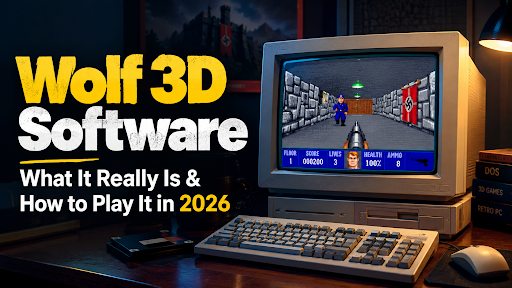
Search for “Wolf 3D software” and you land in a strange corner of the internet. Some pages describe a modeling suite with sculpting brushes, a rigging toolkit and a pricing ladder. A few call it a Blender rival. Not one of them shows an interface screenshot, because there is no interface to show.
What you most likely want is Wolfenstein 3D, the 1992 shooter from id Software that the world shortened to Wolf 3D. It counts as software in the loosest, most wonderful sense: a DOS program that taught ordinary PCs to draw fast, convincing corridors, and dragged an entire genre into existence while doing it. It is a game, an engine and a piece of computing history. You can run it in 2026 for free, or for the price of a bad sandwich.
This guide clears up the mix-up first, then gets practical. What the game is, how the engine really works, what it costs, what your computer needs, how to stay safe while downloading, which version and port to pick, how it stacks up against modern tools, and who should spend an evening with it. If you came here looking for actual 3D design software, the comparison section points you at tools that exist.
The Confusion Around Wolf 3D Software
Why do so many people type this phrase and expect a design tool? Because search results taught them to.
Plenty of low-effort pages for the exact phrase Wolf 3D software recycle the same padded paragraphs about “legacy” and “cultural impact.” A handful go further and invent features: texturing pipelines, UV mapping, export formats, even platform-specific installers. None of it traces back to a real product. The wording is often so mangled that you can spot the machine-spun synonyms from across the room.
So who actually searches this phrase? In my reading of the intent, four groups:
- Players and retro fans who want to play the old shooter on a modern PC.
- Students and curious programmers who heard Wolf 3D is the textbook example of ray casting.
- Modders looking for tools and ports.
- Designers and hobbyists who saw “3D software” in the phrase and assumed a Blender competitor.
If you are in the last group, I’m sorry for the detour, and you will find real recommendations further down. Everyone else is in the right place.
What Is Wolf 3D Software?
Wolf 3D is shorthand for Wolfenstein 3D, originally styled Wolfenstein 3-D. id Software built it, Apogee Software published it, and it arrived on May 5, 1992 for MS-DOS. John Romero and Tom Hall handled design, John Carmack wrote the engine, Adrian Carmack and Kevin Cloud drew the art, and Bobby Prince composed the music and sound.
You play B.J. Blazkowicz, an Allied spy who breaks out of a Nazi prison and fights his way through a castle. Corridors, locked doors, guard dogs, SS troopers and a boss at the end of every episode. That is the whole pitch, and it was enough. Wolf 3D is widely credited with popularizing the first-person shooter on the PC.
<!– Add your own memory here: where you first saw or played Wolf 3D (a school computer lab, a friend’s old PC, a magazine cover disc). A real detail will always beat anything generic. –>
The cleanest way to think about it is that Wolf 3D is three things wearing one coat:
- a game you can finish in an evening or chase high scores in for years,
- an engine whose tricks are still taught in computer graphics classes,
- an open-source landmark, because id Software published the original source code in 1995.
That last one is why you can play it on Windows 11 today without wrestling a thirty-year-old executable.
Embedtree Games Software: A Complete Guide
A short history: from Castle Wolfenstein to Doom
The family tree explains a lot, so here it is in order.
In the early 1980s, Muse Software released Castle Wolfenstein and its follow-up Beyond Castle Wolfenstein, top-down stealth games that supplied the setting and the hero’s job. In 1991, id Software built Hovertank 3D and Catacomb 3D, early experiments with the same ray-casting approach, using only 16-color EGA graphics. Then came Wolf 3D in May 1992, the version where the idea finally clicked and the shareware release spread like a rumor. Later that year, Spear of Destiny arrived as a prequel built on the same engine. In 1993, Doom took everything Wolf 3D proved and threw away its limits.
The 1995 source release closed the loop. id Software opened up the code under a non-profit license and began a habit it kept for decades: giving old engines to the community. Modern ports exist because of that single decision.
The franchise itself outlived its own engine. Return to Castle Wolfenstein came in 2001, and MachineGames revived the series with Wolfenstein: The New Order in 2014, followed by The Old Blood, The New Colossus and Youngblood. They share the setting and the hero, not the code.
Wolf 3D Software Key Features Breakdown
The 3D-modeling vocabulary from the usual SEO templates does not apply, so let’s use the right one. Wolf 3D’s features are about rendering tricks, level logic and pacing.
How the ray casting engine works
The walls in Wolf 3D are drawn with ray casting, a special case of ray tracing. For every vertical column of pixels on screen, the engine fires a ray from the player across a flat, grid-based map until it hits a wall. The distance to that wall decides how tall the strip of texture should be. Near walls are tall, far walls are short. Draw every column and your brain assembles a corridor.
It’s a trick, and a lovely one. Walk up to a wall and watch the texture swell as you approach. The engine has no idea what depth is the way a modern renderer does.
The shortcuts are the point. Maps sit on a 64 by 64 grid. Walls meet at right angles. Floors and ceilings are flat colors, with no slopes and no rooms stacked above rooms. Enemies, pickups and decorations are 2D sprites scaled by distance. All of that fits inside a 320 by 200 VGA picture, and it ran on 286-class hardware, which is exactly why it mattered.
Rendering capabilities and limits
Be realistic about what the renderer can and cannot do, because the comparison with design tools falls apart here.
What it can do: draw textured walls fast, scale sprites, show doors that slide, and keep a steady frame rate on modest hardware. What it cannot do: slopes, stairs, bridges, windows into other rooms, dynamic lighting, curved surfaces, or any geometry that isn’t a wall on a grid. There is no mesh import, no material system and no camera tools. Wolf 3D renders one specific kind of scene and renders it brilliantly.
Modeling and animation tools: what Wolf 3D does not have
Short version: none. There is no modeler, no sculpting, no rigging, no timeline. Enemy “animation” is a small set of hand-drawn sprite frames per direction: walking, shooting, dying. Artists drew those frames in 2D. If a page tells you that Wolf 3D software offers sculpting or rigging, close the tab.
Level design, secrets and score
Levels are mazes of rooms and corridors with a simple rhythm: find keys, open doors, reach the elevator. Hidden in the walls are push-walls, panels that slide back when you press against them to reveal treasure, ammo and health. Treasure adds to your score, and enough points buy extra lives. Each episode runs roughly ten floors, including a boss fight and a secret floor.
This secret-hunting habit is the most underrated part of the design. Nobody tells you the walls move. You bump one by accident, a hidden room opens, and from then on you lean on every suspicious stretch of corridor. Nearly every shooter that followed borrowed the instinct.
Weapons, enemies and the famous face
The arsenal is small: a knife, a pistol, a machine gun and a chain gun. Enemies include guards, dogs, SS officers and bosses such as Hans Grösse at the end of the first episode. The dogs are fast, loud and the first thing that kills new players.
Then there is the status bar, home to the best piece of interface design in early PC gaming. B.J.’s face sits at the bottom of the screen and gets bloodier as your health drops. You never read the health number. You glance down, see a battered grimace, and know it’s time to find a medkit.
The four difficulty names deserve a hall of fame all their own: “Can I play, Daddy?”, “Don’t hurt me.”, “Bring ’em on!” and “I am Death incarnate!”
Sound and music
Bobby Prince’s soundtrack and effects supported AdLib and Sound Blaster cards, with a fallback to the PC speaker. The guard shouts, pickup chimes, door whooshes and the death gurgle of a downed trooper are instantly recognizable. The stock audio sets the mood better than most remasters do. If you play with ports on a modern PC, a decent pair of headphones helps; our roundup of the best wireless earbuds under 200 dollars is a good place to start.
Export formats and file structure
Wolf 3D does not export anything in the design-tool sense. It reads a small family of data files. The game’s maps, graphics, sound and wall textures live in separate archives such as GAMEMAPS, MAPHEAD, VSWAP and VGAGRAPH, and the file extension tells you which version you have: .WL1 for the shareware episode, .WL6 for the full game and .SOD for Spear of Destiny.
That structure matters for two reasons. Ports like Wolf4SDL look for exactly these files, and on Linux the file names must be lowercase. And mod tools read and write the same formats, which is how fan-made levels get into the game.
Wolf 3D Software Pricing: Free or Paid?
Both, depending on how much of the game you want.
Shareware is how Wolf 3D spread. The first episode was released free and freely copyable, and players who wanted more ordered the rest. That strategy is a big part of why the game ended up everywhere.
In 2026 your options look like this:
- The free shareware episode. Legal, widely distributed and the easiest way to try the game. Open-source ports such as Wolf4SDL are built to run the shareware data.
- The full game from a digital store. Storefronts such as Steam have carried Wolfenstein 3D, usually for a few dollars. Prices and availability shift, so check the current listing instead of trusting an article, mine included.
- Free browser versions. Bethesda offered one around the game’s 20th anniversary in 2012, and browser-based DOS emulators have hosted it at various times. These come and go.
- The open-source code. The original source lives on GitHub under the id-Software/wolf3d repository. The code is free to read. The registered game data is still a commercial asset.
And one warning. Sites offering “full Wolf 3D download, no purchase needed” are either distributing pirated data or wrapping something nasty in an installer. If you want the whole game, buy it. It costs less than lunch.
Wolf 3D Software System Requirements
The original game wanted a 286-class PC, roughly 640 KB of memory and a VGA card. Those numbers are funny now, so the real question is how to run it on a current machine.
| Platform | Easiest way to run it |
| Windows | A source port such as Wolf4SDL or ECWolf, or DOSBox for the original files |
| macOS | The same ports, or DOSBox |
| Linux | Wolf4SDL or ECWolf, often available from your distribution’s package repository |
| Phones and tablets | Past ports have existed, but availability changes, so check your app store |
Hardware is a non-issue for Wolf 3D software. Any computer built in the last twenty years handles it. The original controls were arrow keys to move, Ctrl to fire and Space to open doors; modern ports add mouse look and WASD.
I’ll be blunt about it: if you’re not a DOSBox person, use a port. The goal is to play the game, not to become an expert in memory managers.
Is it safe to download?
The game itself, yes. The websites around it are where you need care.
Download ports from their official project pages or from your operating system’s package manager. Download the shareware data from a reputable archive, not from a page that asks you to run an “installer.” Be wary of any site offering a one-click Wolf 3D installer for every platform: that is how content-farm pages describe a product that has no single official download. If a download asks for an unrelated browser extension or wants admin rights for a thirty-year-old shooter, close it.
Wolf 3D Software for Beginners: Is It Easy to Learn?
For playing, yes. As Wolf 3D software goes, this is one of the friendliest shooters ever made. You walk, you shoot, you open doors. There is no inventory, no crafting, no skill tree. The lowest difficulty is gentle enough for a child, and “I am Death incarnate!” will humble anyone who still thinks of themselves as a seasoned FPS veteran.
The mistake new players make is rushing. The game isn’t about speed on your first run. Learn which sound means a dog is around the corner. Learn that a door can wait while you peek down the corridor. Learn to listen. Players who treat Wolf 3D like a modern run-and-gun get cut down by the second floor.
Tips for your first hour
- Press against walls in dead ends. Secret rooms are common and often hold ammo.
- Fight dogs at doorways so they can only reach you one at a time.
- Save the chain gun for bosses and tight rooms.
- Pick up treasure when it is cheap to do so; extra lives matter on higher difficulties.
- Play the first episode on a middle difficulty before judging the game.
If you plan long mouse-look sessions in a port like ECWolf, a good wrist rest saves your forearm; our review of the Badseed Tech Carpio gliding wrist rest covers one option.
Common beginner mistakes
Playing too fast, ignoring sound cues, never checking walls and wasting ammo on guards in far corridors. Fix those four and you will clear the first episode without much trouble.
Wolf 3D Software for Veterans and Speedrunners
Experienced players find a surprising amount of depth. Score runs, secret-floor routing and speedrunning have kept communities busy for decades. Efficient routes hinge on weapon swaps, door timing and push-wall knowledge that borders on obsessive. The engine’s simplicity is the reason: nothing is random enough to hide behind, so execution is everything.
The honest limit is that it is a 1992 game. Levels are all right angles and the enemy list is short. Veterans tend to love it in bursts and then return to games with more variety.
Wolf 3D Software for Game Development
Here the answer is more interesting than “no.”
As a study piece, Wolf 3D software is superb. Ray casting is small enough to understand in a weekend, and the original source code shows how id squeezed speed out of limited hardware. If you want to learn how 3D graphics started, few projects teach more per hour.
As a foundation for a new game, it’s a poor fit unless you want the retro look. Modern engines such as Godot give you real 3D, physics, audio tools and export pipelines. Building a commercial game on a 1992 grid renderer means fighting the engine at every turn.
As a modding platform, it’s lively. Source ports like ECWolf support custom maps, graphics and rules, so you can build a total conversion without writing an engine. More on that in the modding section below.
Wolf 3D Software for Architecture and Product Design
Straight answer: don’t use it.
Architects and product designers need parametric geometry, accurate measurements, materials, lighting and export to real formats. Wolf 3D has a flat grid, wall-height textures and sprites. Its maps are not drawings, and you can’t export a floor plan to anything useful.
If your work is architecture, SketchUp is the friendly starting point, and tools such as AutoCAD and Revit sit at the professional end. For product design, Fusion 360 is the common choice. For visualization and rendering, Blender is free and excellent. Wolf 3D belongs in a different field entirely.
Versions, Episodes and Spear of Destiny
“Wolf 3D” can mean several products, and sorting them out saves confusion.
The original DOS release (1992). The core game, with episodes of roughly ten floors each. The shareware version contains only the first episode.
Spear of Destiny. A standalone prequel from 1992, published by FormGen on the same engine, with its own mission packs. It has a slightly harder, more polished feel, and many fans prefer it to the original.
Console and computer ports. Wolf 3D reached Macintosh, the Atari Jaguar and the Super NES, among others. Quality varied. Some console versions changed or removed imagery and replaced enemies, so treat them as curiosities, not the definitive experience.
Games on the same engine. The Wolf 3D engine powered a family of titles including Blake Stone, Corridor 7, Operation Body Count, Super Noah’s Ark 3D, Rise of the Triad, Shadowcaster and Hellraiser. Rise of the Triad in particular shows what the technology looked like pushed to absurd extremes.
The modern Wolfenstein series. Return to Castle Wolfenstein, The New Order and its sequels are separate games. If you hoped “Wolf 3D software” meant one of those, search for the title directly.
A note on content
Wolf 3D is set in World War II and features Nazi imagery, enemies and bosses. That content shaped its reception: some versions were altered in certain markets, and the series later made its anti-fascist stance more explicit. If that setting is a dealbreaker for you, there are plenty of other retro shooters. If it’s not, the game is a straightforward action fantasy with cartoon-level violence by modern standards.
Wolf 3D Software vs Blender and Other 3D Tools: An Honest Comparison
Let’s address the misconception directly, because it is why many people reach this page.
Blender, Maya, 3ds Max, Cinema 4D, ZBrush and SketchUp are tools for creating 3D content: models, textures, animation, renders. Wolf 3D renders a fixed set of walls and sprites in real time. It cannot import a mesh, texture a character or export a model. Comparing the two is like comparing a record player to a recording studio.
If your goal is 3D design, here is a quick map of tools that genuinely exist:
- Blender is free and open source, runs on Windows, macOS and Linux, and covers modeling, sculpting, animation and rendering. It’s the default recommendation for hobbyists and increasingly for professionals.
- Maya is Autodesk’s industry-standard package for animation and rigging, sold by subscription. It’s the choice for film and character work.
- 3ds Max leans toward architectural visualization and game assets.
- Cinema 4D is popular for motion graphics.
- ZBrush is the sculptor’s tool for detailed character and creature work.
- SketchUp is the gentle on-ramp for architecture and simple product mockups.
- Fusion 360 suits mechanical and product design.
- Godot is a free, open-source game engine for building your own games.
| Tool | What it is | Cost | Platforms | Best for |
| Wolfenstein 3D | 1992 FPS game and engine | Free shareware episode; full game a few dollars | DOS, plus modern ports | Playing retro FPS history |
| ECWolf | Modern Wolf 3D source port | Free | Windows, macOS, Linux | Playing and modding on current hardware |
| Blender | 3D creation suite | Free, open source | Windows, macOS, Linux | Modeling, animation, rendering |
| Maya | Professional animation and modeling | Subscription | Windows, macOS, Linux | Film, rigging, character work |
| Godot | Open-source game engine | Free | Windows, macOS, Linux | Building your own games |
Notice that Wolf 3D never lands in the “design” column. That’s the honest verdict, and any page that claims otherwise is selling something that does not exist.
If you want to build a Wolf-style game yourself, learn ray casting directly. It takes surprisingly little code, and you will understand 3D graphics better than after weeks inside a modeling suite.
Wolf 3D vs Doom: How Far the Engine Came
The natural comparison is Doom, id Software’s 1993 follow-up.
Doom fixed nearly every limitation Wolf 3D had. Floors and ceilings could sit at different heights, surfaces were textured, lighting varied from room to room, and walls no longer had to meet on a rigid grid. The jump in atmosphere was enormous.
What Doom did not do is make Wolf 3D obsolete. Wolf 3D is faster to read, more forgiving and strangely more relaxing, because every room is a clean puzzle of angles and doors. Doom is a stage show. Wolf 3D is a chess match against a guard with a chain gun.
My own preference leans toward Doom for sheer variety. Even so, I’d tell any new player to start with Wolf 3D, because you can see every rule of the genre in its simplest form. You can’t appreciate what Doom improved until you have felt Wolf’s constraints.
How to Download and Install Wolf 3D Software
Let’s get Wolf 3D software running on your machine. There are three clean paths.
Path one: a source port with the shareware data (fastest).
- Download Wolf4SDL or ECWolf from its official project page. Wolf4SDL’s code is on GitHub at mozzwald/wolf4sdl.
- Place the game data files where the port expects them. For Wolf4SDL builds that means the .wl* files for Wolfenstein 3D and the .sod or .sd* files for Spear of Destiny. On Linux, file names must be lowercase.
- Launch the port, choose your difficulty and play.
Path two: DOSBox with the original game.
- Install DOSBox.
- Mount the folder holding the game files and run the executable.
- Expect to adjust speed and sound settings once. Turn on aspect-ratio correction so the 320 by 200 picture looks right on a modern screen.
Path three: buy the full version.
- Find the current listing on a legitimate store such as Steam.
- Install it normally. Many store versions bundle their own compatibility layer.
- Optionally point a port like ECWolf at the purchased data files for modern controls.
Wolf4SDL or ECWolf: which port?
Wolf4SDL is the conservative choice. It’s an open-source SDL port that keeps the original feel while adding modern conveniences. ECWolf goes further, with a more flexible engine, higher resolutions and strong mod support. If you want the 1992 experience with fewer headaches, pick Wolf4SDL. If you want to mod, pick ECWolf.
<!– Add your own memory here: the first time you got a port running, or a moment where the old DOS version fought back. –>
Troubleshooting common problems
The game says it cannot find data files. Check the file names. Ports expect specific names, and Linux wants lowercase. Also confirm you are using shareware data with a shareware build and registered data with a registered build.
No sound. In DOSBox, check that the sound card setting matches what the game expects (AdLib or Sound Blaster). In a port, check the audio options and your system volume.
The game runs too fast or too slow in DOSBox. Adjust the emulated CPU cycles in the DOSBox configuration. A modern machine overshoots easily, so cap them.
The picture looks stretched. The original resolution was 320 by 200 on 4:3 monitors. Turn on aspect-ratio correction, or let the port handle scaling.
Mouse feels off. Ports with mouse look need sensitivity tuning. Start low, since the original game was designed around keyboard turning.
Modding and Building Your Own Levels
If you finish the game and want more, building levels is the natural next step.
id used a tile editor called TED5 for the original maps, and fans have built newer editors since. The workflow is simple: lay out rooms and corridors on the 64 by 64 grid, place doors, enemies and items, and mark secret walls. ECWolf adds scripting and rule changes on top, so you can adjust how enemies behave or make an entirely new game with the same engine.
Modders also swap graphics, sound and music. Total conversions turn the castle into other settings, which keeps the format alive well past its expected lifespan.
My advice for a first map: build one room, add one door and one enemy, and test it. Then add a second room. Beginners who plan a huge castle on day one tend to abandon it by day three.
Best Wolf 3D Tutorials and Learning Resources
There are two kinds of learners here: players and builders.
If you want to play better, watch speedruns and score runs, then read community guides on push-wall locations and enemy behavior. The community has mapped almost every secret in the game.
If you want to understand the engine, these are the resources I’d recommend:
- Lode Vandevenne’s ray casting tutorial on his computer graphics site is the friendliest introduction I know. It walks from a blank screen to a working Wolf-style renderer.
- Fabien Sanglard’s book Game Engine Black Book: Wolfenstein 3D is a deep, readable dissection of how id got that performance out of 1992 hardware.
- The original source code at github.com/id-Software/wolf3d is worth reading, even if you only skim. Seeing the real thing makes the tutorials click.
If you want to make levels, start with the map editors and ECWolf mod documentation described above, and look for fan-made beginner tutorials.
Wolf 3D Software Community and Support
The community around Wolf 3D software is small, loyal and surprisingly helpful. Fan wikis document every enemy and secret. Forums host decades of custom maps, total conversions and engine experiments. Open-source ports are maintained by volunteers, so answers come from people who care instead of a ticket queue.
The trade-off is the usual one for hobby projects: uneven documentation and old forum threads pointing at dead links. Search by the specific port name and you will usually find what you need.
Pros and Cons
What it does well
- A perfectly preserved lesson in game design where every mechanic is visible.
- Runs on nearly anything.
- The shareware episode is free and legal.
- Open-source ports make it painless on modern systems.
- The engine is a gold mine for learning graphics programming.
- Short enough to finish in a sitting.
Where it falls short
- Visual variety is limited by the grid-and-sprite approach.
- Enemy behavior is simple, and floors can blur together.
- It is a game, not a creation tool, so it won’t help with modeling, animation or architecture.
- Console ports are uneven.
- Many online pages describing “Wolf 3D software” are misleading.
- The setting won’t suit everyone.
Who Should Play It, and Who Should Skip It
Play it if you are:
- a retro FPS fan who wants to see where the genre began,
- a student or programmer curious about ray casting,
- a modder who enjoys small, tight level-design problems,
- anyone with an hour to spare and a free shareware episode within reach.
Skip it if you are:
- looking for 3D modeling, animation or rendering software,
- an architect or product designer needing real geometry,
- someone who dislikes World War II settings,
- expecting modern shooter variety, story or graphics.
FAQs
What is Wolf 3D software?
Mostly a naming accident. People type it when they mean Wolfenstein 3D, the 1992 id Software shooter. It is a game and engine, not a 3D modeling program.
Is Wolf 3D software free?
The first episode is free shareware. The full game costs a few dollars on legitimate stores, and open-source ports are free but still need the game data files.
What can you do with Wolf 3D software?
Play a historic shooter, learn how ray casting works, build custom levels with a map editor or port, and poke around the source code. You cannot model, animate or render with it.
How do I download it?
Grab a port like Wolf4SDL or ECWolf from its project page, add the shareware data files, and launch. Or buy the full version from a store. Skip any site promising a single “official installer.”
Is it good for beginners?
Yes, as a player. The controls are simple and the lowest difficulty is gentle. As a programming project, ray casting is a good first graphics exercise, though you will want some coding experience.
How does Wolf 3D compare to Blender?
They aren’t competitors. Blender is a tool for making 3D content. Wolf 3D is a finished game with a tiny, fixed set of rendering tricks.
What are the system requirements?
The original needed a 286-class PC with VGA. Today any computer handles it, through DOSBox or a native port.
Is it good for game development?
As a study piece, brilliant. As a base for a new game, you’d be better off with a modern engine like Godot, unless you specifically want the retro look.
Can I use it for architecture or product design?
No. It has no real geometry, measurements or export formats. Use SketchUp, Fusion 360 or Blender instead.
Is it safe to download?
The game is. Some websites around it are not. Use official project pages and reputable archives, and avoid one-click installers.
Is it available for Mac and Windows?
Yes, through ports and emulation, plus Linux.
How do I learn it?
Play the first episode on a middle difficulty, then read a ray casting tutorial if you want the engineering side.
What is the difference between Wolfenstein 3D and Spear of Destiny?
Spear of Destiny is a standalone prequel on the same engine with its own levels and mission packs. It feels a little tougher and more polished.
Is it worth it in 2026?
For a few dollars, or for free, yes. It’s short, historically important and still fun in small doses.
What are the best alternatives?
If you wanted 3D modeling, try Blender. If you wanted more shooting, try Doom, Rise of the Triad or the modern Wolfenstein series.
Final Verdict
Yes, if you came for the game. No, if you came for a design tool, and in that case, go download Blender today.
The web has done Wolf 3D a disservice by dressing it up as productivity software. Strip that away and what remains is better: a tight, fast, historically enormous game that you can run for free, finish in an evening and learn from for years. Few pieces of software from 1992 still teach this much.
My recommendation is simple. Grab a source port, load the shareware episode, set the difficulty to “Bring ’em on!” and play one full episode without checking a guide. Hunt for the push-walls. Listen for the dogs. Then, if the engine itches at your curiosity, open a ray casting tutorial and build your own corridor in an afternoon.
That is a better use of an evening than any download page promising a 3D studio that doesn’t exist. Go play it.
Last updated October 2026. Prices, store availability and port versions change, so check each project’s official page before downloading.
Keep exploring on Software Cora
- More retro and modern titles: Gaming
- Reviews and explainers across the tech world: Technology
- Gear for long sessions: best wireless earbuds under 200 dollars and the Badseed Tech Carpio wrist rest review
Write for Us
Do you test gadgets, build desk setups or explain tech in plain words? Write for SoftwareCora and share your ideas with readers who want honest, useful guides. Send us your guest post today →
