

Still running your trial on Excel? Here is when it stops working.
Picture a Monday morning at a mid-sized CRO. A monitor asks which sites are overdue for a monitoring visit. One coordinator opens the site tracker. Another opens a different workbook titled “Site Tracker FINAL v3.” A third says the real dates are in an email thread from March. Twenty minutes later, nobody agrees, and one site has gone eleven weeks without a visit.
That scene is the reason a CTMS exists.
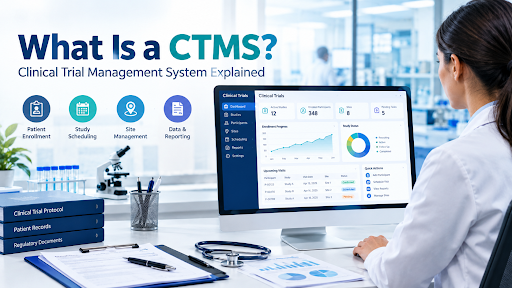
A CTMS, short for clinical trial management system, is the software that keeps the operational side of a study in one place: sites, contacts, visits, milestones, contracts, payments, documents and reports. It does not collect patient data. It tells you whether the trial is running the way you planned.
This guide explains what a CTMS does, where it overlaps with an EDC and an eTMF, when a spreadsheet is still fine, and how to pick CTMS software without getting talked into features you will never open. It is vendor-neutral on purpose. Limits are covered too, because every article that skips them is a sales page in disguise.
What Is a CTMS?
A clinical trial management system is a database and workflow tool used to plan, track and oversee the operational activities of a clinical study. Think of it as the control room. The EDC holds what happened to participants. The system holds what is happening to the trial.
Typical questions a CTMS answers:
- Which sites are activated, and which are still stuck in contracting?
- How many participants have been screened, enrolled and withdrawn, site by site?
- Which monitoring visits are scheduled, completed or overdue?
- Which reports are still waiting for review or sign-off?
- Which site payments are due, approved or paid?
None of those questions is about a lab value or an adverse event. They are about people, dates, money and paperwork. That is the territory of a CTMS.
Sponsors, CROs and larger sites use CTMS software. Smaller academic teams often start with spreadsheets and move later, usually after something goes wrong.
The Core Feature Areas of a CTMS
Vendors package features differently, and the labels vary. Still, almost every serious CTMS covers the same eight areas. Here is what each one does in real life, and where it tends to disappoint.
1. Contact Management
This is the address book that finally stays current. Every investigator, sub-investigator, coordinator, pharmacist, IRB contact, CRA and vendor lives in one record with their role, site, training status and history.
It sounds boring until you have run a trial where the pharmacist at site 14 changed in January and nobody told the drug supply team. A good contact module links people to sites and roles, so a change in one place shows up everywhere.
Watch for: systems that store contacts but do not track role changes over time. You want history, not just the current name.
2. Calendar and Monitoring
Monitoring visits, site initiation visits, close-out visits, IRB renewal dates and regulatory deadlines go on a shared calendar tied to the sites they belong to. The better systems generate reminders and flag overdue visits automatically.
This is the module that would have caught the eleven-week gap from the opening scene. A spreadsheet only tells you a date is late if someone happens to look at that row. Booking monitors, coordinators and site visits across many studies at once is also a classic scheduling problem; our guide to multi-resource scheduling explains the methods and tools behind it.
Watch for: calendars that do not respect time zones or do not sync with the calendars people actually use.
3. Document Management and eTMF
Many CTMS products include some document handling: storing site files, regulatory documents, monitoring correspondence. Some connect to a dedicated eTMF (electronic trial master file) or include a lightweight version.
Be honest with yourself here. A basic document library inside a CTMS is not the same as a full eTMF with TMF reference model filing, completeness checks and inspection-readiness views. If you are a sponsor planning for inspection, check which one you are really getting.
Watch for: the phrase “document management” being used to describe a folder with upload buttons.
4. Project Plan
The project plan module holds milestones, timelines and dependencies: protocol finalization, site selection, IRB approval, first participant in, last participant out, database lock. Good ones show planned versus actual dates, so slippage is visible before it becomes a crisis.
This is where a CTMS earns its keep with sponsors, who want to see progress without reading forty emails.
Watch for: rigid templates that do not fit your study design. Adaptive and decentralized trials rarely follow a neat linear plan.
5. Contracts and Payments
Site contracts, budgets, amendments and payments are tracked against actual activity. If a site completes a visit, the system can show that a payment is owed. If a contract amendment is pending, it shows up as a blocker for activation.
Ask anyone who has chased a late site payment: delayed payments damage relationships, and relationships affect enrollment. Tracking this in a CTMS rather than a finance spreadsheet gives operations and finance the same numbers.
Watch for: payment modules that track what is owed but do not integrate with your accounting system. You may still end up re-keying data.
6. Subject Tracking and EDC Integration
The system tracks enrollment counts and subject status at a summary level: screened, randomized, completed, discontinued. In many setups, an integration with the EDC feeds these numbers in automatically, so nobody types them by hand. Some systems also pull in summary-level data review status (for example, how many forms at a site have been reviewed and how many are still waiting) and end-of-study disposition for each participant, so monitors can plan their time around where the open work really is.
Keep the boundary clear. The system needs counts and statuses. It does not need clinical data, and it generally should not store it. Integration quality varies wildly, so ask for a live demo with your actual EDC, not a slide.
Watch for: “integration” that means a nightly CSV export someone has to upload.
7. Visit Report Authoring and Letter Generation
Monitoring visit reports are written, reviewed and approved inside the system, usually from templates. Findings, follow-up items and action owners are captured in structured form instead of being buried in a Word document.
The same module should also generate the letters that go with each report. After a visit, the monitor typically sends the site a confirmation letter, a follow-up letter listing open findings, or a visit summary. In a well-built system these are produced from the visit report itself: site name, visit type, dates, findings and action owners are merged into a template, and the finished letter is stored with the report it came from. Nobody retypes the findings into a Word letter, and the letter cannot drift away from what the report says.
The real value shows up later. When a finding is structured data, you can see that three sites have the same consent-form issue and fix the root cause, not just the symptoms. When letters come from the same data, the site receives exactly what the report recorded, and your files show what was sent and when.
Watch for: report templates that cannot be customized to your monitoring plan, and letter generation that is really a blank Word template with no connection to the report data.
8. Reporting and Analytics
Dashboards and exports: enrollment versus target, visit completion, open action items, site performance, payment status. Some systems offer configurable reports. Others offer fifteen canned ones and a prayer.
The test is simple: can you answer a sponsor’s unexpected question without calling the vendor? If the answer is no, the reporting is weaker than the brochure suggested.
Watch for: dashboards that look good in a demo but cannot be filtered to the cut of data your team uses.
What a CTMS Actually Gives You
Vendors list dozens of benefits. Four are worth your attention because they show up in daily work.
Visibility. One place to see the state of every site. Not a summary someone built last Thursday.
Collaboration. Sponsor, CRO and monitors work from the same record. Fewer “which version is current?” emails. That said, collaboration only works if everyone actually logs in, which is a training and culture issue, not a software one.
Efficiency. Less duplicate entry, fewer manual status reports, faster visit report turnaround. The gains are real but modest at small scale and large at portfolio scale.
Oversight. Under ICH E6(R3), the finalized Good Clinical Practice guideline, sponsors are expected to keep appropriate oversight of trial activities and of the computerised systems used. A CTMS gives you a structured way to show you were watching. It does not replace the watching.
CTMS vs EDC vs eTMF (and Where They Overlap)
These three get confused constantly, partly because vendors bundle them.
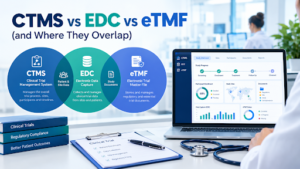
- EDC (electronic data capture) collects the clinical data from each participant: visit data, labs, adverse events.
- eTMF (electronic trial master file) holds the essential documents that demonstrate the trial was conducted properly.
- CTMS manages trial operations: who, where, when, how much.
Other systems orbit them. An IRT (interactive response technology) handles randomization and drug supply. An eCOA collects patient- or clinician-reported outcomes. Neither is part of a CTMS, but both may feed it.
What Data Overlaps and Why
Overlap is where things go wrong, so it is worth naming. Four items come up again and again between a CTMS and an EDC.
- Subject counts and statuses. The EDC is the source of truth. The system should receive these numbers, not retype them.
- Visit dates. The EDC records when a participant visit happened. The system tracks when a monitoring visit happened. Different events, similar words, frequent confusion.
- Data review status. The EDC knows which forms have been entered, reviewed, queried or locked. A CTMS that receives this at summary level can show a monitor which sites have the most unreviewed data before the next visit is planned. The review itself still happens in the EDC; the CTMS only reflects where it stands.
- End-of-study disposition. Whether each participant completed the study, withdrew, was lost to follow-up or was discontinued for another reason is recorded in the EDC. The CTMS needs the same disposition to report accurate completion and dropout numbers, and to trigger close-out activities. Retyping it by hand is a reliable way to get two different answers.
Two more areas overlap outside the clinical data itself:
- Site and investigator information. Often entered in more than one system. Pick one master and sync from it.
- Documents. If the system has a document area and you also have an eTMF, decide which one is filed for inspection. Two filing systems with no rule is how documents go missing.
A quick rule: if the data is clinical, it lives in the EDC. If it proves the trial was run properly, it belongs in the eTMF. If it tells you how the trial is progressing, it goes in the CTMS.
CTMS vs Excel: When Does a Spreadsheet Stop Working?
Honestly, Excel is not the enemy. A single-site study with one coordinator and thirty participants can run on a well-built spreadsheet. Plenty do.
Trouble starts when the number of sites, people or deadlines grows. Spreadsheets have no real concept of permissions, no reliable audit trail, and no way to stop two people overwriting each other’s work. They also depend on whoever built them. When that person leaves, the logic goes with them.
| CTMS | EDC | Excel | |
| Main job | Track and manage trial operations | Collect clinical data from participants | General-purpose tracking and calculation |
| What it holds | Sites, contacts, milestones, visits, contracts, payments, reports | Case report form data, queries, data corrections | Whatever someone types into it |
| Typical user | Clinical operations, CRAs, project managers | Site staff, data managers, biostatisticians | Anyone |
| Built-in audit trail | Usually yes | Yes, required for regulated data | No (workarounds exist, none are comfortable) |
| Access controls | Role-based | Role-based | File-level at best |
| Handles multi-site coordination | Designed for it | Not its purpose | Gets painful past a few sites |
| Where it breaks | Cost, setup effort, poor fit for unusual designs | Does not manage operations or payments | Version drift, silent errors, no oversight trail |
The table shows the pattern. Excel wins on cost and flexibility. A CTMS wins on control, history and scale. An EDC is a different tool entirely.
A simple test: if you have more than a handful of sites, more than a couple of people editing the same tracker, or a sponsor who will ask how you know your numbers are right, you have probably outgrown the spreadsheet. If a missed deadline would cost you a site, a payment or an audit finding, you definitely have.
Moving From Excel to a CTMS Without Making It Worse
Migration advice from vendors tends to be “we’ll handle it.” Plan on handling more of it yourself.
- Clean the spreadsheet first. Importing messy data into a new system gives you messy data in a more expensive place.
- Decide what you are migrating. Active studies, yes. Closed studies from five years ago, only if you need them.
- Map fields before you demo. Know what columns exist and where they will go.
- Run both in parallel for a short, defined period. Not forever. Parallel running that never ends means the system is never trusted.
- Train people on their own role. A coordinator does not need the finance module.
CTMS Compliance: 21 CFR Part 11, ICH-GCP and What to Ask
Here is where marketing language gets sloppy, so slow down.
21 CFR Part 11 is the FDA regulation setting the criteria under which electronic records and electronic signatures are considered trustworthy, reliable and generally equivalent to paper records and handwritten signatures. It applies to electronic records required by other FDA regulations, often called predicate rules. Part 11 tells you how the electronic version must behave; the predicate rules tell you which records you need.
That has two practical consequences.
First, there is no such thing as a system that is “Part 11 compliant” in isolation. Compliance depends on how the software is configured, validated, and used, plus the procedures around it. A vendor can build the capability. You still have to run it properly.
Second, not every CTMS record is automatically a Part 11 record. It depends on whether the record is one that FDA regulations require. Many sponsors apply Part 11-style controls to their CTMS anyway, because the system often holds signed monitoring reports, approvals and regulated correspondence, and because applying one standard is simpler than sorting records one by one. Check with your quality or regulatory team about your own situation.
ICH-GCP adds a second layer. ICH E6(R3) was finalized on 6 January 2025, and the EMA set an effective date of 23 July 2025 in the EU. Regional adoption elsewhere varies, and FDA’s position on E6(R3) has been that guidance represents its current thinking rather than a binding rule, so confirm the status in the region where you run trials. The guideline puts weight on risk-proportionate approaches and on clear responsibilities for computerised systems, including documenting who is responsible for what when sponsors, CROs and sites each use systems.
Is the CTMS Your System of Record?
This question decides how much validation work you are signing up for, so ask it early.
A “system of record” is the system that holds the official, authoritative version of a record. If your CTMS is only a working tool, with the official monitoring reports, approvals and regulated documents living somewhere else (a validated eTMF, signed PDFs, a quality system), then the CTMS is a convenience layer and the validation burden is lighter. If the CTMS is where the final e-visit reports are authored, approved and kept, or where regulated documents are filed as the official copy, then it is the system of record for those items. In that case it needs to be validated for its intended use, with the audit trail, access controls, e-signatures and retention behavior covered later in this section.
Be explicit about the answer, write it into your procedures, and tell the vendor. Many compliance problems start with a team that treated the CTMS as “just tracking” while quietly letting it become the only place a signed report existed.
Audit Trail
Under 21 CFR 11.10(e), electronic records need a secure, computer-generated, time-stamped audit trail that independently records the date and time of operator entries and actions that create, modify or delete records. Changes must not obscure the previous entry, and the audit trail should be retained at least as long as the record it relates to.
In plain terms: if someone changes a monitoring visit date, the system should show who changed it, when, what it said before, and ideally why. A spreadsheet with “tracked changes” switched on does not meet that bar in any dependable way.
Archival vs Deletion
This one catches people off guard. In a regulated trial you generally cannot just delete records when a study closes or when something looks wrong. Records must be retained for the period the applicable regulations and your contracts require, and they must remain retrievable and readable.
That is why good systems archive rather than delete. An archived record is removed from daily view but preserved with its history. A deleted record is gone, and so is your ability to explain what it said.
The difference matters most when someone makes a mistake or a study reopens. An archived record can be restored: it comes back into daily view with its data and audit history intact, and the restore itself is logged. A deleted record cannot be brought back, and you are left explaining a gap. If a site was archived by accident, or a closed study needs to resume after an amendment, restoring is a routine action. With deletion it is impossible.
If a vendor tells you users can “delete anything,” ask what that does to the audit trail. Then ask who is allowed to restore archived records, and whether the restore is recorded.
Electronic Signatures
Electronic signatures under Part 11 are tied to individual identity. Each signature must be unique to one person, the identity must be verified before the signature is assigned, and non-biometric signatures need at least two distinct components, such as a user ID and a password. A signed record should show the signer’s name, the date and time, and the meaning of the signature (for example, review or approval).
For a CTMS, the relevant uses are usually visit report approvals, document approvals and workflow sign-offs.
User Account Controls
The unglamorous part, and the part inspectors tend to check first. A trustworthy system controls who gets in, for how long, and what happens to accounts nobody is using.
- Unique logins and no shared accounts. Shared accounts are the most common failure. If three coordinators share one login, your audit trail now says nothing useful.
- Role-based permissions. People see and change only what their role requires.
- Password rules and password expiry. Passwords should meet a complexity standard and expire after a defined period, forcing a change. Part 11 expects identification codes and passwords to be periodically checked, recalled or revised, so a system that never asks anyone to change a password is a gap.
- Idle session expiry. A session left open on a shared office computer or a laptop in a hotel lobby is a signature waiting to be misused. The system should log users out automatically after a set period of inactivity and require them to sign in again.
- Locking of inactive accounts. Accounts that have not been used for a defined period should lock automatically, and an administrator should have to review and reactivate them. This catches the coordinator who left six months ago and the monitor who rotated off the study.
- Failed-login lockout. Repeated failed attempts should lock the account rather than allow endless guessing.
- A process to deactivate people who leave the study, with the deactivation recorded.
Ask which of these are configurable by your administrators and which are fixed by the vendor. Also ask whether you can set the periods (for example, 90 days for password expiry, 15 minutes for idle timeout, 60 days for inactive locking) to match your own procedures instead of accepting defaults.
Questions to Ask Any Vendor
- Can I see the audit trail on a visit report I just edited?
- What happens to a record when I “delete” it, and can archived records be restored?
- How are electronic signatures set up and what do they capture?
- What are the password expiry, idle timeout and inactive-account lock settings, and can we configure them?
- If we author and approve final visit reports in your system, what validation documentation do you provide for that use?
- What validation documentation do you provide, and what is left to us?
- Who is responsible for what when the system is hosted by you?
If the answers are vague, treat that as the answer.
Who Uses a CTMS?
- Sponsors use it to oversee multiple studies, CROs and sites.
- CROs use it to manage studies on behalf of sponsors and report progress.
- Sites with large research portfolios sometimes run their own to track studies, staff and payments.
- Clinical research coordinators use it to log visits, update statuses and respond to monitoring findings.
- Clinical operations managers and project managers use it for planning, resourcing and risk.
- QA and compliance teams use it to review audit trails, approvals and training records.
- IRBs generally do not log into a sponsor’s CTMS. Their dates and approvals are tracked within it.
How to Choose a CTMS: A Buyer’s Checklist
Skip the feature-count contest. The “best” CTMS is the one your team will use every day. The same problem-first approach works for any software bought in a regulated field; our financial planning software for advisors buyer’s guide shows it applied to another industry.
Start with the problem. Write down your top three pains in one sentence each. “We cannot see overdue monitoring visits.” “Site payment status lives with finance.” “Visit reports take two weeks to approve.” Every demo should be judged against those three.
Decide whether it will be your system of record. Before any demo, settle whether the CTMS will hold the official copy of e-visit reports, approvals or regulated documents. If yes, validation for intended use is mandatory, and the vendor’s validation package, audit trail, e-signature and retention behavior move from “nice to have” to “must pass.” If no, document where the official records live instead.
Then check the fit:
- Does it match the size of your studies? Enterprise platforms can drown a five-site study in configuration.
- Does it integrate with your EDC, and can the vendor show it working, including subject status, data review status and end-of-study disposition?
- Can it be configured to your monitoring plan without custom development?
- Does it generate follow-up and confirmation letters from visit report data, and are the letters stored with the report?
- Are audit trail, archival (including restore) and e-signature behaviors what you read about above?
- Which account controls (password expiry, idle session timeout, inactive-account locking) can you configure yourself?
- What does validation support look like, and who does the work?
- How long does implementation take, realistically, and who staffs it on your side?
- What do existing customers of your size say, and can you speak to one directly?
- What happens to your data if you leave? Ask about export formats and fees.
Ask about support, not just software. A good tool with poor support becomes a bad tool the first time something breaks before a sponsor meeting.
- Is there a help desk, and what are its hours and response-time commitments? Does it cover your time zone?
- Is help desk support included in the subscription, or tiered and charged separately?
- Who answers, a trained product specialist or a first-line script reader?
- What professional services are available (configuration, data migration, template and report setup, validation support, training), and how are they priced: fixed fee, hourly or bundled?
- Can the vendor’s services team build or adjust letter templates, report layouts and workflows for you, or are you expected to do it?
- What does the support process look like during an inspection or audit?
Run a pilot, not just a demo. Give the vendor one real study scenario, such as a site with an overdue visit and a pending payment, and watch them handle it live. Scripted demos always look smooth.
Involve the people who will use it. A tool chosen by management and rejected by coordinators becomes the new spreadsheet nobody updates.
How Much Does a CTMS Cost?
There is no honest single number, and anyone quoting one without context is guessing. Pricing varies by vendor and usually depends on some mix of the following: number of users, number of studies or sites, modules included, hosting model, implementation and validation services, and support level.
Some vendors charge per user per month. Others charge per study or per site. Some bundle implementation, others bill it separately. Ask for a full breakdown over three years, not a headline monthly price. The hosting model matters too: cloud versus on-premise changes upgrade costs, validation effort and who looks after your data. Our cloud based CRM software buyer’s guide covers how that trade-off works in another business software category.
Costs buyers forget to ask about:
- Implementation and configuration fees
- Validation documentation and any re-validation after upgrades
- Training for new staff
- Help desk tiers and professional services billed outside the subscription
- Integration work with your EDC or finance system
- Data export or migration fees if you leave
- Charges for additional studies or sites mid-contract
If a vendor will not discuss pricing structure until a long sales process is complete, factor that behavior into your evaluation.
What a CTMS Cannot Do
A CTMS is useful. It is not magic.
- It does not fix a bad process. If your site selection is chaotic, software will give you a tidier view of the chaos.
- It depends on data entry. If monitors skip updates, dashboards show old news with confident formatting.
- It does not replace clinical judgment or monitoring. It organizes the evidence. People still have to read it.
- It can be heavy for small studies. A single-site investigator-initiated study may not justify the setup effort.
- Integrations are rarely perfect. Expect some manual reconciliation, especially across different vendors.
- Validation and upkeep take time. Regulated use is not plug-and-play.
Knowing these limits is part of buying well. A tool you understand will be used properly.
Common CTMS Mistakes
- Buying for the demo. The demo is the best day the software will ever have.
- Skipping the process work. Write down how you actually track sites before you configure anything.
- Letting every field be free text. Free text cannot be reported on.
- No data owner. If nobody owns site and contact data, it decays.
- Over-configuring on day one. Launch with what you need, add more when you know what is missing.
- Ignoring the people. Training and a clear “update it here, not by email” rule matter more than any feature.
- Treating compliance as the vendor’s job. The vendor supplies capability. You supply procedures, training and review.
- Letting the CTMS become the system of record by accident. If signed reports exist only in the CTMS, it needs to be validated for that role.
- Never reviewing accounts. People leave, and their access should not outlive them.
CTMS Trends to Watch in 2026

Nothing here is a guaranteed direction, but these themes keep showing up in the industry conversation.
Risk-proportionate oversight. ICH E6(R3) pushes sponsors toward focusing effort where risk to participants and to data reliability is highest. Expect CTMS reporting to move from “everything on one screen” toward risk indicators and critical-to-quality factors.
Clearer responsibilities for computerised systems. E6(R3) and the EU’s guidance on computerised systems and electronic data in clinical trials both emphasize knowing which party is responsible for each system and its validation. Expect vendors to be asked harder questions about this.
Decentralized and hybrid trial elements. More trials include remote visits, home health and electronic outcome collection. CTMS tools that assume every visit happens at a physical site will feel dated.
Tighter integration between systems. Buyers increasingly want the system, EDC and eTMF to share data without manual steps. Quality varies, and it is worth testing rather than trusting.
AI-assisted features. Some vendors are adding automated summaries, risk flags and report drafting. Treat these like any new feature: ask what data it uses, how it is validated, and who reviews its output. A summary generated by software is still a record someone has to take responsibility for.
Frequently Asked Questions
What is a CTMS?
A CTMS is clinical trial management system software that tracks the operational side of a trial: sites, contacts, milestones, monitoring visits, contracts, payments and reports. It does not hold clinical data. That goes in an EDC.
What are the key features of a CTMS?
Most systems cover contact management, calendar and monitoring, document management or eTMF connections, project planning, contracts and payments, subject tracking with EDC integration, visit report authoring with letter generation, and reporting and analytics. The depth in each area is where products differ.
What is the difference between a CTMS and an EDC?
An EDC collects clinical data from participants. A CTMS manages the running of the trial: who is doing what, where, by when and at what cost. They share a few data points, mainly subject counts and statuses, data review status, end-of-study disposition and site details, which is why integration matters.
Is Excel enough for clinical trial tracking?
For a very small, single-site study, often yes. Once you have multiple sites, several people editing, payments to track or a sponsor asking for evidence, a spreadsheet’s weaknesses (no real audit trail, no permissions, version drift) start to cost you more than a CTMS would.
Does a CTMS need to be 21 CFR Part 11 compliant?
It depends on the records it holds. Part 11 applies to electronic records and signatures used to meet FDA requirements. Many sponsors apply Part 11 controls to their CTMS regardless, especially when it stores approvals and signed reports. Ask your regulatory or quality team how your organization treats it.
Does a CTMS need to be validated?
If the CTMS is your system of record for regulated records, such as final e-visit reports or approved documents, yes: it should be validated for its intended use. If it is only a tracking tool and the official records live elsewhere, the validation effort can be lighter, but your procedures should say so clearly. Your quality team makes the final call.
What is an audit trail?
A secure, computer-generated, time-stamped record of who created, changed or deleted a record, when they did it, and what changed. It preserves the previous value so the history of a record can be reconstructed.
Why archive instead of delete?
Regulated records must be kept for set retention periods and stay retrievable. Deleting a record erases the evidence of what it said. Archiving removes it from daily view while preserving the record and its history, and an archived record can be restored if it was archived by mistake or a study reopens. A deleted record cannot.
What account security controls should a CTMS have?
At minimum: unique logins, role-based permissions, password complexity and expiry, automatic logout after idle time, locking of inactive accounts, and lockout after repeated failed logins. Ask which settings your administrators can configure.
How do I choose a CTMS?
Define your three biggest operational problems first, then judge every vendor against them. Decide whether the system will be your system of record, check EDC integration with a live demonstration, ask about audit trail, archival and account controls, and review implementation, validation and help desk support. Run a pilot with a real scenario if you can.
How much does a CTMS cost?
It varies widely. Pricing typically depends on users, studies or sites, modules, hosting, implementation, validation and support. Ask for a three-year total cost including setup, training, help desk tiers, professional services and exit fees, not just the subscription.
Who uses a CTMS?
Sponsors, CROs, larger research sites, clinical research coordinators, clinical operations and project managers, and QA or compliance teams. Each group uses different parts of the system.
Is a CTMS the same as an eTMF?
No. An eTMF stores the essential trial documents used to demonstrate that the study was conducted properly. A CTMS manages operations and progress. Some products include both, but they serve different purposes.
Can small CROs and academic sites use a CTMS?
Yes, though the fit depends on study volume and budget. Lighter-weight tools exist, and some teams start with a disciplined spreadsheet and move when growth demands it. The right time is usually when missed deadlines or reconciliation effort start costing real money.
Final Thought
Look — a CTMS is not a status symbol for a clinical operations team. It is a way of not losing track of things.
If you run a handful of participants at a single site, a clean spreadsheet may serve you well for a while. If you manage multiple sites, answer to a sponsor, pay sites on activity, or need a defensible history of who did what, the spreadsheet will eventually let you down, usually at an inconvenient moment.
When you do move, pick the tool for the three problems that keep you up at night. Decide up front whether it will be your system of record. Test it with a real scenario. Ask the awkward questions about audit trails, archival and restore, account controls, support and who is responsible for validation. And do not expect software to repair a process nobody has written down.
Ready to make a decision? Start small: write down your three biggest tracking headaches, list the sites and visits you are juggling today, and use the checklist in this guide to shortlist two or three systems for a hands-on pilot. Then read our cluster guides on CTMS vs EDC, CTMS vs Excel and how to choose a CTMS before you sign anything. For more software buying guides, browse our Business Software section.
Write for SoftwareCora
Share your expertise with SoftwareCora’s audience through a high-quality guest post on AI, SaaS, software, CRM, business technology, or digital marketing.
