

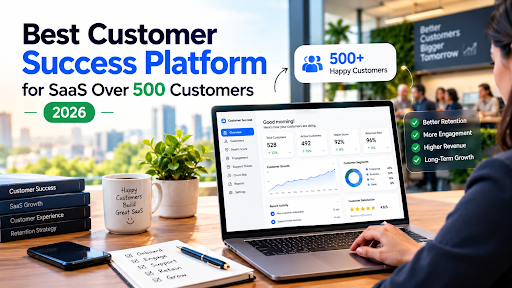
You know the signs. A renewal slips through because the account owner changed teams. Two CSMs email the same customer in the same week. Your health score lives in a tab that one person understands, and that person is on holiday. Nobody is being lazy. The book of business has simply outgrown the tools that got you here.
That is the moment people start searching for the best customer success platform for SaaS companies over 500 customers, and it is also the moment when most of them make an expensive mistake: they buy for the company they hope to be in three years, or for the company they were three years ago.
This guide is for the middle ground. I’ll walk through what actually changes at 500 customers, what to demand from a platform, how Gainsight, ChurnZero, Vitally, Planhat and Totango compare, and which one I’d pick for different situations. You’ll get a clear recommendation at the end, not a “it depends.”
One disclosure up front: I haven’t run these platforms inside a live CS team for this piece. The picks below come from published 2026 comparisons, vendor documentation and the patterns that show up repeatedly in how teams describe their rollouts. Use it to build your shortlist, then test with your own data.
The Short Answer
If you want the verdict before the reasoning:
- Most SaaS companies with roughly 500 to 3,000 customers and a CS team of 5 to 25 people: start with ChurnZero, and put Vitally next to it if your product is usage-led and your data is in good shape.
- 3,000+ customers, multiple products, or a board that wants governance and forecasting: Gainsight is the safe, deep choice, assuming you have a CS Ops person to run it.
- Complex data and revenue-led CS: Planhat earns its place.
- A large tail of low-touch accounts and a small team: Totango, with its modular approach, is worth a serious look.
The rest of the article explains why, and where each of those picks can go wrong.
Why 500 Customers Is a Real Tipping Point
Below a few hundred accounts, a good CSM can hold the whole book in their head. Past 500, that stops being true, and three things change at once.
You can’t watch every account manually. Someone has to decide which customers get a call this week. Without a reliable health signal, that decision gets made by whoever shouts loudest, which is rarely the account at risk.
Segmentation becomes unavoidable. Your top 50 customers deserve a named CSM and a success plan. The next 200 might get pooled coverage. The long tail needs automation. A platform has to handle all three motions without turning into three separate tools.
Reporting starts to matter to people outside CS. At this size, net revenue retention, churn and expansion become board-level numbers. “I think things are fine” stops being an acceptable answer, and you need dashboards finance will believe.
There is also a quieter shift. Handoffs multiply. Sales hands to onboarding, onboarding hands to CS, CS loops in support and product. Every handoff is a place where context dies. A good platform keeps one account story alive across all of them.
Related Reading on Software Cora
What a Customer Success Platform Should Do at This Scale
Skip the feature checklists vendors hand you. These are the capabilities that decide whether a platform pays for itself above 500 customers.
Health scoring you can trust and explain
A health score is only useful if your CSMs believe it. That means it has to pull real product usage, support activity, billing status and relationship signals, and it has to be explainable. If a CSM can’t see why an account turned red, they’ll ignore the color.
Look for scoring you can configure yourself, segment by customer type and audit over time. A single global score rarely fits an enterprise account and a self-serve account equally well.
Playbooks that run without heroics
Playbooks turn “we should do something when usage drops” into a task that lands in the right person’s queue with the right context. At scale, this is what keeps coverage consistent. The test is simple: can you build, change and retire a playbook without calling the vendor?
Real integrations, not logos on a slide
Your platform should sit on top of your CRM, product analytics or data warehouse, billing system and support tool. Ask for specifics: which objects sync, how often, in which direction. A platform that only receives data once a day will always be a step behind a customer who is already unhappy.
Segmentation across high-touch, low-touch and tech-touch
Above 500 customers you will almost certainly run more than one motion. Check that the platform supports one-to-one work for key accounts and automated, scalable programs for the rest, ideally from the same data model.
Renewals and forecasting
If CS owns renewals, or even just influences them, you need renewal pipelines and a forecast you can defend. This is where lighter tools tend to run out of road.
AI that does something useful
Every vendor now advertises AI. Ask what it actually does: summarizes account history, flags risk with an explanation, drafts outreach, surfaces themes across calls. Then ask what it needs from you to work. AI sitting on messy data produces confident nonsense.
Admin burden
This one decides more purchases than it should. Some platforms are powerful and assume a dedicated CS Ops function. Others are lighter and let a CS leader configure most things alone. Neither is wrong, but buying the first when you have the second kind of team is how licenses go unused.
Pricing that fits your growth
Check whether you’re charged by seats, by accounts or by a mix. At 500-plus customers, account-based pricing can climb quickly as you grow, while seat-based pricing punishes you for hiring. Model both at your current size and at double.
The Platforms Compared
Here’s the side-by-side. These are my summaries of how each platform is positioned in published 2026 comparisons, so confirm the details with each vendor before you sign.
| Platform | Best for | Main strength | Watch out for |
| Gainsight | Large enterprise CS teams with a CS Ops function | Deepest feature set, journey orchestration, renewal forecasting | Heavy setup and admin; highest total cost of ownership |
| ChurnZero | Mid-market B2B SaaS teams wanting fast, practical churn prevention | Health scoring, playbooks and native in-app messaging; lighter rollout than Gainsight | Needs clean usage data to shine |
| Vitally | Product-led and fast-growing teams | Modern interface, flexible workspace, quick to get running | Lighter enterprise governance |
| Planhat | Revenue-led teams with complex data | Highly configurable data model and account planning | Needs data maturity; can feel like a build project |
| Totango (with Catalyst) | Teams with a big low-touch book or who want modular programs | Composable workflows, strong for scaled customer programs | Assembling the pieces takes CS Ops effort |
Gainsight
Gainsight is the platform most enterprise CS teams evaluate first, and that reputation is earned. It has the broadest feature set in the category: Customer 360 account views, journey orchestration, renewal management and forecasting, plus governance that large organizations expect.
The trade-off is weight. Gainsight is a system of record, not a lightweight add-on. Rolling it out well takes planning, usually someone whose job is CS operations, and a budget that includes more than the license.
Pick it if: you have more than 3,000 customers, multiple products or regions, a CS Ops team and a leadership group that wants forecasting and governance.
Skip it if: you’re a 500-customer company with one CS leader who will also be the admin. You’ll fight the tool more than you use it.
ChurnZero
ChurnZero is built for subscription businesses that want real-time visibility into customer health and a straightforward way to act on it. It pairs health scoring with playbooks and, notably, native in-app messaging and walkthroughs, which lets you reach customers inside your product without a separate tool.
In 2026 comparisons, it is the most frequently named alternative to Gainsight, often described as Gainsight’s playbook approach without Gainsight’s staffing requirements. That description matches what I’d expect: a faster path to a working health score and a renewal forecast.
Pick it if: you’re a mid-market B2B SaaS company with 500 to a few thousand customers, a CS team of roughly 5 to 25, and you want results in weeks.
Skip it if: your product usage data is a mess and you aren’t willing to clean it. ChurnZero’s strengths depend on good inputs.
Vitally
Vitally is the modern-feeling option. It offers health scoring, success plans, project collaboration and a workspace that feels closer to the tools your team already enjoys using. It tends to be popular with fast-growing and product-led companies, and getting operational usually takes weeks rather than months.
One 2026 roundup lists Vitally from around $15,000 a year. Treat that as a ballpark and get a quote for your account count.
Pick it if: your motion is product-led, your team is comfortable configuring tools themselves and you value speed and a clean interface.
Skip it if: you need deep enterprise governance across a large, complex organization.
Planhat
Planhat is data-first. Its configurable, no-code data model lets teams build custom health scores, workflows and reporting around how their business actually works, and it’s strong on account economics and revenue-shaped CS.
That flexibility cuts both ways. Planhat rewards teams with data maturity and someone who enjoys modeling it. For a team without that, it can feel like a project rather than a product.
Pick it if: your customer data is complex, CS is tied closely to revenue, and you have an operations-minded owner.
Skip it if: you want to be live next month with minimal configuration.
Totango (including Catalyst)
Totango takes a modular approach, letting teams start with one piece and add more as they grow, with pre-built playbooks and a composable structure. It’s often recommended for programs that serve many customers with few humans, such as digital or tech-touch coverage, and the Catalyst acquisition widened its reach on the mid-market and expansion side.
Reviewers consistently note that the flexibility requires CS Ops capacity to assemble well.
Pick it if: you have a large tail of low-touch accounts and want scaled, automated programs.
Skip it if: you have no operations resource and want everything pre-assembled.
Other Names Worth Knowing
ClientSuccess is positioned for fast-growing mid-market teams that want to go live quickly, and Custify gets recommended for smaller teams seeking a quick first health score. HubSpot’s service tools can cover lighter customer success needs if HubSpot is already your CRM, though they’re a different category from dedicated platforms. If you’re still choosing the CRM underneath all this, see our CRM software reviews.
Which Platform for Which Situation
Matching the platform to your stage matters more than comparing feature grids.
500 to 1,500 customers, small team (3 to 8 CSMs). ChurnZero or Vitally. Both get you to a working health score fast and don’t demand a dedicated admin. If your product is usage-led and your data is tidy, lean Vitally. If you want in-app messaging and strong playbooks, lean ChurnZero.
1,500 to 5,000 customers, 10 to 25 CSMs. This is the awkward zone where several platforms fit. ChurnZero, Planhat, Totango and Vitally all work here. Your decision rests on data complexity and whether you have CS Ops. With CS Ops, Planhat or Totango open up. Without it, stay with ChurnZero or Vitally.
5,000+ customers or 25+ CSMs. Gainsight, Planhat or Totango’s higher tiers. Switching costs at this size can outweigh any license savings, so choose carefully and pick something you can grow into.
Product-led motion, thousands of accounts, a handful of humans. Totango or Vitally’s tech-touch capabilities, with heavy automation for the long tail.
Complex multi-product environments with board reporting. Gainsight, with Planhat as the data-model-driven alternative.
Tight budget. Totango’s free tier is the only meaningful one in the category according to one 2026 ranking. It’s a way to learn before committing, not a long-term plan for a 500-customer base.
Related Reading on Software Cora
What a Customer Success Platform Really Costs
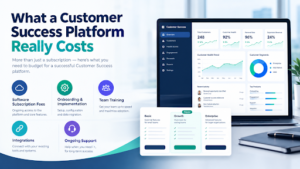
Almost nobody publishes full pricing, which frustrates everyone. A few honest points about cost.
License is only part of it. Budget for implementation help or internal time, data engineering to feed product usage in and ongoing admin. A cheaper license with a heavy admin burden can cost more than a pricier, simpler tool.
Know your pricing unit. Seats, accounts, revenue under management and bundled modules all show up. Ask each vendor to quote at your current customer count and at double.
Watch the renewal terms. Multi-year discounts look attractive, but locking in a tool you haven’t proven is how teams end up with shelfware. Negotiate a first-year commitment with an option to extend.
Ask about add-ons. AI features, in-app messaging and extra data connectors are sometimes separate line items. Get the whole picture in writing.
Count your team’s time. If three people spend two months configuring, that’s a real cost even though no invoice arrives for it.
Get Your Data Ready Before You Buy
Here is the part vendors mention last: the platform is only as good as the data it receives.
Before you sign, check four things. Account names should be consistent across CRM, billing and product, because the same customer appearing three ways breaks health scores quickly. Usage events should be defined and flowing. Contract and renewal dates should live in one authoritative place. And someone should own data quality after launch.
Messy identifiers are a bigger problem than they sound. If you want to see how bad naming drift can wreck rankings and reports, our piece on fixing messy brand data with normalization rules shows the same failure in a different context. Spend a week cleaning before you buy and the rollout gets dramatically easier.
If you’re also evaluating the wider stack, our Business Software and Productivity Software guides cover tools that sit alongside a CS platform, and choosing business software without overspending is a useful primer on how to approach any vendor shortlist.
How to Run a Proper Evaluation
Demos are theatre. Here’s a better process, and it fits in about a month.
Week one: define what success looks like. Write down the three problems you need solved. For example: finding at-risk accounts earlier, standardizing renewal handling, and giving leadership a trustworthy retention dashboard. Rank them.
Week one to two: shortlist three platforms. Not six. Use the situations above to narrow, then request demos built around your problems, not the vendor’s script.
Week two to three: test with your own data. Ask for a sandbox or pilot with a sample of your real accounts. Watch how long it takes to get a health score on screen that your CSMs recognize as plausible.
Week three: involve the people who’ll use it. Let two or three CSMs try daily tasks: finding an account, logging a call, starting a playbook. If they groan, believe them.
Week four: check references. Ask for customers of your size, in your segment, who have been live for at least a year. Ask what they’d do differently.
Score it. Build a simple scorecard: ease of use, data integration, health scoring flexibility, reporting, AI usefulness, admin burden, total cost. Weight it before the demos, not after, so you don’t reverse-engineer a favorite.
Your First 90 Days After Buying
A good rollout is boring, and boring is the goal.
Days 1 to 30: connect and calibrate. Plug in your CRM, billing and product data. Build one health score for your largest segment, test it against accounts you already know are healthy or at risk and adjust until it matches reality.
Days 31 to 60: add two or three playbooks. Start with the highest-value ones: low-usage outreach, upcoming renewals and onboarding stalls. Resist building twenty. Get three running and used.
Days 61 to 90: expand and report. Roll out to the wider team, add segment-specific scoring and build the retention dashboard leadership wants. Review what’s working, retire what isn’t and schedule a quarterly health-score audit.
Common Mistakes at This Stage
Buying Gainsight because it’s the famous one. It’s excellent, and it’s also more than many 500-customer teams need or can staff.
Choosing the cheapest option and skipping data work. A health score on bad data is worse than none, because people believe it.
Letting sales run the evaluation. CS has to own it. The people who live in the tool every day should have the loudest voice.
Building too many playbooks too early. Complexity creeps in fast. A small set of well-used plays beats a library nobody opens.
Ignoring change management. Tools don’t change behavior by themselves. If CSMs aren’t trained and leadership doesn’t use the dashboards, adoption fades by month three.
Forgetting about support and product. Customer success sits between them. A platform that doesn’t pull in ticket data or feed insights back to product leaves value on the table.
Treating AI as a substitute for process. Automated summaries are useful. They don’t fix an unclear escalation path.
Customer Success Platform vs CRM or Helpdesk Add-Ons
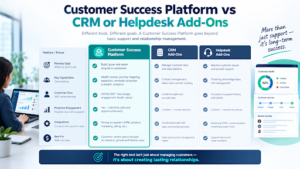
A fair question at this size: do you need a dedicated platform, or can your CRM stretch?
Honestly, for under a few hundred accounts with simple needs, a CRM with good reporting and some automation is often enough. Past 500, with several motions, renewals to forecast and product usage to track, the cracks show. CRMs weren’t built to compute health from product events, run customer journeys at scale or give CSMs a day-to-day workspace.
The exception is when your CRM vendor offers a decent service or success module and your needs stay modest. Even then, set a trigger: when you add a second CS motion or hit a renewal forecasting problem, re-evaluate.
If you’re weighing AI-driven options as part of this decision, our AI Software reviews cover where AI actually helps and where it’s still marketing. For adjacent tools, browse Marketing Software, since lifecycle messaging often overlaps with CS programs.
FAQs
What is the best customer success platform for SaaS companies over 500 customers?
For most, ChurnZero. It reaches a working health score and renewal view quickly, handles in-app messaging and doesn’t demand a full-time admin. If your product is usage-led, Vitally is a close second. Gainsight wins once you pass roughly 3,000 customers or need heavy governance.
Is Gainsight worth it for a company with 500 customers?
Usually not. It’s powerful, but it’s built for teams with CS Ops capacity and complex needs. At 500 customers you’ll likely pay for depth you won’t use and spend months configuring it.
What’s the best Gainsight alternative for mid-market SaaS?
ChurnZero is the one most evaluators name first. Vitally, Planhat and Totango are also credible depending on whether you want a modern interface, a flexible data model or modular programs.
How much does a customer success platform cost?
It varies a lot and most vendors quote privately. One 2026 roundup places Vitally from around $15,000 a year, and enterprise platforms run well above that. Ask for quotes at your current account count and at double, and add implementation and admin costs.
Do I need a CS Ops person to run one?
For Gainsight, Planhat and Totango, yes, or at least someone with real operations time. ChurnZero and Vitally are friendlier to teams where the CS leader configures things alone.
Can I just use my CRM instead?
At a few hundred accounts, often yes. Beyond 500 customers with multiple motions and renewals to forecast, a dedicated platform usually pays off.
How long does implementation take?
Lighter platforms can be useful within a few weeks. Enterprise platforms often take months. Your own data readiness affects timing more than the vendor does.
What data do I need before buying?
Consistent account identifiers across systems, product usage events, reliable contract and renewal dates, and an owner for data quality. Fix naming drift first.
Which platform has a free tier?
Totango is frequently cited as having the only meaningful free tier in the category. Check current terms, since vendors change them.
Should I trust ranking articles, including this one?
Treat them as a shortlist builder. Vendors sponsor some rankings, and nobody can see inside your data. Test your top three with your own accounts before you decide.
Can AI replace CSMs at this scale?
No. AI helps with summaries, risk flags and drafting, and it makes a small team more effective. The relationship work that saves a struggling account still needs a human.
Final Verdict
If I were running customer success at a SaaS company with 500 to 3,000 customers and a team of a dozen or fewer, I’d shortlist ChurnZero and Vitally, test both on real data for two weeks and almost certainly choose ChurnZero unless the product were strongly usage-led and the team wanted a more modern workspace.
If I were above 3,000 customers, running multiple products with a CS Ops lead and a board asking for forecasts, I’d take Gainsight and accept the weight.
If my data were complicated and my CS motion tied to revenue, I’d look hard at Planhat. If I had a big low-touch tail and a small team, Totango would be on my list.
And whichever you pick, spend the first week cleaning your data. It does more for your results than any feature.
Ready to choose? Pick three platforms from this list, book demos built around your own top three problems and run the one-month evaluation above. For more software comparisons, browse our Business Software and CRM Software reviews.
Write for Us
Do you test gadgets, build desk setups or explain tech in plain words? Write for SoftwareCora and share your ideas with readers who want honest, useful guides. Send us your guest post today →

2 Comments
Pingback: Growth Navigate Startup Tools: Best Stack by Stage (2026)
Pingback: Walmart.stellaconnect.net: What It Is & How to Stay Safe