

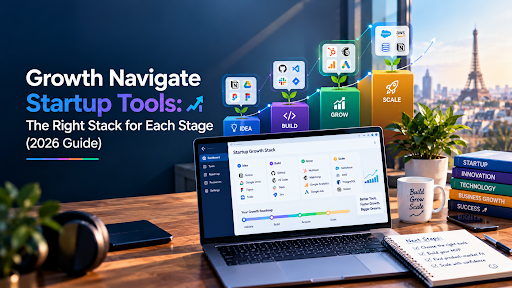
Most founders don’t have a tools problem. They have a sequencing problem.
Picture month three after launch. There’s a CRM nobody updates, an analytics dashboard nobody opens, a project board with 140 abandoned cards and an automation platform running exactly two workflows. The company is paying for fourteen subscriptions and using about three. Meanwhile the thing that actually limits growth, say, not knowing why new users drop off on day two, has no tool at all.
That’s what this guide fixes. Growth navigate startup tools is a phrase you’ll see on a lot of “best of” lists, and most of them hand you a pile of logos. I’d rather give you an order of operations: what to buy first, what to delay, what to skip and which free tiers will carry you further than you’d think.
What “Growth Navigate” Actually Means
A quick note on terminology, because the phrase is confusing. “Growth Navigate” is the name of a startup consultancy with a tools directory, according to at least one 2026 explainer. Over time, the phrase has also become loose shorthand for the whole category of software that helps startups plan, measure and scale: CRMs, analytics, automation, collaboration, marketing and finance tools.
In this guide, I use growth navigate startup tools in that broader sense. Think of it as your startup’s navigation system: the instruments that tell you where you are, where users are going and which turns to take next.
One more thing worth saying plainly. No tool navigates for you. Software shows you data and removes busywork. Deciding what to do with the information is still your job.
The Short Answer
If you want the stack before the reasoning:
- Customers and revenue: a lightweight CRM. HubSpot’s free CRM or Attio are the usual starting points.
- Product analytics: PostHog or Mixpanel, both of which offer free tiers.
- Website and traffic: Google Analytics 4, plus Search Console.
- Automation: Zapier to glue your tools together.
- Team workspace: Notion for documents and planning, Slack for communication.
- Email and lifecycle: a simple email platform such as Mailchimp or similar.
- Payments and finance: Stripe plus basic accounting software.
- Investor and market research: Crunchbase when you start fundraising.
That’s about eight tools, and you can run most of them on free plans through your first months. Everything else is optional until a specific pain forces the purchase.
What Are Growth Navigate Startup Tools?
They’re the software a startup uses to find customers, understand them, convert them, keep them and stay organized while doing it. Each tool should own one job. The best stacks look boring: a few tools that connect cleanly, used consistently by everyone.
They are not a single platform you buy once. Several 2026 roundups say the same thing in different words: growth navigate startup tools work best as a stack, sequenced by function and by stage, not as one big purchase.
The Five Jobs Your Stack Has to Do
Strip away the logos and a startup growth stack covers five jobs.
- Know your customers. Who are they, how did they arrive and what’s happening in each relationship? This is your CRM and customer data.
- Understand your product. What do users actually do, where do they get stuck and who comes back? This is product analytics.
- Find and convert people. Traffic, content, email, ads and search visibility. This is your marketing and distribution layer.
- Run the machine. Docs, tasks, communication and automation that stop work from falling through cracks.
- Watch the money and the market. Payments, accounting, runway and, when you raise, investor research.
If a tool you’re considering doesn’t clearly serve one of those jobs for your current stage, it’s probably premature.
The Tools Compared
Here’s a practical comparison. Free-tier details are as described in 2026 coverage and vendor pages, so confirm them before you sign up.
| Tool | Job | Free option | Best stage | Watch out for |
| HubSpot CRM | Contacts, deals, simple marketing | Free CRM tier | Pre-seed to Series A | Costs climb as you add paid hubs |
| Attio | Flexible, AI-assisted CRM | Free plan reported | Seed to growth | Newer ecosystem than the big names |
| PostHog | Product analytics, session replay | Generous free tier | Pre-seed onward | Needs some setup discipline |
| Mixpanel | Product analytics | Free up to a high event volume; paid from roughly $140 per month per one 2026 guide | Seed onward | Event design matters |
| Google Analytics 4 | Website analytics | Free | Day one | Interface takes getting used to |
| Zapier | Automation between apps | Free plan | Pre-seed onward | Task-based pricing grows with usage |
| Notion | Docs, wiki, project tracking | Free plan | Day one | Easy to over-build |
| Slack | Team communication | Free plan with limits | Day one | Limited history on free plans |
| Mailchimp | Email marketing | Free plan reported | Pre-seed to seed | Outgrown by product-led teams |
| Stripe | Payments | No monthly fee; per-transaction costs | Day one | Fees apply per payment |
| Crunchbase | Market and investor research | Free basic access | Fundraising stage | Best data sits behind paid plans |
Related Reading on Software Cora
- Business Software guides
- CRM Software reviews
- Marketing Software reviews
- AI Software guides
- Productivity Software guides
Stack by Stage
Stage 1: Pre-seed (0 to 100 customers)
You’re validating, not scaling. Your stack should cost close to nothing and take an afternoon to set up.
Use: Google Analytics 4 and Search Console for traffic, a free CRM or even a clean spreadsheet for contacts, Notion for docs, Slack for team chat and Stripe for payments. Add PostHog or Mixpanel if you have a product people log into, so you can see what they do.
Also free: launch and discovery channels such as Product Hunt, Hacker News posts, startup directories and relevant communities. They cost nothing but time, and they put you in front of early adopters before you spend a dollar on ads.
Skip: paid marketing automation, enterprise analytics, anything with “platform” in the name and any tool that needs a consultant to configure.
The rule: talk to customers before you instrument them. Tools can’t tell you why someone left. A call can.
Stage 2: Seed (100 to 1,000 customers)
Now repeatable processes start to matter. You have a handful of people, and things start dropping.
Add: a proper CRM with pipeline stages, product analytics with defined events (sign-up, activation, key action, return), an email platform for onboarding and lifecycle messages and Zapier to connect them so data flows without copy-paste. Start tracking weekly metrics in one shared dashboard.
Consider: SEO tooling if content is a channel, a simple support inbox and an accounting tool beyond spreadsheets.
Skip still: customer success platforms, heavy BI tools and anything that duplicates what your CRM already does.
Stage 3: Series A and beyond (1,000+ customers)
Complexity arrives. Several teams need shared data, and mistakes get more expensive.
Add or upgrade: a data warehouse or BI layer if questions outgrow your analytics tool, a more capable CRM or revenue operations setup, security and access controls (single sign-on, role permissions) and a customer success platform once you pass a few hundred accounts. We cover that decision in our guide to the best customer success platform for SaaS companies over 500 customers.
Watch: tool sprawl. This is the stage where companies discover they’re paying for three overlapping tools in different departments.
The Tools, Category by Category
CRM and customer data
A CRM is where relationships live. For most early teams, the choice comes down to a free, familiar option or a newer, more flexible one.
HubSpot’s free CRM is the safe default. It handles contacts, deals and basic marketing tools, and it grows with you, though costs rise as you add paid hubs.
Attio positions itself as an AI-powered, flexible CRM for startup revenue growth, with reporting aimed at revenue insights. Founders who find traditional CRMs rigid tend to like this style of tool.
Pick HubSpot if: you want the familiar standard and a big ecosystem. Pick Attio if: you want a customizable data model and a more modern feel.
Skip either if: you have fewer than a few dozen customers. A spreadsheet is fine, honestly.
Product analytics
This is the tool most founders buy too late. You can’t improve activation or retention if you can’t see them.
PostHog bundles analytics, session replay and feature flags, and it has a generous free tier. Mixpanel is a long-standing product analytics option with a free tier at high event volumes and paid plans reported from roughly $140 per month.
For larger data volumes and deeper behavioral cohorts, Amplitude is the usual step up, and it also reports a free tier. The tool matters less than the discipline. Define five to ten events that map to your user journey, name them consistently and review them weekly.
Skip it if: you don’t have a product users log into yet. Use Google Analytics and customer interviews instead.
Web analytics and SEO
Google Analytics 4 and Search Console are free and non-negotiable if you have a website. They tell you where visitors come from and which pages earn search traffic.
As your content grows, you may add an SEO tool for keyword research and tracking. One 2026 guide also points to a new category: AI visibility tracking, which monitors how your brand appears in AI search and chat tools. It’s worth knowing about, but it’s not a first-year purchase. When you’re ready to explore it, our AI Software section covers what’s worth trying.
Automation
Zapier connects your other tools so data moves automatically: a new sign-up creates a CRM record, a payment triggers a welcome email, a form submission lands in Slack.
It’s one of the highest-return tools for tiny teams, because it removes the manual copying that eats hours. The caution: pricing scales with task volume, so keep an eye on usage, and don’t automate a broken process. Fix the process first.
Team workspace and communication
Notion acts as wiki, knowledge base, project tracker and note system in one. Its flexibility is both its strength and its trap: teams can spend weeks building a perfect workspace instead of doing the work. Keep it simple.
Slack handles day-to-day communication. Set a few norms early: which channels exist, what goes where and when to use a call instead of a thread.
For more on productivity and collaboration tools, browse our Productivity Software guides.
Email and lifecycle marketing
Email is still one of the cheapest ways to keep users engaged. Mailchimp and similar tools handle newsletters and basic automation, with free plans that suit early-stage senders.
Once you’re product-led and need messages triggered by in-app behavior, you’ll likely want a tool built for lifecycle messaging that reads your product events. Not yet, though. Start with a welcome sequence and a monthly update.
If your team is technical, developer-friendly email services such as Resend (transactional) and Loops (SaaS lifecycle messages) are also popular, with free tiers reported in 2026 guides. Check current limits. Our Marketing Software reviews compare options in more depth.
Payments and finance
Stripe is the default for online payments, with no monthly fee and per-transaction costs. Pair it with accounting software or a bookkeeper from the first paying customer. Track three numbers monthly: revenue, burn and runway.
Investor and market research
Crunchbase is a research platform for private-market and startup intelligence, with growth indicators and funding data. It’s most useful when you’re mapping competitors, building investor lists or benchmarking a round. The free tier covers basics, while deeper data sits behind paid plans.
Free Tiers, Startup Programs and the Real Cost

Many startup tools offer free plans or startup programs, and a lot of early teams can run on those for a long time. Several vendors run discount programs for early-stage companies, including credits or reduced pricing for a year. Check each vendor’s current eligibility rules, because they change and often require being funded or under a certain size.
Some honest cautions:
Free plans have limits that bite later. History caps, user caps and feature gates are designed to nudge you toward paying right when you’ve become dependent. Know the limits before you build on them.
Usage-based pricing sneaks up. Automation tasks, analytics events and email contacts all scale. Set budget alerts.
Annual discounts lock you in. Tempting, but don’t prepay a year for a tool you’ve used for two weeks.
Your own time is the biggest cost. A tool that takes a week to configure costs more than its subscription.
Adjusting the Stack to Your Type of Startup
The stages above assume a software product, but the right growth navigate startup tools shift with your model.
B2B SaaS. Your CRM and product analytics matter most, because sales cycles and activation both need tracking. Add lifecycle email early and a customer success tool later.
Consumer apps. Product analytics comes first, with push and email messaging tied to in-app behavior. CRM matters less until you add a paid tier or sales motion.
E-commerce and direct-to-consumer. Your storefront platform doubles as much of your stack. Prioritize email and SMS marketing, advertising attribution and inventory or accounting integrations over a heavy CRM.
Marketplaces. You have two customer groups, so you need to track both sides separately: supply and demand. Analytics and a simple CRM for each side beat a single blended dashboard.
Services and agency-style startups. Your CRM and project tracking are the core. Skip product analytics, and spend the saved money on proposals, invoicing and time tracking.
Hardware and deep tech. Fundraising and research tools carry more weight early, along with careful documentation and project tools. Customer-facing tools can wait.
If your startup sits between types, pick the model that earns your first revenue and build for that.
Where AI Fits in a Startup Stack
Nearly every tool above now advertises AI features, from CRM summaries to automated reports. Some are genuinely useful. Meeting notes that update your CRM, a chat assistant that drafts support replies and anomaly alerts in analytics can each save hours a week.
My rule: let AI handle the first draft of repetitive work, and keep a person in charge of anything customer-facing or financial. Test any AI feature on your real data for two weeks before you pay extra for it, and watch for tools that charge separately for AI usage. If you want a deeper look at what’s worth trying, our AI Software guides are a good place to start.
A Quick Security and Access Checklist
Early startups skip this and regret it. As soon as you have a few people and customer data, do the basics:
- Turn on two-factor authentication everywhere.
- Use a password manager for the team.
- Give people the minimum access they need, and remove it the day someone leaves.
- Keep a simple list of which tools hold customer data.
- Use single sign-on once your tools support it and your team grows.
None of this is glamorous. All of it is cheaper than a breach.
How to Choose Any Startup Tool
Before you buy, run it through five questions.
What specific problem does this solve this month? If you can’t name it, wait.
Does it connect to what we already use? Check native integrations and whether Zapier or an API can bridge the gap.
Who owns it? Every tool needs one person responsible for setup, hygiene and cancellation. Ownerless tools rot.
Can we get our data out? Avoid tools that make exporting painful. You’ll want to switch eventually.
What would we do without it? If the honest answer is “use a spreadsheet for another quarter,” do that.
How Much Should You Spend?
You’ll see conflicting rules of thumb online, and it helps to know why. One 2026 startup guide suggests keeping growth tools under about 5% of monthly recurring revenue at seed stage. Another cites 10 to 20% of operating budget for software overall. They measure different things: the first covers growth tools only, the second covers all software.
My practical version: at pre-seed, aim for close to zero by using free tiers. At seed, a few hundred dollars a month covers a lean stack for a small team. At Series A, spend rises as teams and data volumes grow, but review every subscription each quarter. If you can’t say what a tool earned you, cancel it.
Also watch your biggest hidden cost: switching. Migrating tools can eat weeks of engineering time and risk losing data, so pick products that can grow with you from free to paid without a rebuild.
A Note on Product-Led Growth
If your product is your main acquisition channel, meaning people try it free before they buy, a few extra tools earn their place early. Product analytics is the core: track activation, feature adoption and retention. In-app messaging helps guide new users toward value, feature flags let you roll out changes gradually and a simple way to spot free users showing buying signals can help sales follow up at the right moment.
The metric that matters most is activation. Every tool in a product-led stack should help users reach their first win faster. If a tool doesn’t shorten time-to-value, it’s decoration.
Setting Up Your Stack in 30 Days

Week 1: foundations. Set up analytics, a shared workspace and your payments. Decide where customer data will live.
Week 2: connect and capture. Add your CRM and connect forms and payments to it. Define your first five product events.
Week 3: automate the repetitive. Build two or three Zapier workflows for the tasks you’re doing by hand most often. Add a welcome email sequence.
Week 4: build one dashboard. Put your key numbers in one place: new users, activation rate, retention, revenue and burn. Review it every Monday.
Then leave it alone for a quarter. Resist the urge to add tools until a clear gap shows up in your weekly review.
What to Track Each Week
A tool stack is only useful if it answers real questions. Learn these terms first, because every good dashboard is built from them:
CAC (customer acquisition cost): what you spend to win one customer. LTV (lifetime value): what a customer is worth over their time with you. A healthy business keeps LTV well above CAC. MRR (monthly recurring revenue): predictable subscription income. Burn rate: how much cash you spend each month. Runway: how many months you can operate before the money runs out. Activation rate: the share of new users who reach your first moment of real value.
Then put these on one weekly dashboard:
- New users or leads this week
- Activation rate (users who reach your key first action)
- Retention at day 7 and day 30
- Conversion from trial or lead to paying customer
- Revenue and burn, plus runway in months
- Where users drop off in your core flow
If your tools can’t produce those numbers within a few minutes, fix that before adding anything new.
Mistakes Founders Make With Startup Tools
Buying for the company you hope to be. Series B tooling at seed stage drains cash and attention.
Tool overlap. Two CRMs, three chat apps and a project board in every department. Audit quarterly.
No owner, no habit. A dashboard nobody checks is decoration.
Automating before understanding. Fix the process manually first, then automate it.
Ignoring data hygiene. Messy names, duplicate contacts and inconsistent events make every report suspect. Our piece on normalizing messy brand data shows how that problem plays out and how to tame it.
Forgetting security and privacy. Use single sign-on and role-based access as you grow, and if you handle personal data of European users, learn the basics of GDPR early. Our guide to GDPR compliance software in France for SMEs is a useful starting point.
Believing the AI label. Many tools now advertise AI features. Ask what the AI actually does for you, and whether it works with your real data.
Treating tools as strategy. Software can’t tell you who your customer is or why they’d pay.
FAQs
What are growth navigate startup tools?
Growth navigate startup tools are the software platforms startups use to find customers, understand their product, automate work and track results. Typical categories include CRM, analytics, marketing, collaboration, automation and finance tools. The phrase is also associated with a startup consultancy of the same name.
What are the best free startup growth tools?
Google Analytics 4 and Search Console for traffic, a free CRM such as HubSpot’s, PostHog or Mixpanel for product analytics, Notion and Slack for the team, Zapier for automation and Stripe for payments. Check each vendor’s current free-tier limits.
How many tools does an early-stage startup need?
Usually about six to eight: CRM, analytics, web analytics, automation, workspace and communication, email and payments. Add more only when a specific pain appears.
Which tool should I buy first?
Analytics and a place to store customer data. Know who your users are and what they do before anything else.
Is a CRM necessary for a startup?
Once you have more than a few dozen customers or leads, yes. Before that, a clean spreadsheet works fine.
When should I add a customer success platform?
When you’re past a few hundred accounts and several people handle customers. Before that, your CRM and a shared inbox are enough.
How much should a startup spend on tools?
Close to nothing at pre-seed, a few hundred dollars a month at seed and more as you scale. One guide suggests keeping growth tools under about 5% of MRR at seed stage, but treat any rule as a ceiling to question, not a target.
How do I avoid tool sprawl?
Give each tool an owner, review subscriptions every quarter, cancel anything unused for 60 days and write down which tool owns which job.
Do startup programs really save money?
They can, often through credits or discounts in the first year. Eligibility rules vary, so check each vendor’s current terms.
Should I use AI tools in my startup stack?
Yes, where they remove clear busywork or add real insight. Be cautious of tools that add “AI” without a concrete benefit, and test them with your own data.
Can one platform replace the whole stack?
Rarely. All-in-one suites cover a lot, but most startups end up combining a few focused tools. Choose ones that connect well.
Final Thought
If I were starting a company today, I’d begin with a very small stack: Google Analytics, Search Console, Notion, Slack, Stripe and a free CRM. I’d add PostHog or Mixpanel the moment people started using the product, and Zapier the first time I caught myself copying data between tabs. Email would come when I had something worth sending.
I’d hold off on everything else until a real problem demanded it. And I’d set one weekly meeting around one dashboard, because that habit does more for growth than any subscription.
The best growth navigate startup tools aren’t the longest list or the shiniest logos. They’re the few you actually use, wired together, owned by someone and matched to the stage you’re really at.
Ready to build your stack? Write down your three biggest growth questions this month, then match each to one tool from the table above. For more software guides, browse our Business Software, CRM Software and Productivity Software sections, and see choosing business software without overspending before you buy anything.
Write for SoftwareCora
Share your expertise with SoftwareCora’s audience through a high-quality guest post on AI, SaaS, software, CRM, business technology, or digital marketing.

5 Comments
Pingback: Cloud Based CRM Software: Best Platforms & Buyer's Guide
Pingback: Best CRM Platforms for Small Sales Team Reporting (2026)
Pingback: Financial Planning Software for Advisors: 2026 Buyer's Guide
Pingback: Test.com Pricing Enterprise Plans: What Gauge Enterprise Really Costs in 2026
Pingback: Walmart.stellaconnect.net: What It Is & How to Stay Safe