

Automation won’t fix a broken invoice process. It will make it faster at being broken.
It’s Friday, 3:45 pm. Forty-odd invoices have landed since Monday. One is a phone photo of a handwritten receipt, one is a therapy invoice you already paid, resent under a new number, and the budget spreadsheet was last correct on Tuesday.
NDIS plan management software promises to fix that: capture, check, pay, claim, reconcile. It’s partly true. This guide shows how to automate NDIS plan management software workflows without breaking them: what to automate, what must stay with a person, and how to choose a system for your size.
It’s vendor-neutral, and the rules move (the 2026–27 Pricing Schedule took effect 24 September 2026), so check anything here against the NDIA and NDIS Commission sources at the end. It isn’t legal, compliance or audit advice.
What NDIS plan management involves day to day
Before you automate anything, it helps to see the job clearly. A plan manager pays a participant’s providers from their plan funding, tracks the budget and reports back. The NDIS Commission’s registration guidance describes plan management as covering payments to providers, expense claim processing, monthly statements for participants and claiming from the NDIA.
Plan managers must be registered under the “Management of Funding for Supports in Participant Plans” group, which involves an audit against the NDIS Practice Standards. If you’re starting out, see starting a plan management business and confirm the current registration process with the NDIS Quality and Safeguards Commission.
The daily loop is simple to describe. An invoice arrives. You work out the participant, the support item and whether the date falls inside the plan. You check the rate, check the budget, get an approval, pay, claim and later reconcile.
No step is hard alone. The trouble is volume, and every step has its own way of going quietly wrong: wrong support category, a rate a few cents over the limit, a plan that ended last Thursday, a provider billing the same session twice.
Output Management System (OMS)
What it means to automate plan management
Automating plan management doesn’t remove people. Good NDIS plan management software handles the checking; it doesn’t replace the judgment. It moves the repeatable checks out of human hands so people can spend their time on decisions.
There are five layers. Capture: invoices arrive and get read into structured data. Validation: rules check price limits, plan dates and budget. Workflow: clean invoices go to an approver, odd ones to a review queue. Payment and claiming. Reconciliation.
Some NDIS plan management software covers all five. Some cover two and expect your accounting system and discipline to cover the rest. That difference matters more than any feature list.
The invoice lifecycle, step by step
If you can’t write your lifecycle on one page, you aren’t ready to automate it. Here’s the version most plan managers will recognise.
- Receive. Email, upload or post. (Automatable: email-to-inbox capture.)
- Read. Pull out provider, ABN, invoice number, dates, participant, lines and rates. (Automatable: OCR, with human checks on shaky fields.)
- Match. Link the invoice to a participant, a plan and a support item per line. (Partly automatable.)
- Validate. Rate against price limit, service date against plan dates, amount against remaining budget, invoice number against past invoices. (Highly automatable.)
- Approve. A person signs off, or the participant does where your service agreement requires it. (Workflow routes it; the decision stays human.)
- Pay. Provider is paid. (Automatable as a batch, with human release.)
- Claim. Request funds from the NDIA. (Automatable up to submission, depending on your claiming channel.)
- Reconcile. Match bank and accounting records. (Largely automatable.)
- Report. Statements and internal reports. (Automatable.)
Steps 4, 8 and 9 hold most of the dull, error-prone work, so that’s where automation pays off first.
What you can safely automate
“Safely” means the rule is clear, the data is structured and a mistake is easy to catch.
OCR and email invoice capture
For NDIS invoice automation, end to end, the starting point is a dedicated inbox that feeds invoices straight into your system. It removes the most boring job in the building. OCR then turns the document into fields.
The caveat: OCR works well on clean, typed invoices and badly on blurry photos and handwriting. Good systems show a confidence level and push shaky reads to a person. A tool that silently accepts a misread invoice number has just created your next duplicate payment.
Automatic price limit checks
Once each line is tied to a support item, the system compares the rate with the maximum in the current pricing schedule (see automating NDIS price limit checks). By hand it’s slow. With NDIS invoice automation it’s instant, but only if the machine has the right table.
Duplicate, fraud and date checks
Matching on provider, invoice number, amount and service date catches obvious duplicates. Checking service dates against plan start and end dates catches expired plans. Both are cheap to automate.
Fraud is harder. False invoices often look perfectly normal, so rules catch only the clumsy ones. Treat automated flags as a first filter, not a verdict.
Statements and routine messages
Monthly statements, “invoice received” acknowledgements and remittance advice follow templates. Automate them.
Business Automation and AI Solutions in Malaysia (2026)
What should stay human
My strongest opinion in this guide: decisions involving judgment, relationships or risk should have a person’s name attached.
That covers approving anything unusual, deciding what to do about a rate above the limit (reject, query or ask for a reissued invoice), handling a participant who disputes a charge, and the first payment to a brand-new provider.
Say an invoice arrives from a provider you’ve never paid, for something that matches nothing in the participant’s plan. Software can flag it. It can’t phone the participant and hear the hesitation in their voice.
Exception queue design
The exception queue is the most underrated part of any system. A workable one states why each item was flagged, gives it an owner and a due date, and lets common reasons be resolved in a click or two.
Measure it. If half your invoices land there, the problem is upstream: bad data, bad rules, or a provider who sends terrible invoices. If a demo never shows the exception queue, ask. It tells you more than the dashboard does.
Price limit and budget validation
Price limit validation sounds simple: rate versus maximum. The hard part is keeping “maximum” correct.
NDIA pricing documents have been renamed and restructured. They were the price guide, then the Pricing Arrangements and Price Limits, and for 2026–27 the website lists a Pricing Schedule. Government communication has also pointed to further updates later in the year. The table you validated against in July may not be the one in force today.
So the useful questions about any automated price checker are these:
- Who updates the table, and how soon after the NDIA publishes a change?
- Can you see which version applied to a given invoice?
- What happens to invoices received before a change but with service dates after it?
- How are time-of-day loadings, remote and very remote rates and group supports handled?
Treat the checker as a very fast junior colleague: great at applying a rule to every line, useless if you hand it last year’s rule.
Budgets have their own trap, and plan management automation can hide it. Plans have traditionally split funding into Core, Capacity Building and Capital, and PACE has changed some support types and categories. Check each participant’s plan to see which structure applies, and make sure the system can handle both. It also has to count invoices sitting in approval against the budget. Plan managers can view the parts of a plan they manage under PACE, but you’ll still want your own running ledger. Confirm current visibility arrangements with the NDIA.
Claiming and payments
Plan management automation hits its edge at the claim. How much you can automate depends on which channels the NDIA currently gives you.
PRODA and the myplace provider portal
Claims go through the myplace provider portal, accessed with PRODA. PRODA is the login. It isn’t the claiming method, so be wary of a product that says it “connects with PRODA” without explaining what that means.
Bulk payment request workflow
NDIA guidance describes bulk payment requests, which use a template, as the way to claim. Single-line claims aren’t available for participants whose plans are in PACE, though a bulk upload can contain just one line. New to the format? See how bulk payment requests work.
A sensible workflow:
- Approved invoices are collected into a batch.
- The system generates the file in the format the NDIA’s template expects.
- A person reviews it and uploads it through the portal, or uses an approved integration if one exists for you and you’ve confirmed it with the NDIA.
- Results come back, including rejections.
- Rejections go to the exception queue with the reason attached.
Generating the file is where NDIS plan management software saves hours. The upload may or may not be automatable, so ask the NDIA, not the brochure.
Handling rejected claims
A plan changed, a provider relationship wasn’t endorsed, a category ran out of funds, a date was formatted wrongly. Keep the NDIA’s rejection message next to the original invoice, or someone will spend an afternoon hunting for the cause.
PACE has changed provider endorsement and how participants switch plan managers, and it’s been rolled out in stages since late 2023. Read the NDIA’s current guidance for plan managers rather than relying on a blog post, this one included.
Reconciliation and accounting integration
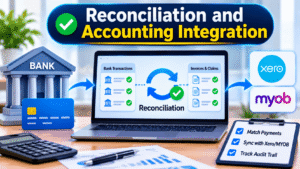
Payments leave your bank account. Funds arrive from the NDIA. Each has to be matched to specific invoices and claims, and anything unmatched needs an explanation.
Xero and MYOB sync
Many plan managers keep their books in Xero or MYOB. In one design the plan management system is the source of truth and pushes entries to the accounting package. In the other, the accounting package is the invoice hub and the NDIS layer sits around it. Neither is wrong. Pick one master record and document the sync.
Ask what’s pushed, how often, and what happens when someone edits an entry after it syncs. Two-way edits are a classic source of mismatches. For detail, see Xero and MYOB integration for plan managers.
Bank feed reconciliation then does most of the matching in a well-built plan management automation setup, and your job becomes the leftovers: a wrong payment amount, a claim that arrived short, a bank fee nobody expected.
Audit trail
For each invoice you want to show who received it, what was checked, who approved it, when it was paid and when it was claimed. A system that produces that history on demand takes much of the worry out of record keeping (more in audit readiness and record keeping). It doesn’t guarantee an audit outcome. Your auditor decides that.
Participant, coordinator and provider communication
Plan management is a service business. The software is only the engine.
Participant portal
A participant portal can show budget balances, recent payments, pending invoices and statements, which cuts “where’s my money?” calls. Check how it treats nominees, since a participant’s nominee often needs access too. Show each person only their own funds.
Support coordinators
Coordinators ask for budget updates constantly. Read-only access to a participant’s balance and invoices can replace a lot of email. Make sure the participant has agreed to that sharing, and that the access is limited to what a coordinator needs.
Providers
Automated remittance emails tell providers when they’ve been paid and answer a common question before it’s asked.
Automate the routine messages and hand-write the upsetting ones, even if it’s three lines.
Is automation worth it? Cost versus time saved
I won’t give you a percentage, because any figure without a source and a year is a guess. Here’s how to reason about it instead.
Count the minutes a single invoice takes today, including the interruptions. Your own timing beats anyone’s marketing. Multiply by your volume, then add the cost of mistakes: duplicate payments you had to recover, rejected claims that delayed a provider, hours spent finding records.
Then count the real cost of software: licence fees, setup, data migration, training, integration work, and the time to maintain rules. Add the exit cost, because leaving is easier or harder depending on your data export.
Automating plan management usually pays off when volume is high, the process is stable, and the exceptions are few enough for people to handle properly. It pays off badly when the process is still changing or invoices vary wildly.
Choosing NDIS plan management software by business size
There isn’t one best NDIS plan management software for everyone. There’s a best fit for your volume, team and tolerance for setup work.
| Approach | Best for | Setup effort | Relative cost | Main risk |
| Spreadsheets + manual process | Very small or brand-new businesses with few participants | Low to start, grows fast | Lowest in licence fees, highest in staff time as volume grows | Errors, key-person dependency, weak audit trail |
| Accounting software + workflows (Xero or MYOB plus approval and capture add-ons) | Small to mid-sized teams with a bookkeeper who knows the package | Moderate: you design the process | Low to moderate | NDIS-specific checks end up manual or patched together |
| Dedicated plan management software | Growing businesses that want NDIS rules built in | Moderate: migration, training, rule review | Moderate to high, often scaled by participants or invoices | Vendor lock-in, rules not updated promptly, unused features |
| Custom-built or API-integrated system | Larger operators with in-house developers | High | High upfront and ongoing | Maintenance burden, key-person dependency, claiming channel changes |
A simple decision framework
Stay on spreadsheets if you have few participants, one capable person, and the process is still being figured out. Stop when one person going on leave would stop the business. That’s the real signal, not a participant count. See spreadsheets versus software.
Buy dedicated plan management software if volume is growing, you want NDIS rules built in, and you can afford the migration effort.
Use accounting software plus workflows if you already live in Xero or MYOB and someone owns the NDIS rules. It’s a job that never ends.
Build only if you have people to maintain it. A custom build nobody owns is a liability with a login screen.
Switch if your current system can’t show which price table applied, can’t export your data, or leaves your team doing the same checks by hand.
Pricing models vary and change, so get written quotes based on your own volumes.
Migrating from spreadsheets
Moving off spreadsheets is harder than buying the software, and it’s the part of automating plan management that vendors undersell. The spreadsheet holds your process in people’s heads. The software asks you to say it out loud.
Write down what you actually do. Not what the policy says. Sit with whoever processes invoices and note every check, including the ones done from habit. Those habits are your rules.
Clean your data first. Participant details, plan dates, provider ABNs, bank details, support categories. If your spreadsheet has three spellings of one provider, the new system will have three providers.
Run both systems side by side briefly. Process real invoices both ways and compare. Differences are errors in the old way, errors in the new rules, or things nobody wrote down. All three are worth finding.
Keep your old records. You still need historical files for record-keeping purposes. Check retention requirements with the NDIS Commission and your adviser before deleting anything.
Say you’ve got 60 participants and one team member who “just knows” which providers send awkward invoices. Migrate without capturing that and your exception queue is full by Wednesday. Interview that person first.
Security, privacy and compliance basics
Plan managers hold health details, plan funding, bank accounts and identity documents. Any NDIS plan management software that touches that data becomes part of your risk.
The Privacy Act 1988 and the Australian Privacy Principles set rules for how organisations handle personal information. The Notifiable Data Breaches scheme requires covered organisations to notify affected individuals and the Office of the Australian Information Commissioner (OAIC) of eligible breaches likely to cause serious harm. Whether and how the Act applies to you depends on your circumstances, so check the OAIC’s guidance or ask an adviser.
Put these questions to any vendor, and to yourself:
- Where is the data stored, and who can access it?
- Is access role-based, with multi-factor authentication?
- Is there an audit log of who viewed or changed what?
- What’s the breach process, and how soon would you hear?
- How do you get your data out if you leave?
Software doesn’t make you compliant. The NDIS Practice Standards and your registration conditions are about how your organisation operates. A system can support your processes. Whether they meet the standards is for your auditor and the NDIS Commission.
Common mistakes
The big one is automating plan management before defining the process. A messy process, automated, produces mess at speed. Close behind: trusting a price table without checking its version, building no exception queue, choosing on the demo (demos use clean invoices and happy paths, so bring your own awkward ones), ignoring exit costs, skipping training, and assuming the NDIA’s claiming rules will stay put. They haven’t so far.
Questions to ask any vendor (and claims to test)
Vendor pages for NDIS plan management software tend to make the same promises. Here’s how to test them.
“Fully compliant” or “keeps you compliant.” No software can promise that. Ask what the product records and reports, and who is responsible for the obligation itself.
“Up to X% accuracy” or “saves up to X% of admin time.” Ask for the source, the year, the data it was measured on and the invoice types included. If there isn’t one, treat it as a sales line.
“Connects with PRODA and PACE.” Ask exactly what that means. Does it generate bulk payment request files? Upload them? Read plan data? Which channel has the NDIA confirmed for this?
“Updates automatically.” Ask who updates the price table, how soon after an NDIA change, and whether you can see which version applied to each invoice.
“Purpose-built, so better than a general system.” Maybe. Ask to see the exception queue, a rejected claim, a reversed payment and an export of your data.
A quick scoring checklist:
- Process fit: handles your volume and participant mix; shows the exception queue with reasons.
- NDIS rules: price table updates, version history, plan dates, categories, budget checks.
- Claiming: channels supported, confirmed against current NDIA arrangements; rejections tracked.
- Integration: accounting packages, what syncs, direction, what happens on edits.
- Security and data: location, access controls, audit log, breach process, export.
- Commercials and evidence: written pricing from your volumes, contract length, and a trial on your own de-identified invoices.
Frequently asked questions
What is NDIS plan management software?
NDIS plan management software helps registered plan managers handle the paperwork of managing participants’ funds: capturing invoices, checking them against plan rules and price limits, tracking budgets, paying providers, preparing claims and keeping records. Features vary a lot, so compare what each product actually does.
Can NDIS plan management be automated?
Parts of it. Invoice capture, rule-based checks, batching, statements and reconciliation suit automation. Judgment calls, disputes, unusual invoices and fraud concerns still need people. The best systems automate routine work and send everything else to a person.
How does NDIS invoice automation work?
An invoice arrives by email or upload, OCR reads the fields, and the system matches it to a participant and support items. Rules check price limits, plan dates, budget and duplicates. Clean invoices go for approval. Anything unusual lands in a review queue.
Does the software check NDIS price limits?
Many plan management software products do, by comparing each line to a stored table, which is only as good as its last update. Ask who updates it, how fast, and which version applied to an invoice. Confirm current limits against the NDIA’s published pricing schedule.
What is a bulk payment request?
It’s the template-based method the NDIA uses for provider claims through the myplace provider portal. One file can carry many lines or just one. For participants on PACE, single-line claims aren’t available. Check the NDIA’s current guidance for the template and rules.
Does it integrate with Xero or MYOB?
Some products sync with Xero, MYOB or both, but depth varies. Ask what moves, in which direction, how often, and what happens when someone edits a synced entry. Test it before assuming it works the way you need.
How much does NDIS plan management software cost?
It depends on the product, your volumes and what’s included. Pricing models differ and change, so I won’t quote numbers. Get written quotes based on your actual volumes, including extra users, integrations, support and exit costs.
How do I switch from spreadsheets?
Write down your real process, clean your data, then run the new system alongside the old one on real invoices. Move participants across in stages, log every exception and keep your old records. Expect the first weeks to be messier.
Do plan managers need to be registered?
The NDIS Commission says plan management providers must be registered under the “Management of Funding for Supports in Participant Plans” group, which involves an audit against the Practice Standards. Requirements can change, so confirm the current process with the NDIS Commission.
What happens when a claim is rejected?
The NDIA returns a reason. Work out whether it’s a data, plan, endorsement or budget problem, fix it and resubmit if appropriate. Store the reason with the original invoice so nobody starts from scratch.
Is NDIS plan management software compatible with PACE?
Ask the vendor for specifics: how it handles bulk payment request files, plan visibility and endorsement changes. PACE has been rolled out in stages since late 2023 and details have shifted, so compare any answer against the NDIA’s current guidance for plan managers.
Final summary and next step
Plan management automation works when the process underneath is clear, the rules are current and a person owns the exceptions. It fails when a team buys software to avoid thinking about how it works.
With NDIS invoice automation, cover capture, price and date checks, duplicate detection, batching, statements and reconciliation. Keep people on approvals, disputes, new providers and anything that feels off. Choose on how a product behaves with your awkward invoices, and read the claiming and PACE details in the NDIA’s own guidance before you plan around them.
