

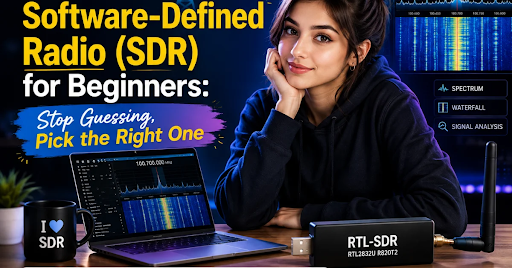
Do you want to listen to airplanes flying above your house? Or catch a weather picture sent from space? You can do all this with a small tool called an SDR. In this guide, we will find the best SDR software defined radio for beginners, in plain and simple words. No hard tech talk. Just easy answers.
Let’s start from the very beginning.
What Is an SDR (Software Defined Radio)?
An SDR is a small radio device that plugs into your computer. Old radios used many physical parts to catch signals. An SDR uses software instead. This means one small business tool can do the job of many old radios.
With an SDR, a normal antenna, and free software, you can:
- Listen to FM music stations
- Track airplanes in the sky
- Catch weather satellite pictures
- Hear ships talking on the sea (called AIS)
- Listen to ham radio and airband chatter
Think of an SDR like a TV remote that can turn into any remote you want, just by changing the app on it.
Why Do Beginners Like SDR So Much?
People new to radio love SDR because it is:
- Cheap – Some good SDRs cost less than a pizza.
- Easy to start – Plug it in, add free software, and go.
- Full of things to explore – Planes, weather, ships, radio stations, and more.
- Backed by a big community – Thousands of people online share help and tips.
This is why “best sdr software defined radio for beginners” is one of the most searched questions by new hobbyists.
What Is the Best SDR for Beginners?
There is no single “one size fits all” answer. It depends on what you want to do. Below are the 15 top picks people trust the most.
1. RTL-SDR, Best First SDR for Total Beginners
RTL-SDR is the most common first SDR in the world. It began its life as a cheap TV tuner stick, but hobbyists found out it could catch all kinds of radio signals too.
Why beginners pick RTL-SDR first:
- It only receives signals, so you cannot break any rules by sending signals out
- It is very cheap
- Free apps like SDR#, SDR++, and GQRX work with it right away
- Great for airplane tracking (ADS-B), FM radio, and weather satellites
If you search “best sdr software defined radio for beginners” almost anywhere online, RTL-SDR shows up first — and for good reason.
2. RTL-SDR V4. The Newer, Better Version
The RTL-SDR V4 is, like, the newest upgrade version of the classic RTL-SDR. It sort of fixes small issues from older models and it provides clearer signals, improved cooling, an d stronger components on the inside. If you are buying an RTL-SDR today, the V4 version is the smart pick over older ones.
3. HackRF One Best for Curious Beginners Who Want More
HackRF One is kind of a notch above RTL-SDR. It can both listen, like receive, and talk as in transmit, on radio waves. So yeah, it feels more capable, but then it also implies you have to respect your country’s radio rules whenever you’re sending signals out. HackRF One is good for beginners who:
- Already tried RTL-SDR and want more power
- Want to explore a very wide range of radio frequencies
- Like using tools such as GNU Radio or Mayhem firmware on portable kits
4. SDRplay, Best for Clearer, Cleaner Sound
SDRplay devices (like the RSP1A) sit between RTL-SDR and pricier gear. They give sharper, cleaner audio and handle crowded radio bands better. This makes SDRplay a smart pick for beginners who plan to listen seriously, especially to shortwave and ham radio bands, and don’t mind spending a little more.
5. Airspy, Best for Strong, Clean Signal Quality
Airspy is known for turning weak, messy signals into clear sound. It costs more than RTL-SDR but less than lab-grade gear. Many hobbyists upgrade to Airspy once they outgrow their first RTL-SDR and want better performance without jumping to expensive equipment.
6. Pluto SDR, Best for Learning How Radios Really Work
The Pluto SDR (also called ADALM-Pluto or ADI Pluto) is built around advanced chips such as the AD9363 / AD9361 and a Zynq 7020 processor. This is not just a beginner toy — it is a real communication experiment platform used by students and hobbyists who want to build their own radio projects.
Popular Pluto SDR projects for beginners include:
- Building a basic FM transmitter for learning
- Testing digital communication signals
- Studying how phones and Wi-Fi actually send data
- Learning GNU Radio step by step
Pluto SDR needs a bit more patience than RTL-SDR, but it teaches you the real “why” behind radio signals, not just the “how.”
Quick Comparison Table
| SDR Device | Best For | Can It Transmit? | Beginner Friendly? |
| RTL-SDR | First-time listening, ADS-B, FM radio | No | Very easy |
| RTL-SDR V4 | Same as RTL-SDR, but clearer signal | No | Very easy |
| HackRF One | Wide range exploring, send & receive | Yes | Medium |
| SDRplay | Clean audio, serious listening | No | Easy |
| Airspy | Strong signal quality upgrade | No | Easy |
| Pluto SDR | Learning real radio development | Yes | Medium to advanced |
What Do Reddit Users Say Is the Best Beginner SDR?
If you search “best sdr software defined radio for beginners reddit,” you will notice one thing again and again: almost everyone tells new users to start with an RTL-SDR. Reddit hobbyists usually explain that:
- It is the cheapest way to test if you actually enjoy SDR as a hobby
- Beginners should not spend too much money before knowing what they like to listen to
- Once someone knows their favorite use like plane tracking, ham radio, or satellites they can then upgrade to HackRF One, SDRplay, Airspy, or Pluto SDR
This matches what most SDR guides and hobby stores recommend too: start small, learn the basics, then grow into bigger gear.
What Can You Actually Do With an SDR?
Here are fun and useful things beginners try with their first SDR:
- Track airplanes flying near you using ADS-B signals
- Listen to FM radio stations from far away
- Decode weather satellite images sent from space
- Hear ships on the ocean using AIS signals
- Listen to police, fire, or ham radio chatter (where legally allowed in your area)
- Learn coding and radio science using free tools like GNU Radio
How Do I Choose My First SDR? (Simple Buying Tips)
Follow these easy steps:
- Decide what you want to hear first. Planes? Radio stations? Weather satellites?
- Start cheap. An RTL-SDR or RTL-SDR V4 is enough to test the hobby.
- Don’t forget the antenna. A great SDR with a bad antenna will still sound weak.
- Pick free software. SDR#, SDR++, and GQRX are beginner-friendly and free.
- Upgrade later. Once you know your favorite use, move up to HackRF One, SDRplay, Airspy, or Pluto SDR.
Frequently Asked Questions
What is the best SDR software-defined radio for beginners?
For most people starting, the RTL-SDR (or the newer RTL-SDR V4) is the best first choice. It is cheap, simple, and works with free software right away.
Can a beginner use HackRF One?
Yes, but it has a bigger learning curve than RTL-SDR because it can also transmit signals, not just receive them.
Is Pluto SDR good for beginners?
Pluto SDR is great for beginners who want to learn real radio development, but it is a bit more technical than RTL-SDR. It’s a good “next step” device.
Do I need a license to use an SDR?
You do not need a license to only listen (receive) signals. But if you want to transmit signals, like with HackRF One or Pluto SDR, you may need a proper radio license in your country.
Which is better: SDRplay or Airspy?
Both give cleaner sound than a basic RTL-SDR. SDRplay is often praised for shortwave and ham radio listening, while Airspy is known for strong signal clarity. Either is a solid upgrade pick.
Final Thoughts
The best SDR software-defined radio for beginners is almost always the simple, low-cost RTL-SDR or RTL-SDR V4. It lets you explore the hobby without spending too much money. Once you know what you enjoy planes, weather, radio chatter, or building your own projects. You can move up to HackRF One, SDRplay, Airspy, or the Pluto SDR.
Radio signals are all around us, invisible but full of information. With the right SDR, you can finally “see” them.
Want more easy tech guides like this? Visit SoftwareCora for simple, beginner-friendly software and tech guides that help you learn without the confusing jargon. Explore our latest articles and start your tech journey today!

1 Comment
Pingback: : Recovery Home Falling Apart on Paper? Recovery Home Management Software Solutions Fix It