

You want to try Linux without wiping Windows. Or test a risky installer without touching your real files. Or build a clean development environment that you can throw away on Friday. That is the job vbox software does.
In most searches, ‘vbox software’ means Oracle VM VirtualBox, a free virtualization program that lets one computer run other operating systems inside windows called virtual machines (VMs). This guide explains how it works, what changed in the 7.2 series, the licensing detail most guides skip, how to install it safely and when you should pick something else.
Key Takeaways
- Vbox software almost always means Oracle VM VirtualBox, a Type 2 hypervisor that runs on top of your normal operating system.
- The base package is free, but the separately downloaded Extension Pack has its own license, and business use of it generally needs a paid Oracle license.
- The newest release reported at the time of writing is 7.2.22 (October 20, 2026), described by Oracle as a maintenance release with security-related fixes. Always confirm on the official download page.
- VirtualBox 7.2 added Windows 11 on Arm VMs, moved NVMe controller emulation into the open-source base package and refreshed the interface.
- A VM is not a perfect security wall. Treat shared folders, clipboard sharing and USB pass-through as holes you open on purpose.
- VMware Workstation Pro, Hyper-V and other tools can be a better fit depending on your host, workload and licensing needs.
Quick answer: Vbox software is a common name for Oracle VM VirtualBox, free software that creates virtual computers on your PC or Mac. You install it, create a VM, attach an operating system ISO and install the guest OS inside the VM, all without changing your main system.
What Does ‘Vbox’ Actually Mean?
The word shows up in a few places, so it helps to separate them:
- VirtualBox (VBox): Oracle’s desktop virtualization product. Its command-line tool is called VBoxManage, and many files and drivers carry the VBox prefix. This is what this article covers.
- VBOX hardware: Racelogic sells VBOX data loggers for vehicle testing. If your search was about GPS speed and lap-timing equipment, that is a different product.
- Random ‘VBox’ apps: Smaller tools and games sometimes use the name. Check the publisher before you download anything.
If you landed here to run Linux, test software or learn system administration, you are in the right place.
How Vbox Software Works
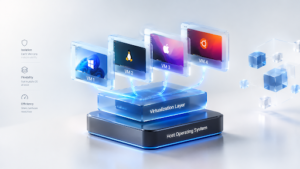
VirtualBox is a Type 2 hypervisor. That means it is an application that runs on your existing operating system (the host) and creates virtual hardware for other operating systems (the guests). Each VM gets its own virtual CPU cores, memory, disk and network adapter, carved out of what your real machine has.
The basic workflow:
- Install VirtualBox on the host (Windows, Linux, macOS or Solaris).
- Create a VM, choose the guest OS type and name it.
- Assign resources: CPU cores, RAM and a virtual disk size.
- Attach an ISO, the installation image of the guest OS (for example Ubuntu or Windows).
- Boot the VM and install the guest OS as you would on a real PC.
- Install Guest Additions inside the guest for better screen resizing, shared folders and clipboard integration.
A practical rule: never give a VM more than about half of your RAM and CPU cores. The host still needs room to breathe, and a starved host makes every VM feel slow.
Key Features Worth Knowing
| Feature | What it does | Watch out for |
| Snapshots | Saves a VM’s state so you can roll back after a bad install or experiment | A snapshot is not a backup. It lives on the same disk as the VM |
| Virtual networking | NAT, bridged, NAT Network and host-only modes | Bridged mode puts the VM directly on your network, which widens exposure |
| Shared folders and clipboard | Moves files and text between host and guest | Reduces isolation, so avoid it for untrusted software |
| Flexible disks | Dynamically allocated disks grow as data is added | They can fill the host drive if you are not watching |
| Headless and CLI control | VBoxManage and headless start for servers and automation | Needs some command-line comfort |
| Cross-platform hosts | Runs on Windows, Linux, macOS and Solaris | Guest support varies by host and CPU architecture |
A few commands show how scriptable it is:
VBoxManage list vms
VBoxManage snapshot “Ubuntu” take “clean-install”
VBoxManage startvm “Ubuntu” –type headless
What’s New in VirtualBox 7.2 (and Where It Stands in October 2026)
VirtualBox 7.2.0 arrived on August 14, 2025 and started the current stable series. The headline changes:
- Windows 11 on Arm virtualization. Arm VMs can run on Windows on Arm, Linux and macOS Arm hosts, with Guest Additions and a graphics driver for Windows 11 on Arm.
- NVMe controller emulation moved into the open-source base package.
- Linux hosts gained video decoding acceleration when 3D acceleration is enabled, plus early support for newer kernels.
- Apple Silicon Macs got experimental 3D acceleration through DXMT, while 3D acceleration is no longer supported on Intel-based Macs.
- A reworked interface, with a global tools taskbar replacing several hamburger-menu items.
Upgrade caution: Saved states and snapshots of Arm VMs created in 7.1 do not work in 7.2. Shut those VMs down fully before upgrading.
Where the series is now. Maintenance releases have kept coming since 2025. Version 7.2.16 appeared in August 2026 with fixes including 3D performance improvements and Wayland clipboard handling. Version 7.2.18 then introduced a regression that stopped VMs starting on some Windows hosts (error VERR_SUP_VP_FOUND_EXEC_MEMORY), and 7.2.20 fixed it. Version 7.2.22 followed on October 20, 2026 as a maintenance release with unspecified security-related fixes, landing the same day as Oracle’s October Critical Patch Update. Reports also state that the 7.1 line stopped receiving maintenance on March 31, 2026, so anyone still on 7.1 should plan a move.
Take version numbers from Oracle’s page, not from any blog, including this one. They change.
The Licensing Detail Most Guides Skip
VirtualBox licensing has two layers:
- The base package is open source and free, including for commercial use.
- The Extension Pack is a separate download that adds features such as USB 2.0/3.0 support and some remote-access and encryption options. It is licensed under Oracle’s Personal Use and Evaluation License (PUEL), which allows free personal and educational use. Using it to run a business, organization or institution generally requires a paid Oracle license.
Why this matters: many companies install the base package, then add the Extension Pack for USB support without realizing the second license applies. Oracle’s own licensing FAQ has also changed its wording over the years, including about evaluation use, so read the current terms on Oracle’s site before deploying it at work. If you only need the base package, you can skip this issue entirely.
Guest Additions are a different component from the Extension Pack, so do not confuse the two.
How to Download and Install Vbox Software Safely
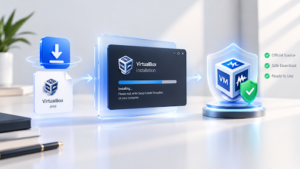
Fake download sites and bundled installers are common for popular free software. Follow this order:
- Go to the official site (virtualbox.org or Oracle’s VirtualBox download page). Do not use search ads or mirror sites.
- Pick the package for your host OS. Apple Silicon Mac and Windows on Arm users should choose the Arm-compatible build.
- Verify the download. Official downloads are published with SHA-256 checksums. Compare the file’s hash before you run it.
- Turn on hardware virtualization (Intel VT-x or AMD-V) in your BIOS/UEFI if it is off.
- Install and restart if prompted. Expect network driver prompts; they are normal.
- Download your guest OS ISO from the OS vendor. VirtualBox does not include Windows or Linux, and a Windows guest needs its own license.
- Create the VM and install Guest Additions.
- Take a snapshot right after a clean install so you have a restore point.
Is Vbox Software Safe?
The software is legitimate and widely used. Safety depends on setup:
- Download only from official sources and keep VirtualBox updated. Hypervisors are high-value targets, and Oracle ships security fixes through its quarterly patch cycle.
- Treat the VM as a boundary, not a vault. Malware researchers still use isolated, locked-down VMs, but any feature that connects host and guest is a possible path between them.
- For suspicious files, disable shared folders, clipboard sharing and USB pass-through, use host-only or no networking, and restore a clean snapshot afterward.
- Do not store your only copy of important data inside a VM. A damaged virtual disk can take everything with it.
VirtualBox vs VMware Workstation Pro vs Hyper-V
| VirtualBox | VMware Workstation Pro | Hyper-V | |
| Type | Type 2 (installed app) | Type 2 (installed app) | Type 1 (built into Windows) |
| Cost | Base package free; Extension Pack has its own license | Reported free for personal and commercial use since November 2024 | Included with Windows Pro and Enterprise |
| Host platforms | Windows, Linux, macOS, Solaris | Windows and Linux (Fusion Pro covers Mac) | Windows only |
| Best for | Cross-platform learning, labs, scripting | Polished desktop VM experience on x86 Windows or Linux | Windows-centric work and heavier workloads |
| Main trade-off | Can show more overhead under heavy load | No Arm host path in some comparisons; check current terms | Less friendly for casual desktop use |
Rule of thumb: If you want one free tool that works on almost any host, choose VirtualBox. If you are on x86 Windows and want a very polished desktop experience, test VMware Workstation Pro. If you live in Windows and run server-style workloads, Hyper-V is built in.
One practical wrinkle: turning on Hyper-V, Virtualization-Based Security, Device Guard or Credential Guard can change how VirtualBox and VMware run, often making VMs slower. If a VM crawls on Windows 11, check those features first.
Common Problems and Fixes
| Problem | Likely cause | What to try |
| VM will not start, mentions VT-x or AMD-V | Virtualization is off in firmware, or another hypervisor holds it | Enable it in BIOS/UEFI; check Windows Hyper-V features |
| VERR_SUP_VP_FOUND_EXEC_MEMORY on Windows | A regression reported in 7.2.18 | Update to 7.2.20 or later |
| Only 32-bit guest options appear | Virtualization disabled, or Hyper-V interfering | Enable VT-x/AMD-V; review Windows virtualization features |
| Slow VM | Too little RAM, Hyper-V conflicts, disk on a slow drive | Lower the VM’s load, close other apps, move the disk to an SSD |
| No resizing or shared clipboard | Guest Additions missing | Install Guest Additions in the guest |
| Kernel module errors on Linux | Kernel updated, or Secure Boot blocks unsigned modules | Rebuild the modules; sign them or adjust Secure Boot settings |
| Cannot open old Arm VM after upgrade | Saved state from 7.1 | Use a clean shutdown before upgrading to 7.2 |
Who Should Use It?
- Students and learners who want to practice Linux, networking or system administration safely.
- Developers and testers who need disposable environments and reproducible setups.
- IT staff who want to try software or patches before rolling them out.
- Curious users who want to try another OS without partitioning a disk.
Skip it if you need near-native gaming or heavy GPU work, you run a production server farm (use a Type 1 platform), or your company has not cleared Extension Pack licensing.
FAQs
What is vbox software?
It is a common name for Oracle VM VirtualBox, free virtualization software that runs virtual machines on a Windows, Linux, macOS or Solaris computer.
Is vbox software free?
The base package is free and open source. The Extension Pack is separate and is free only for personal and educational use under Oracle’s PUEL; business use generally needs a paid license.
What is the latest version of VirtualBox?
Reports put the newest release at 7.2.22, published October 20, 2026. Confirm the current version on the official download page before installing.
Can I run Windows on a Mac with VirtualBox?
On Apple Silicon Macs, VirtualBox 7.2 supports Windows 11 on Arm guests, with experimental 3D acceleration. It does not run x86 Windows guests on Apple Silicon.
Is VirtualBox safe to download?
Yes, if you get it from the official site and verify the checksum. Avoid third-party download sites.
Is VirtualBox better than dual booting?
They solve different problems. A VM lets you run two systems at once with some performance cost. Dual booting gives one system full hardware access at a time.
VirtualBox or VMware Workstation Pro?
VirtualBox wins on host-platform range and scripting. VMware Workstation Pro is often preferred for polish and performance on x86 Windows or Linux. Test both with your real workload.
Does a VM protect me from malware?
Not completely. It adds a layer of isolation, but misconfiguration or hypervisor flaws can break it. Keep software patched and minimize shared features.
Final Thought
Vbox software earns its popularity because it is free, flexible and good enough for most learning, testing and development. Download it from the official site, check the version and checksum, keep the Extension Pack’s license in mind if you work for a business, and snapshot before you experiment. If your host or workload does not suit it, VMware Workstation Pro and Hyper-V are worth a look.
Write for SoftwareCora
Share your expertise with SoftwareCora’s audience through a high-quality guest post on AI, SaaS, software, CRM, business technology, or digital marketing.
