

Most recovery homes outgrow their spreadsheets before they notice.
It starts small. One shared sheet for beds, a group chat for house announcements, a paper binder for incident reports. Then the house grows to two, a new manager joins, and nobody can say with confidence who paid rent last Tuesday or whether the Friday incident was ever written up. I have seen the incident report show up three days late more times than I can count, and the reason was never carelessness. The system simply had too many places to hide.
This guide covers what recovery home management software solutions actually do, when you do not need them, which features deserve your money, what privacy rules to ask about, and how to roll a system out without losing your records. It stays vendor-neutral on purpose. No rankings, no invented prices, no made-up customers.
What Recovery Home Management Software Actually Does
Recovery home management software is a system for running the daily business of a sober living home, recovery residence or halfway house: who lives where, who owes what, what happened this week, and what you can show a reviewer when they ask.
That covers resident intake, bed and occupancy tracking, rent and fee billing, drug and alcohol testing logs, curfew and pass tracking, incident reports, house meeting and chore records, staff tasks, document storage, and reporting. Some products add a resident app. Some add e-signature. Some add alumni follow-up.
Notice what is missing from that list: treatment. Recovery residence operations software handles housing operations. Clinical care, counseling notes and treatment records belong in other systems with different privacy rules. Mixing the two is where operators get into trouble, and I will come back to that in the privacy section.
You will see the same idea sold under different names: sober living software, sober living management software, recovery residence software, halfway house software, even sober living home administration software. The labels shift with the vendor’s marketing. What matters is the job list above, so judge by that.
Do You Need Software or Is a Spreadsheet Enough?
Honestly, some houses are fine on a spreadsheet. A single six-bed house with one owner-manager, few turnovers and simple fees can run on a well-built sheet and a locked folder for the paperwork. Software would be a cost, not a fix.
The trouble begins when one of these shows up:
- A second house, and now two managers keep two slightly different sheets.
- A staff member who is not the owner needs to log incidents or collect rent.
- A funder, certifier or referral partner asks for records you cannot assemble quickly.
- Billing disputes, because the ledger lives in someone’s head or a text thread.
- A key person leaves, and the system leaves with them.
Picture a 12-bed men’s house run by a manager who has been there four years. He knows every resident’s payment pattern by heart. The spreadsheet only makes sense to him. When he takes two weeks off, the weekend staff cannot tell who is on a payment plan, and a resident gets a late notice he did not deserve. Nobody did anything wrong. The knowledge simply was not written anywhere a second person could read it.
That is the real test. Not “how many beds do I have,” but “could someone else run this house tomorrow from the records alone?” If the answer is no, you have a key-person dependency, and software is one way to fix it. Written procedures are the other half. More on that later.
Core Features That Matter: Must-Have vs Nice-to-Have
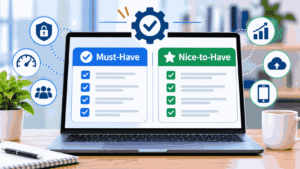
Feature lists are everywhere, and they all say yes to everything. A better question is which features protect you when something goes wrong.
Must-have features for most operators
Resident records and intake. One record per resident with application, agreements, emergency contacts, move-in and move-out dates, and signed documents. If you cannot find a resident’s signed house agreement in under a minute, nothing else matters.
Bed and occupancy tracking. A live view of open, held and occupied beds across houses, with a waitlist you can actually act on.
A real ledger. Charges, payments, credits, deposits and balances per resident, with history you can print for a dispute. A balance without a history is just an opinion.
Incident and testing logs with timestamps. Entries that show who wrote them and when, and that cannot be quietly edited later.
Role-based access. Your weekend house monitor should not see what your director sees. Ask for specifics: who can view, who can edit, who can export, who can delete.
Data export. You should be able to take your records with you in a usable format. If a vendor goes quiet when you ask about this, take that as an answer.
Nice-to-have features
Resident-facing apps, automated reminders, e-signature, alumni check-ins, chore rotation, reporting dashboards, accounting integrations and payment-processor integrations are useful once the basics work. Buy them second. A house with a beautiful dashboard and an unreliable ledger is still unreliable.
Features that sound good and often are not
Anything promising “automatic compliance” deserves suspicion. Software can store the records a reviewer wants. It cannot make your house meet a standard. I will say that again in the mistakes section because it matters.
Resident Intake and Admissions
Intake is where most record problems begin, because it is rushed. A bed opens, a referral calls, and the paperwork gets done “later.”
Good admissions workflow puts the application, house rules acknowledgment, financial agreement, emergency contact and any required consents in one sequence, with a clear status for each resident: inquiry, screened, accepted, moved in. Digital forms help mostly because they cannot be skipped quietly. A paper checklist can be skipped by a tired person at 9 p.m. A required field is harder to forget.
One caution. Screening notes can drift toward information you do not need to hold. Collect what your house genuinely uses to make admission decisions and nothing more. Every extra field is something you are now responsible for protecting.
Bed and Occupancy Management
Bed management sounds dull until you run three houses and an empty bed costs money while a waitlist of five sits unanswered.
What you want is a single view that answers three questions: which beds are open today, which will open this week, and who is next on the list. Look for the ability to hold a bed with a note and an expiry, because informal holds are how two people end up promised the same room.
For multi-house operators, filtering by house and by resident type (men’s, women’s, different support levels) saves real time. If your houses differ in rules or fees, check that the software lets each house keep its own settings instead of forcing one template on all of them.
Billing and Rent Collection
This is the section where owners usually feel the pain first, so it earns the most skepticism.
Recovery residence billing is rarely a clean monthly rent. You may have weekly fees, move-in deposits, partial payments, third-party payers, payment plans, scholarships and prorated stays. A system built for apartment buildings handles the monthly case well and the rest awkwardly.
What to test during a demo: enter a resident who moves in on the 19th, pays half, gets a deposit credit, and moves out early. Watch what the ledger shows. If the vendor cannot walk through that scenario cleanly, your real life will be messier.
Also ask about payment processing fees and who bears them, how failed payments are handled, and whether residents can see their own balances. Clear balances prevent more disputes than any policy you can write. If you want a broader look at how automating billing and admin work goes wrong when the process underneath is broken, our guide to automating plan-management software for service providers covers the same trap in a different industry.
Drug Test, Curfew and Incident Tracking
This is the part of recovery housing where record quality matters most and where honest software helps most.
For testing logs, you want date, time, test type, who administered it, result, and any follow-up action, entered by a person with a named login. For curfew and passes, you want a request, an approval and a return time, not a text message. For incidents, you want a standard form: what happened, when, who was involved, who was notified, what was done, and who signed off.
Two habits matter more than any feature. Write incidents the same day. And keep the facts separate from the opinions. A log that says “resident returned at 11:40 p.m., curfew 11:00, spoke with house manager” will hold up. A log that says “resident was clearly being difficult again” will not, and it is unfair to the person it describes.
Use respectful language throughout. People in recovery are residents, not “addicts,” and a test result is a result, not a verdict on someone’s character. Your records may be read by a certifier, an attorney or the resident themselves. Write them like that.
Software does not decide your consequences. Your written house rules do. If your rules are vague about what happens after a missed curfew, no tracker will make enforcement consistent. It will only record the inconsistency in neat columns.
Staff Scheduling and House Coordination
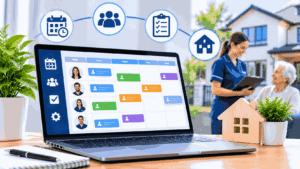
Many operators underestimate this one. Who covers the house on Saturday night? Who runs Monday’s house meeting? When two houses share a float staff member, the calendar stops being simple.
Some recovery residence software includes shift and task scheduling, and some does not. If your staffing is complex, the scheduling logic is worth comparing carefully. Our overview of multi-resource scheduling methods and tools explains what to look for when people and rooms both need to be booked without clashes, which is the same underlying problem.
Privacy, Security and Compliance Basics
Operators ask about this too late, usually after they have already bought something. Here is the plain-language version. This is not legal advice, and requirements vary by state and by how your organization is set up, so confirm with qualified counsel.
HIPAA and 42 CFR Part 2
HIPAA applies to “covered entities” (certain health plans, clearinghouses and health care providers) and their business associates. 42 CFR Part 2 is a separate federal rule that protects records from federally assisted substance use disorder programs. HHS published a final rule updating Part 2 in 2024 to align it more closely with HIPAA, and the general compliance date was February 16, 2026. The HHS Office for Civil Rights now handles Part 2 enforcement, including complaints.
Whether either rule applies to you depends on facts: whether you provide or bill for treatment, whether you are part of or contracted with a treatment program, and how records move between you and others. A housing-only recovery residence may or may not be covered. A Level IV residence tied to clinical services very likely needs a closer look. Do not guess. Ask counsel, and ask any software vendor what they will sign and what they will not, including whether they will enter a business associate agreement if one is needed.
What NARR and SAMHSA say about structure
The National Alliance for Recovery Residences publishes the NARR Standard (version 3.0 dates to 2018) and describes four levels of support: Level I peer-run, Level II monitored, Level III supervised, and Level IV service provider. NARR publishes the standard. Independent state affiliates do the certifying, so your real requirements come from your state’s affiliate or regulator. Standard 3.0 includes expectations around protecting resident identity in data collection, among many other areas, and some standards may be subject to state requirements.
SAMHSA’s Best Practices for Recovery Housing (2023) lists eleven best practices and updates its earlier guidance. They include written policies, procedures and resident expectations, and certification. Read the current documents yourself rather than trusting a vendor’s summary, because both change.
Fair Housing Act and ADA
Housing rules, including the Fair Housing Act and the Americans with Disabilities Act, can affect how you screen, house and discharge residents. Software will not tell you whether a house rule or an admission decision is lawful. If a vendor says it does, walk away. Ask counsel.
Access control basics
Whatever laws apply, the practical privacy questions are the same:
- Who can see which resident records, and can you restrict by role and by house?
- Is there an audit trail showing who viewed, changed or exported records?
- Does the vendor encrypt data, and where is it stored?
- What happens to your data if you cancel?
- Can you remove a former staff member’s access the same day?
The last question is the one that bites. Imagine a house manager leaves on bad terms on a Friday. If revoking access takes a support ticket and three days, you have a privacy problem over the weekend.
Software Types Compared
Operators usually choose between five approaches. Here is the honest comparison, with no prices because they vary by vendor and change often.
| Approach | Best for | Setup effort | Relative cost | Main risk |
|---|---|---|---|---|
| Spreadsheets and shared folders | One small house, one manager | Low | Lowest | Key-person dependency, weak access control, no audit trail |
| General property management software | Houses run like rentals with simple monthly fees | Medium | Low to medium | Awkward for weekly fees, testing logs, incidents and recovery-specific records |
| Behavioral health or EHR software | Residences tied to clinical programs | High | High | Built for clinical care, heavy for pure housing, may be more than you need |
| Purpose-built recovery residence software | Most multi-house or staffed operators | Medium | Medium | Vendor lock-in, uneven quality, features you will not use |
| Custom-built system | Large networks with unusual needs | Very high | Highest | Long build, ongoing maintenance, adoption problems |
A few notes on that table. General property software can work if your needs are simple, and I have seen it work, but you will build workarounds for testing and incidents. EHR platforms make sense when you are part of a treatment organization and need everything in one place. A custom build is almost never right for a small operator. The reasons projects stall are common to all custom software, and our guide to why custom CRM builds fail on adoption lays out the pattern.
Choosing by House Size and Budget

Match the tool to the operation you have, not the one in the demo.
One house, six to ten beds, one manager. A disciplined spreadsheet and a locked document folder may be enough. If you buy software, favor simple, low-commitment tools and prioritize the ledger and incident log. A lot of software is built for much larger operations, and small buyers end up paying for things they will never touch. Our write-up on choosing florist software for a small business describes this “built for shops ten times your size” problem in another setting, and the same lesson applies here.
Two to five houses, a few staff. This is where purpose-built tools earn their keep. Consistency across houses, role-based access and a single ledger matter most.
Larger networks or treatment-affiliated housing. Integration, reporting, audit trails and data governance move to the top of the list. Ask hard questions about security documentation and contracts.
On budget, understand the pricing models before comparing prices. Vendors commonly charge per user, per bed or resident, a flat fee per house or organization, or tiered plans that gate features. Some add setup or onboarding fees, charge extra for training or data migration, or pass payment processing fees to you. Budget for the total, which includes staff time to set up and learn the system. A cheap tool that nobody finishes setting up costs more than an expensive one that gets used.
What about free tools? Free spreadsheets and free tiers can be a reasonable stopgap. Just ask what the limits are on residents, users, storage, access control and export, and what happens when you outgrow them.
How to Evaluate Vendors and Run a Demo
Vendors give good demos. Your job is to make them show you your own mess.
Questions to ask in a demo
- Can you walk through a resident who moves in mid-month, pays partially, and leaves early?
- Show me how a drug test result and an incident get recorded, and who can see them.
- What does the audit trail show, and can an entry be edited or deleted after it is saved?
- How do I restrict access by role and by house?
- Will you sign a business associate agreement if my situation requires one? What else will you put in writing about security and data handling?
- What do I get if I leave? Show me an actual export.
- What is included in the price, and what costs extra: setup, training, migration, payment processing, extra users, extra houses?
- Who supports us, how fast, and in what hours? Recovery houses do not run nine to five.
- Can I speak to an operator of a similar size, not a hand-picked showcase?
Red flags in vendor sales
Be wary of pressure to sign before a trial, vague answers about data ownership, no way to export, claims that the software “ensures compliance,” refusal to discuss security in writing, and pricing that appears only after a call. A good vendor can tell you what the product does not do. A salesperson who cannot should worry you.
If you can, test with a small slice of real work: one house, a handful of residents, two staff members, two weeks. A short trial teaches you more than ten hours of demos.
Migrating from Spreadsheets and Rolling Out to Staff
Most rollouts fail on people, not code. The tool is bought, the login emails go out, and half the staff keep using the old sheet because it is familiar. For a look at how often a purchased tool ends up barely used, the lesson in our guide to choosing auto shop CRM software your team will actually use transfers directly.
Clean your data before you move it
Do not import a mess. Spend a few hours first: remove duplicate residents, fix names and dates, archive former residents separately, and decide which records you are legally or contractually obliged to keep. Take a full backup of the old system and store it securely. You will want it.
Your first 30 days
Week one. Pick one house and two or three staff as the pilot. Load current residents and open balances. Write down the five tasks staff do every day and confirm the software handles each one.
Week two. Run the old system and the new one in parallel for a short period. It is tedious and it catches errors before they matter.
Week three. Train the rest of the staff with their own scenarios, not a generic walkthrough. Set access levels. Retire write access to the old spreadsheet.
Week four. Review what is not working. Fix settings, ask the vendor about gaps, and confirm you can export a complete record. Then roll out to the next house.
Write the procedures down
Software holds records. Your procedures decide what goes into them. If your house rules, testing protocol and incident process only live in the manager’s head, write them down before you configure anything. This is also what certifiers and SAMHSA’s best practices point toward: written policies, procedures and resident expectations.
Common Mistakes
Buying features instead of fixing a process. If curfew consequences are inconsistent today, they will be inconsistent in software. Fix the rule first.
Treating software as a compliance guarantee. It stores records and reminds people. It does not make your house meet a standard. Certification is based on how you operate and what you can document.
Putting clinical information in a housing system. Collect only what housing operations need. Clinical records belong where privacy rules and access are designed for them.
Ignoring the exit. If you cannot export your records cleanly, you are renting your own history.
Skipping role-based access. Giving everyone the same login is fast and dangerous.
Under-training the weekend staff. The person alone with the system at 10 p.m. Saturday is the one who needs it most.
Choosing on price alone. The cheapest option and the right option are rarely the same thing, but neither is the priciest. Match it to your size.
Frequently Asked Questions
What is recovery home management software?
It is a system for running the daily operations of a sober living home or recovery residence. It tracks resident intake, beds and occupancy, rent and fees, testing and incident logs, house tasks and documents. It supports housing operations. It is not clinical software and it does not replace written house rules.
What does sober living software do?
Sober living software keeps your resident records, bed availability, billing ledger, testing logs, incident reports and staff tasks in one place instead of across spreadsheets, group chats and binders. Good systems also control who can see what and leave an audit trail of changes.
What features should recovery residence software have?
At minimum: resident records and intake, bed and occupancy tracking, a ledger with payment history, timestamped incident and testing logs, role-based access, and data export. Resident apps, reminders and integrations are useful extras, but buy the basics first.
Do I need software to run a sober living home?
Not always. A single small house with one manager can run on a disciplined spreadsheet and secure storage. Once you add staff, a second house or outside reviewers, the risk of lost records and inconsistent logs makes software worth considering.
Spreadsheet or software for a recovery home?
Honestly, it depends on size and risk. Spreadsheets are cheap and flexible, but they offer weak access control, no real audit trail and heavy key-person dependency. Software costs money and setup time but protects records as you grow. Many houses outgrow the sheet around the second house.
How much does sober living software cost?
Prices vary too much to quote responsibly. Common models are per user, per bed or resident, flat per house or organization, or tiered plans. Ask about setup, training, migration and payment processing fees too. Compare the total first-year cost, including your staff’s time.
Is sober living software HIPAA compliant?
No software is compliant on its own. Compliance depends on whether HIPAA or 42 CFR Part 2 applies to your organization at all, and on how you configure and use the tool. Ask vendors what they will sign in writing, then confirm requirements with legal counsel.
What is NARR and why does it matter for recordkeeping?
NARR is the National Alliance for Recovery Residences. It publishes a national standard and four levels of support for recovery residences. State affiliates certify homes against it. Certification reviews typically look at written policies and records, so well-organized documentation makes review easier.
How do I track drug tests and incidents properly?
Use a standard form with date, time, who was involved, what happened, who was notified and what followed. Record it the same day under a named login, keep facts separate from opinions, and use respectful language. Follow your written house rules for consequences.
Can software help with certification?
It can help you store and retrieve the records a reviewer asks for. It cannot make your house meet the standard. Check your state affiliate’s requirements, and be cautious of any vendor promising automatic compliance.
How do I move from spreadsheets to software?
Clean and back up your data first. Pilot with one house and a few staff, run old and new systems in parallel briefly, then train everyone on real scenarios and retire the old sheet. Confirm you can export a full record before you roll out further.
How do I manage multiple recovery houses?
You need consistent records and a single view of beds and balances, with access limited by house and role. Standardize intake, incident forms and testing logs first. Then choose software that lets each house keep its own settings without breaking the shared structure.
What should I ask a software vendor in a demo?
Ask them to walk through your messiest billing case, show how incidents and tests are logged and who can see them, explain the audit trail, demonstrate a real data export, and list every extra cost. Ask what they will put in writing about security and data handling.
Final Summary and Next Steps
Recovery home management software solutions earn their price when they replace scattered records with one reliable system, and when your procedures are already written down. They do not earn it when they are bought to fix unclear rules or to promise compliance.
