

Finding the right AI tool isn’t as easy as it sounds. Every week, new apps claim they can help you work faster, write better, and save hours of time. But after trying a few, many people end up wasting money on tools they never use.
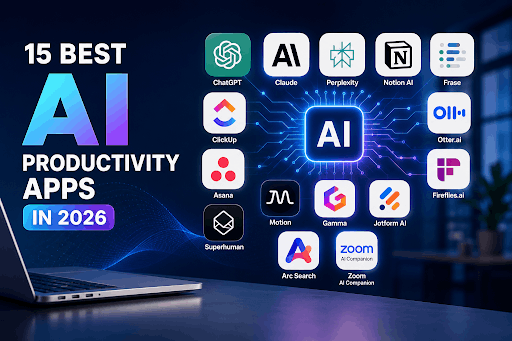
That’s why we created this guide to the 15 Best AI Productivity Apps. We compared the top AI tools for 2026 to help you find the ones that truly improve your workflow. Whether you’re a student, freelancer, business owner, or part of a growing team, you’ll discover which apps are worth your time, what they do best, how much they cost, and which one is the right fit for your daily work.
How we picked these apps
We looked at three things for every app on this list:
- Does it save real time, not just theoretical time? A tool that saves you 10 minutes but costs you 15 minutes of fighting the interface doesn’t count.
- Is the pricing honest? A lot of “AI productivity tools” gate the actually-useful AI features behind their most expensive tier. We call that out where it happens.
- Who is it actually for? Almost nothing on this list is the best choice for everyone. A tool that’s perfect for a solo freelancer can be a waste of money for a 50-person team, and vice versa.
Quick comparison: 15 best AI productivity apps at a glance
| App | Best for | Starting price |
| Claude | All-round AI assistant, writing & analysis | Free / $20 mo |
| ChatGPT | Integrations & broad knowledge tasks | Free / $20 mo |
| Perplexity | Research with cited sources | Free / $20 mo |
| Notion AI | Teams already living inside Notion | Bundled from $20/user/mo |
| Frase | SEO content and marketing copy | Free trial / $45 mo |
| ClickUp | All-in-one project management | Free / $7/user/mo |
| Asana | Cross-team workflow automation | Free / $13.50/user/mo |
| Motion | Auto-scheduling your calendar | $29/user/mo |
| Otter.ai | Accurate meeting transcription | Free / $17/user/mo |
| Fireflies.ai | Budget meeting notes + CRM sync | Free / $10/user/mo |
| Superhuman | Speed email for high-volume inboxes | $30/mo |
| Gamma | Prompt-to-presentation in under a minute | Free / $18/mo |
| Jotform AI | Fast AI-built forms | Free / $34 mo |
| Arc Search | Mobile browsing + instant summaries | Free |
| Zoom AI Companion | Meeting recaps if you’re already on Zoom | Free with paid Zoom |
Now let’s go through each one properly.
The best AI chat assistants for everyday work
1. Claude best all-round AI assistant
Claude, made by Anthropic, has become the go-to pick for people who want an AI assistant that’s genuinely careful about accuracy rather than just fast and confident. In head-to-head testing by TripleTen, Claude came out ahead of ChatGPT specifically because it hallucinated less a big deal if you’re using it for research, document analysis, or client-facing writing where a made-up fact could actually cost you something.
What it’s good at: Brainstorming, analyzing long documents you paste in, coding help, and writing that doesn’t sound obviously AI-generated. It’s also the model quietly powering the “smart” parts of several other tools on this list (Perplexity, Otter.ai, and Asana AI Studio all use Claude models under the hood for summarization and reasoning tasks).
Pricing: Free tier for basic use; the Pro plan runs about $20/month billed monthly (cheaper if paid yearly); a higher Max tier exists for heavy daily users.
Real-world experience: People who use Claude daily consistently mention it feels less like “talking to a search engine” and more like working with a careful colleague. It pushes back when something seems off instead of just agreeing with whatever you typed.
Who it’s for: Anyone who wants one AI tool for writing, research, and analysis without babysitting it for factual errors.
2. ChatGPT best for integrations and automation
ChatGPT is still the name most people think of first, and for good reason. It plugs into more tools, automations, and third-party workflows than almost anything else on this list. If you want an AI chatbot trained on your own company documents, or one that plays nicely with Zapier-style automations, ChatGPT has the widest ecosystem.
What it’s good at: Broad general knowledge, coding, and being the “hub” that other apps connect to.
Where it falls short: Reviewers testing it side-by-side with Claude found it more prone to confidently stating things that turned out to be wrong, which matters a lot if “productivity” means not having to double-check everything.
Pricing: Free tier; Plus at $20/month; a Pro tier at $200/month for heavier use; Team plans around $25–30/user/month.
Who it’s for: Teams that need an AI assistant to slot into an existing stack of automation tools.
The best AI research and search tools
3. Perplexity best for finding answers with sources
Perplexity works like a search engine that actually reads the internet for you and hands back a sourced answer instead of ten blue links surrounded by ads. It’s connected to the live web, so it doesn’t have the “my knowledge stops at some date” problem that pure chat assistants have.
What it’s good at: Fast research where you need to know where the information came from market research, competitor research, fact-checking.
The catch: The free plan limits you to a handful of deep, citation-heavy queries per day. Go past that and you’re paying $20/month for the Pro plan.
Who it’s for: Anyone doing regular research work content writers, analysts, students, who needs receipts, not just answers.
4. Arc Search best for mobile research on the go
Arc Search is the app version of that feeling when you just want a quick, clean answer on your phone without opening five tabs full of ads. Its standout feature is “Browse for me,” which reads several sources and hands you a summary instantly.
Pricing: Free.
Where it falls short: It’s mobile-first, so if you’re at a desk all day, you’ll probably reach for Perplexity instead. Some users also report thinner documentation and community support compared to bigger competitors.
Who it’s for: People who do most of their quick research from their phone.
The best AI tools for writing and content
5. Frase best for versatile marketing content
If you’re a one-person marketing team wearing five hats, Frase is built for exactly that chaos. Pick a template blog draft, social post, email, give it a prompt, and it produces a working first draft you can shape from there.
Pricing: Free trial, then $45/month for the Starter plan, up to $115/month for Professional.
Where it falls short: It needs more supervision than some SEO-focused tools since it can’t be trained on your specific tone of voice, so the output can read a little “AI-flavored” if you don’t edit it. It’s also on the pricier side for what you get.
Who it’s for: Marketing managers who need quick drafts across many content formats, not just blog posts.
6. Junia AI best for SEO-focused articles
Junia AI leans hard into search-engine optimization. Feed it a handful of keywords, it generates a content brief, and once you approve the direction, it writes the full piece and shows you built-in SEO scoring as it goes. It also lets you train it on your own tone of voice, which is a genuine time-saver if you’re publishing consistently under one brand voice.
Pricing: Very limited free plan; Starter around $27–34/month; Advanced around $47–59/month.
Where it falls short: It works best when you follow its intended workflow closely, try to bend it to a different process and it gets clunky. Occasional factual slip-ups still need a human check.
Who it’s for: Business owners who want a more hands-off, SEO-first content pipeline.
The best AI project management tools
7. ClickUp best for teams that want everything in one place
ClickUp’s whole pitch is “stop paying for six different tools.” It bakes AI into task creation, project updates, and searching across documents, and uses different AI models for different jobs behind the scenes, one model for quick suggestions, another for digging through buried information in your workspace.
Pricing: Free plan (no AI); Unlimited plan from $7–10/user/month; Business plan from $12–19/user/month; custom enterprise pricing.
Where it falls short: The sheer number of features means a real learning curve. New users often say the interface feels like a lot to take in before it clicks.
Who it’s for: Startups and small businesses that want one tool to replace several, and are willing to invest a bit of setup time.
8. Asana — best for connecting AI across your existing tools
Asana’s AI Studio lets you build automated workflows that suggest next steps, flag bottlenecks, and give project updates without someone manually chasing status in Slack. It integrates deeply with tools teams already use: Slack, Google Drive, GitHub which makes it a strong pick if your team’s work already lives scattered across several apps.
Pricing: Free Personal plan (no AI); Starter around $11–13.50/user/month; Advanced around $25–30.50/user/month.
Where it falls short: Some users notice occasional lag, and between the pricing tiers and per-seat cost, it adds up fast for larger teams.
Who it’s for: Teams that need automation stitched across multiple platforms rather than one closed ecosystem.
9. Motion best for AI that actually manages your calendar
Motion is less “to-do list” and more “autonomous scheduler.” You tell it what needs doing and when it’s due, and it figures out where in your day to actually put it then reshuffles everything automatically the moment a meeting runs long or a new task appears. It evolved from a simple AI calendar into what the company now calls an “AI Employee” platform, with pre-built AI agents for sales, support, and project management tasks.
Real-world experience: Reviewers who stuck with it past the initial 2–4 week learning curve reported saving 3–5 hours a week, which matters a lot if you bill hourly or juggle several overlapping projects.
Pricing: Around $29/user/month for the core AI Workplace plan; higher “AI Employee” tiers run from $49 up to $599/month depending on how much automation you need.
Where it falls short: The mobile app lags noticeably behind the desktop experience, and it doesn’t import tasks from other tools automatically, you’re building your workflow from scratch inside it.
Who it’s for: Freelancers and consultants billing $50+/hour, and small teams with constantly shifting deadlines.
The best AI tools for meetings
10. Otter.ai best for accurate transcription
Otter.ai just quietly does its job: it joins your call, transcribes it accurately, and hands you a clean summary with action items so nobody has to take notes by hand. It integrates smoothly with Zoom, Google Meet, and Microsoft Teams.
Pricing: Free Basic plan; Pro around $8.33–17/user/month; Business around $20–30/user/month.
Where it falls short: Occasional mix-ups attributing who said what, and the free tier is tight if you’re in back-to-back meetings all day.
Who it’s for: Distributed teams that rely heavily on written follow-ups after calls.
11. Fireflies.ai best budget option for meeting notes
Fireflies does the same core job as Otter — record, transcribe, summarize, but at a noticeably lower price point, and with unlimited transcription minutes across its paid plans (a real differentiator versus Otter and Notta). It also pushes meeting notes straight into Slack, Notion, Salesforce, and HubSpot automatically.
Pricing: Free plan available; Pro around $10/user/month (billed annually); Business around $19/user/month; Enterprise around $39/user/month.
Where it falls short: AI summaries and deeper features run on a separate “credits” system that can run out faster than expected, especially for teams with a heavy meeting schedule. There’s also no built-in recorder, it relies on joining through your existing video call tool.
Who it’s for: Freelancers and small teams that want solid meeting notes without Otter’s price tag.
The best AI tool for email
12. Superhuman best for high-volume inboxes
Superhuman is a premium layer that sits on top of Gmail or Outlook and rebuilds the entire experience around keyboard shortcuts and speed. Its AI now drafts full replies based on your writing history, auto-labels incoming mail, and collapses long threads into a quick summary. Superhuman itself reports users save an average of over three hours a week on email once they’re fluent in the shortcuts.
Real-world case: A sales director fielding 150+ emails a day can use the split inbox and Auto Drafts to separate high-priority threads from noise, log activity straight into Salesforce or HubSpot, and never manually update a CRM record again the kind of workflow where the $40/month Business plan pays for itself through faster follow-through on deals.
Pricing: Starter at $30/month; Business at $40/month (unlocks Auto Drafts, Ask AI, and CRM integrations); custom Enterprise pricing.
Where it falls short: No free plan, a real learning curve for the keyboard-first system, and the price is hard to justify unless you’re processing 50+ substantive emails a day.
Who it’s for: Founders, sales professionals, and executives who live in their inbox.
The best AI tool for presentations
13. Gamma best for turning a prompt into a deck in under a minute
Gamma has grown into one of the most-used AI design tools around, and it’s easy to see why: describe what you need, and it produces a complete, cleanly designed presentation or document, or one-page website in under 60 seconds. It can also convert an existing document or webpage straight into a shareable deck, which is a genuinely useful shortcut for turning meeting notes into something presentable.
Pricing: Free plan with 400 one-time AI credits; Plus around $9–12/month; Pro around $18–25/month; Team plans from $20/seat/month
Where it falls short: It’s a content and layout tool, not a design tool; there’s no fine-grained control over animations or transitions, so it’s better suited to internal updates and quick drafts than a polished investor pitch deck you want full creative control over.
Who it’s for: Anyone who needs a professional-looking deck fast and doesn’t need pixel-level design control.
The best AI tool for forms and data collection
14. Jotform AI best for building forms by just describing them
Instead of dragging and dropping fields one by one, you describe what you need in text or by voice and Jotform AI builds a ready-to-use form immediately. You can keep refining it conversationally, the same way you’d chat with an AI assistant, instead of manually rebuilding sections.
Pricing: Free plan available; paid plans start around $34/month.
Where it falls short: It’s built for speed and structure, not deep visual customization. If brand-perfect design matters more than fast setup, this isn’t the strongest fit.
Who it’s for: Teams that need to launch surveys, registrations, or lead-capture forms quickly without a design-heavy process.
The best AI meeting tool if you already pay for Zoom
15. Zoom AI Companion best if you’re already a Zoom user
If your company already pays for Zoom, this comes bundled in no separate subscription, no extra setup. It highlights decisions made, deadlines agreed on, and follow-ups needed, right inside the platform you’re already using for calls.
Pricing: Free with any paid Zoom plan.
Where it falls short: It tends to get confused during crosstalk, and the bigger issue is you only get access to it if you’re already paying for Zoom, which limits its usefulness if you run meetings across multiple platforms.
Who it’s for: Teams already standardized on Zoom who don’t want to add another subscription just for meeting notes.
What the data actually says about AI and productivity
It’s worth being honest about the numbers here instead of just repeating the hype. A few things are consistently true across multiple 2026 studies:
- Individual time savings are real. The Federal Reserve Bank of St. Louis found regular AI users save roughly 2.2 hours a week about 5.4% of working hours which is a more conservative (and more believable) figure than the flashier “an hour a day” headlines you’ll see elsewhere.
- Frequency matters more than the tool itself. Daily AI users save meaningfully more time than occasional users — one analysis found a third of daily users save 4+ hours weekly, compared to roughly one in ten people who only use AI once a week.
- Company-wide ROI is still the hard part. A widely-cited early-2026 study of nearly 6,000 senior executives found the majority of firms couldn’t point to a measurable productivity or headcount impact from AI over the previous three years, even as individual workers reported real time savings. Translation: the tools work but only if people actually build them into daily habits instead of using them occasionally and hoping for a company-wide miracle.
- Novices benefit the most. Multiple studies point to a “skill compression” effect, where less experienced workers see the biggest AI-driven productivity gains, sometimes more than double the improvement seen by already-skilled workers. If you’re newer to a role, AI tools may help you more than they help a ten-year veteran.
People also ask
What’s the best AI assistant for work?
For most people, Claude and ChatGPT are the two strongest general-purpose choices Claude tends to edge ahead on accuracy and natural-sounding writing, while ChatGPT wins on the sheer number of integrations and automations it plugs into.
What are the best AI tools for business?
It depends on the bottleneck you’re trying to fix. For project management, ClickUp or Asana; for meetings, Otter.ai or Fireflies.ai; for email, Superhuman; for scheduling, Motion. Most businesses end up combining two or three rather than relying on one do-everything app.
How can I use AI for personal productivity?
Start with one recurring pain point instead of trying to overhaul your whole routine at once. If meetings eat your day, add a transcription tool. If your calendar is chaotic, try an auto-scheduler like Motion. If email is the bottleneck, that’s where a tool like Superhuman earns its keep.
What are the best AI tools for content creation?
Frase and Junia AI are built specifically for content and SEO workflows, while Claude and ChatGPT work well as flexible writing partners for anything from social captions to long-form articles.
What are the best free AI productivity apps?
Claude, ChatGPT, Perplexity, Arc Search, ClickUp, and Fireflies.ai all offer usable free tiers. None of the free plans unlock the full AI feature set, but they’re enough to test whether a tool fits your workflow before paying.
What are the best AI tools for managers?
Asana and ClickUp for visibility into what the team is working on, Motion if you’re managing shifting deadlines across several people, and Otter.ai or Fireflies.ai so nothing said in a meeting gets lost.
Are AI productivity apps actually worth paying for?
For most of the tools on this list, yes — but only if you use them regularly enough that the time saved outweighs the subscription cost. A $30/month email tool is an easy call if you process 150 emails a day; it’s a much harder sell if you check email twice a day.
Do I need more than one AI productivity app?
Almost certainly. Very few tools on this list try to do everything, and the ones that do (like ClickUp or Motion) still work best alongside a dedicated AI chat assistant like Claude or ChatGPT for writing and research.
Is it safe to put company data into these AI tools?
It depends on the tool and your plan tier. Business and Enterprise plans generally come with stronger data-handling commitments than free consumer tiers. If you’re handling sensitive client or company data, check each tool’s data retention and training policy before connecting it to real workflows — and avoid pasting sensitive information into free-tier tools that may use conversations for training.
Which AI productivity app has the shortest learning curve?
Gamma, Jotform AI, and Otter.ai are close to plug-and-play. Tools like Superhuman and Motion trade a steeper learning curve (often 2–4 weeks) for bigger long-term time savings once you’re fluent.
Can AI productivity tools replace human judgment on projects?
No and every tool on this list still needs a human checking the output, whether that’s verifying an AI-drafted email before sending it or double-checking an AI-generated project plan for missed dependencies. Think of these as tools that remove repetitive work, not tools that remove the need for oversight.
Which AI productivity app made the biggest difference for your workflow? Let us know in the comments below.
