

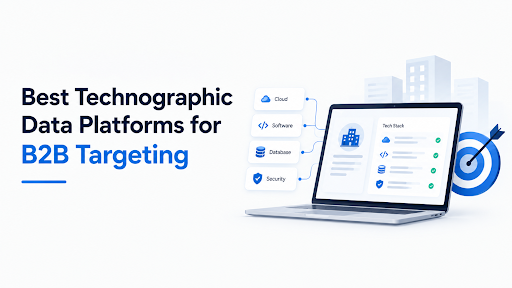
Every list of the best technographic data platforms for B2B targeting looks roughly the same: eight logos, a sentence each, a price that says “custom.” That’s fine until you’re the person who has to pick one and defend the spend.
This guide is written for that person. It explains what technographic data can and can’t see, how to judge a platform before you pay, how the main options compare by cost and method, and which one fits which kind of team. It also includes a simple accuracy test you can run on any vendor’s free sample.
One caution on sources. Most comparison articles in this space are published by vendors with something to sell, and that includes the ones I used for pricing. I’ve leaned on vendor pricing pages where I could find them, flagged third-party estimates as estimates, and marked anything that needs checking before you buy.
Key Takeaways
- Technographic data tells you which software, platforms and tools a company uses. It’s strong evidence, not ground truth.
- Platforms differ mainly in how they detect technology: scanning websites, reading job posts, modeling, or combining sources. Method decides what each one can and can’t see.
- For lean teams, BuiltWith, Wappalyzer and similar tools give web-tech data at a modest monthly price. For enterprise IT-spend and install-base data, HG Insights, ZoomInfo and 6sense sit in a different price bracket.
- Technographic platforms rarely include great contact data. Budget for a separate contact source unless you pick an all-in-one.
- Test accuracy on 50 accounts you know well before signing anything.
Direct answer: The best technographic data platform for B2B targeting depends on what you need to see. BuiltWith and Wappalyzer suit affordable web-technology lists, HG Insights suits enterprise install-base and IT-spend analysis, ZoomInfo and 6sense suit teams wanting technographics bundled with contacts, intent or ABM, and job-post-based tools suit spotting backend technology that website scans miss. Validate any platform on your own sample before committing.
What Technographic Data Is
Technographic data describes the technology a company uses: software, platforms, hosting, analytics, marketing tools and sometimes hardware. If firmographics say what a company is (size, industry, location), technographics say what it runs.
For B2B targeting, that turns into practical segments: companies using a competitor, companies using a tool your product integrates with, companies that just adopted or dropped something, and companies whose stack suggests they’re ready (or clearly not ready) for what you sell.
How It’s Collected, and What Each Method Misses
| Method | What it sees | Blind spots |
| Website scanning | Scripts, pixels, frameworks, CMS, ecommerce platform, marketing tags | Internal tools, backend systems, anything not exposed on the site |
| Job posting analysis | Tools mentioned in hiring ads, such as CRM, data warehouse or cloud platform | Lags reality, misses tools nobody is hiring for |
| Modeling / AI inference | Estimated install likelihood, including hidden tech | Probabilistic, so accuracy varies by segment |
| Partnerships and reseller data | Install and spend information from channel sources | Coverage depends on partner reach |
| Surveys | Direct answers | Expensive and stale quickly |
Whichever platform you pick, remember this: website scanning can’t see what’s behind the firewall. If your product competes with an internal system, a scanner will undercount it.
How to Evaluate a Technographic Platform

Before you compare features, ask these questions. They’ll sort the field faster than any ranking.
- Does it cover the technologies you care about? Ask for a list of the specific tools in your target category, and how many companies it flags for each. Broad coverage of 100,000 technologies means little if your niche tool isn’t one of them.
- How does it detect them? Website scan, jobs, modeling or a mix? Match the method to your use case. Detecting a Shopify store is easy. Detecting which ERP a manufacturer runs is not.
- How fresh is the data? Ask when each record was last verified, and whether you get change history. Knowing when a company adopted or dropped a tool is often more valuable than knowing it uses one.
- What does it cost at your volume? Plans differ: some limit how many technologies you can filter by, others cap lookups or exports, and enterprise vendors quote annually.
- Does it include contacts? If not, factor in a second tool.
- Can it connect to your stack? CRM sync, API access, CSV export and enrichment workflows matter more in practice than a dashboard.
- What are the contract terms? Annual lock-ins and auto-renewals are common at the enterprise end.
- How does it handle privacy? Company-level technology data carries little personal-data risk, but contact data does. More on that below.
Quick Comparison
Prices below are reported figures as of October 2026. Vendors change plans often, so treat these as orientation and confirm on each vendor’s own page.
| Platform | Best for | How it detects | Reported pricing |
| BuiltWith | Deep web-technology research and history | Website scanning | Free single-site lookups; Basic $295/mo, Pro $495/mo, Team $995/mo |
| Wappalyzer | Affordable lookups and lead lists | Website scanning | Free extension (limited lookups); first paid plan reported at $250/mo |
| HG Insights | Enterprise install-base and IT-spend analysis | Multi-source, including partnerships | Custom; third-party estimates start around $24K/yr |
| ZoomInfo | Technographics plus contacts and intent | Multi-source | Custom; third-party estimates start around $15K/yr |
| 6sense | Predictive ABM with technographics as one signal | Multi-source plus modeling | Custom; reported as high five figures per year |
| Datanyze | Reps wanting tech tags beside contact data | Website scanning plus contact data | Lower-priced; verify current plans |
| Enlyft | Account scoring using modeled installs | AI modeling | Custom; enterprise-style contracts |
| Apollo | All-in-one prospecting with tech filters | Multi-source | Free tier and low-cost paid plans |
| TheirStack | Technology signals from job postings | Job-post analysis | Verify on vendor page |
| PredictLeads | API signals: tech changes, hiring and news | Multi-signal API | Custom; verify |
The Platforms, One by One
BuiltWith
The best-known source for web-technology data. It scans a very large set of domains (its plans page cites data from around 414 million) and tracks when technologies were added or removed, which supports “just switched” targeting that few rivals match.
Paid plans on the vendor’s plans page start at $295 a month for Basic, which limits you to two technologies at a time for list building. Pro and Team tiers lift limits at $495 and $995 a month. Individual site lookups stay free.
Watch out for: web-facing tech only, and the Basic limit can be tight for sales teams. Several third-party sources also note that BuiltWith’s entry price rose sharply compared with earlier years, so budget accordingly.
Wappalyzer
Started as a browser extension and grew into lead lists and an API. The free extension is useful for one-off checks, and paid plans add bulk lookups, lists and integrations. The first paid plan is reported at $250 a month, though plan names and numbers have shifted in 2026 and some third-party listings show different figures, so check the vendor’s page.
Watch out for: the bundled contact data is described by several reviewers as weaker than dedicated providers, so you may need a second enrichment step.
HG Insights
The enterprise specialist. It offers verified install data, IT-spend intelligence and visibility into technologies a website scan can’t see, which makes it useful for territory planning, market sizing and competitive displacement as much as prospecting.
Watch out for: third-party estimates put contracts from roughly $24,000 a year upward, and it isn’t a contact database, so you’ll typically pair it with another source.
ZoomInfo
A full go-to-market platform where technographics sit alongside contacts, company data and intent signals. That bundle is the appeal: one place to find the account, the stack and the person.
Watch out for: estimates start around $15,000 a year, with multi-year contracts common. If you only need technology data, you’re paying for much more than you use.
6sense
Technographics here are one input into a predictive account-based marketing platform. Combine “runs a competitor’s product” with “is actively researching alternatives” and you get high-value displacement targeting.
Watch out for: it’s a full platform with real onboarding, priced accordingly. Reviewers also note composite scoring can obscure which signal actually triggered.
Datanyze
A lighter option that pairs technology tags with contact and company lookups, often through a browser extension. Popular with individual reps and smaller teams.
Watch out for: a smaller dataset and less depth than the specialists. Verify current plans and data coverage for your market.
Enlyft
Uses AI modeling to estimate which companies run which technologies, including ones scanners can’t directly detect, then layers on account scoring.
Watch out for: modeled data is probabilistic. Validate a sample in your market before trusting it, and note that reviewers mention enterprise-style pricing and limited self-serve access.
Apollo
An all-in-one prospecting database with technology filters, a free tier and low-cost paid plans. It’s often the first stop for small teams that want contacts and rough technographics together.
Watch out for: technology filters are broader and shallower than the specialist tools, and contact accuracy varies by region and role.
TheirStack and Other Job-Based Tools
These infer technology from job postings: if a company is hiring a “Snowflake engineer,” it probably uses Snowflake. That catches backend and data-stack tools that website scanners miss.
Watch out for: it only works if companies advertise roles, and there’s a lag between a tool being adopted and a job ad mentioning it.
PredictLeads
API-first signals covering technology detection, hiring trends and company news, built for teams that pipe data into scoring models or enrichment workflows.
Watch out for: no polished end-user app, so you need engineering time or a workflow tool to use it.
Others Worth a Look
SimilarTech tracks technology adoption trends. Demandbase, like 6sense, bundles technographics into ABM. Cognism is commonly recommended for teams targeting EMEA contacts. Clearbit, now part of HubSpot, appeals to teams already inside that ecosystem. For anything on this list, check current status and pricing, because this market moves quickly.
Which One Fits Your Team

Lean team or startup, tight budget. Start with Wappalyzer’s free extension and BuiltWith’s free lookups to test your segments, then add Apollo or Datanyze for contacts. Pay for list-building only once a segment proves it works.
Mid-market sales or marketing team. BuiltWith Pro or Wappalyzer’s paid tier for web tech, plus a contact provider. If your targets rely on backend systems, add a job-based tool.
Enterprise RevOps or strategy team. HG Insights for install base and spend, ZoomInfo or 6sense if you want contacts, intent and orchestration in one platform.
Teams selling into EMEA. Check contact coverage and privacy handling early, and ask vendors for regional accuracy numbers.
Engineering-led or data-ops teams. API-first options like PredictLeads or Wappalyzer’s API, plus your own scoring.
ABM programs. 6sense or Demandbase, if the budget exists and someone owns the platform.
A Simple Accuracy Test
Don’t take any vendor’s accuracy claim on faith. Run this before you sign.
- Build a test list of 50 accounts you know well. Customers, partners or accounts where you’ve seen the real stack.
- Pick 5 technologies you care about and record what you know each account uses.
- Ask the vendor to run the same accounts, via a free sample or trial.
- Score two things. Precision: of the flags the vendor returned, how many were right? Recall: of the technologies you know exist, how many did they find?
- Check freshness. Look at the dates attached to a handful of detections.
- Compare across vendors on the same list.
Expect web-scanning tools to score well on front-end technologies and poorly on internal systems. Expect modeled data to find more but with more false positives. What you’re really testing is whether a platform is accurate on your niche, which matters far more than its overall coverage numbers.
Putting Technographic Data to Work: A Worked Example
Here’s a fictional case, Northlane Analytics, selling a reporting add-on that plugs into HubSpot.
Segment: Mid-sized companies running HubSpot that don’t show any dedicated analytics tool.
Source: A web-scanning platform flags HubSpot users. A job-based tool adds companies hiring marketing-operations roles. Firmographic filters cut the list to the right size and region.
Timing: Companies where HubSpot appeared in the last six months get priority, since they’re actively rebuilding their stack.
Message: The first line references the tool they use and the reporting gap, rather than a generic compliment.
Result to measure: Reply and meeting rates for this segment against a plain firmographic list. If there’s no lift, the technographic signal isn’t earning its cost.
The lesson: technographic data is a filter and a first line. It still needs a good offer behind it. Once leads arrive, they need somewhere to live, and our guides to CRM tools for growing B2B companies and the best CRM for a small B2B sales pipeline cover that side.
Using It Alongside Firmographic and Intent Data
The three data types answer different questions, and the strongest targeting uses them in sequence.
Firmographics define the market: which companies are the right size, in the right industry and place. Technographics qualify accounts inside it: what they run and what’s changing. Intent data suggests timing: who’s researching now.
Skip a layer and you either waste effort on poor-fit accounts or reach good accounts at the wrong time.
Compliance and Ethics
Company-level technology data, such as “this business uses a particular CRM,” carries little personal-data risk on its own. Contact data is different. Names, emails and phone numbers are personal data, and rules vary:
- In the EU and UK, GDPR and ePrivacy/PECR rules affect how you collect and use contact data and how you can send cold email.
- In the US, CAN-SPAM sets requirements for commercial email, and state privacy laws add obligations.
- Other regions have their own rules.
Ask any vendor where contact data comes from, how they handle opt-outs and deletion requests, and what they’ll put in a contract. Involve legal or compliance before running large outbound campaigns. And if you need a structured way to vet any vendor, our research dossier guide shows how to build a dated, sourced profile.
Common Mistakes
Buying on coverage claims. “100,000 technologies” says nothing about the five you need.
Treating detection as fact. A flagged tool may be a legacy script on a page, not an active contract.
Ignoring the contact gap. Great account lists still need people to email.
Overbuying. A full ABM platform for a team that needs a 500-account list is expensive overkill.
Skipping the pilot. No sample, no accuracy test, no deal.
Forgetting the offer. Technographic targeting gets you relevance. It doesn’t replace a clear reason to reply.
Not planning refresh cycles. Tech stacks change. A list pulled six months ago is partly stale.
For broader tool comparisons, browse our business software, marketing software and AI software sections.
FAQs
What is technographic data? Information about the technology a company uses, such as software, platforms, hosting and analytics tools. It’s collected from website scans, job postings, modeling and partner data.
What’s the best technographic data platform for B2B targeting?
It depends on your needs. BuiltWith and Wappalyzer suit affordable web-tech lists, HG Insights suits enterprise install-base analysis, and ZoomInfo or 6sense suit teams wanting contacts or intent bundled in.
How accurate is technographic data?
Accuracy varies by method and technology. Website scanners are strong on front-end tools and weak on internal systems, while modeled data finds more but is probabilistic. Test on your own accounts.
What’s the best free technographic tool?
BuiltWith offers free individual site lookups, and Wappalyzer offers a free browser extension with limited lookups. Both are useful for testing segments before paying.
How much do technographic data platforms cost?
Web-tech tools run from free to a few hundred dollars a month, while enterprise platforms are typically quoted annually and cost far more. Confirm pricing on vendor pages, since it changes.
Do technographic platforms include contact data?
Some do (ZoomInfo, Datanyze, Apollo), while specialists like HG Insights mostly don’t. Plan for a separate contact source if yours doesn’t.
Can technographic data detect internal software?
Website scanners can’t. Job-based tools, modeled data and partner-sourced datasets can sometimes infer it, with lower certainty.
What’s the difference between technographic and firmographic data?
Firmographic data describes the company (size, industry, location). Technographic data describes the technology it runs.
How often does technographic data change?
Constantly. Companies add and drop tools all the time, so ask vendors about refresh frequency and change history.
Is technographic data legal to use?
Company-level technology data is generally low-risk, but contact data and outbound email are subject to privacy and marketing rules such as GDPR and CAN-SPAM. Check requirements for your regions.
How do I use technographic data in outreach?
Pick one segment, such as users of a competitor, pull the accounts, find contacts, and write a sequence that references the specific tool and gap. Measure results against a non-technographic baseline.
How do I test a technographic vendor?
Run 50 accounts you know well through the vendor’s sample and score precision, recall and freshness on the technologies you care about.
Final Thought
If you’re starting out, don’t buy a platform. Test one segment with free lookups, prove the signal improves replies, then pay for the cheapest tool that gets you the list.
If you’re an enterprise team, buy based on method and depth, not logos. HG Insights, ZoomInfo and 6sense solve different problems, and the wrong choice is expensive.
Whatever you pick, run the accuracy test on your own accounts, budget for contacts separately and remember that detection is evidence, not proof. The platform that’s right for your niche is the one that gets your five technologies right.
Write for SoftwareCora
Share your expertise with SoftwareCora’s audience through a high-quality guest post on AI, SaaS, software, CRM, business technology, or digital marketing.
