

B2B sales is different from selling to consumers. Deals take weeks or months, several people at the buyer’s company get involved, and one forgotten follow-up can quietly kill a deal worth more than your whole month of small wins. A spreadsheet works until about the second or third salesperson. After that, you need a system that shows who owns which deal, what stage it is in, and what happens next.
This guide gives you a quick answer, a fit-based shortlist, a real-cost comparison, an honest look at who should skip each tool, and a two-week pilot you can run before you pay.
Quick Answer: Which CRM Should You Pick?
There is no single winner for every team. Pick by how your team sells:
| If your team… | Start by trying | Why |
| Wants the simplest visual deal board | Pipedrive | Built around deals, stages and activities |
| Wants sales and marketing in one platform, and will grow into it | HubSpot | Free CRM to start, broad suite to grow into |
| Sells mostly by phone and email at volume | Close | Calling, SMS and email built into the CRM |
| Wants flexibility and value, and can tolerate some setup | Zoho CRM | Highly configurable with a wide app ecosystem |
| Lives in Gmail and Google Calendar | Copper | Designed to work inside Google Workspace |
| Wants a modern, customizable data model | Attio | Flexible objects and relationships |
| Expects complex needs and a larger team later | Salesforce (small business plans) | Room to grow, with heavier setup |
If you only have time to trial two tools, trial Pipedrive and HubSpot’s free CRM. They sit at opposite ends (simple and pipeline-first versus broad and platform-style), so you will quickly learn which style suits your team.
How We Evaluate CRMs for Small B2B Teams
Every tool in this guide is judged on the same questions, so the comparison is fair:
- Pipeline clarity. Can a new rep understand the pipeline in ten seconds?
- Speed of daily use. How many clicks to log a deal, a call and a next step?
- Follow-up discipline. Are tasks, reminders and idle-deal warnings built in?
- B2B structure. Can several contacts attach to one company and one deal?
- Email and calendar sync. Is it two-way, and on which plan?
- Reporting and forecasting. Can a manager see pipeline value, win rate and cycle length without exporting?
- Total cost. What is the real price once you add the features a small B2B team needs, not just the entry plan?
- Plan gating. Which essential features sit on higher tiers?
- Exit and data export. How easy is it to leave?
Our sources are the vendors’ own documentation and pricing pages, plus third-party price trackers and reviews to cross-check them. Where sources disagree, we say so. Always confirm current details on the vendor’s site before buying.
What Makes B2B Pipeline Management Different
A small B2B pipeline usually has these traits:
- Few deals, high value. You might track 30 to 150 live deals, not thousands.
- Multiple contacts per deal. A champion, a budget holder and an end user may all matter.
- Longer cycles. Follow-ups, demos, proposals and contract review can stretch over months.
- Account-based thinking. You care about the company, not just the person.
- Forecasting pressure. Founders and managers need to know what is likely to close this quarter.
A CRM built mainly for mass email marketing or consumer contact lists can feel clumsy for this kind of work. You want one built around deals, stages and next actions.
The Features That Matter Most
Ignore long feature lists. For a small B2B team, these are the ones that decide whether a CRM helps or becomes shelfware.
- A clear visual pipeline. See every deal in a stage-based board and move deals between stages with a drag. If you cannot understand your pipeline in ten seconds, the tool is too complicated.
- Contacts linked to companies and deals. Several contacts per deal, with the full history in one place.
- Next-step and follow-up reminders. The most valuable habit in sales is always having a next action. Look for tasks, reminders and “deal with no activity” warnings.
- Email and calendar sync. If reps must copy and paste emails into the CRM, they will stop doing it.
- Simple reporting and forecasting. Pipeline value by stage, win rate, average deal size, cycle length and a basic forecast. For a deeper look, read our guide to CRM platforms for small sales team reporting.
- Easy import and data cleanup. You will probably start from a spreadsheet. Check duplicate handling and custom field mapping.
- Integrations you already use. Email, calendar, meetings, invoicing, accounting, Slack or Teams and website forms.
- Light automation. Auto-create a follow-up task when a deal moves to Proposal, or alert the owner when a deal sits idle. Complex workflow builders are rarely needed at this size.
- A reasonable path to scale. See our guide to CRM scalability and record limits before signing a long contract.
Pricing Compared: What a Small B2B Team Really Pays
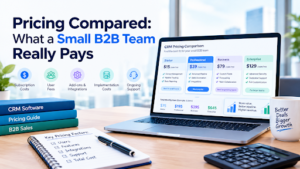
Pricing is where small teams get surprised, because the entry plan is often missing the features B2B teams actually need. The table below shows list prices per user per month in US dollars, for the plans that small B2B teams most often need.
Last checked: October 2026, using third-party price trackers. Some trackers disagreed on higher tiers, so we list only figures that matched across sources. Confirm on each vendor’s pricing page.
| CRM | Entry paid plan | Plan most small B2B teams need | Billed annually (per user/mo) | Billed monthly (per user/mo) | Watch for |
| Pipedrive | Lite | Growth | Lite about $14, Growth about $39 | Lite about $24, Growth about $49 | Email sync and automation are generally reported on Growth, not Lite |
| HubSpot Sales Hub | Starter | Starter or Professional | Starter about $15 | Starter about $20, Professional about $100 | Sequences, workflow automation and custom reporting sit on Professional, which also lists a required one-time onboarding fee of about $1,500 |
| Close | Solo (1 user only) | Essentials or Growth | Solo $9, Essentials $35, Growth $99 | Solo $19, Essentials $49, Growth $109 | The Power Dialer sits on Growth, and calling and SMS usage can bill on top |
| Zoho CRM | Check vendor page | Check vendor page | Not verified in this update | Not verified in this update | Plan names and add-ons change often |
| Freshsales | Check vendor page | Check vendor page | Not verified in this update | Not verified in this update | Confirm which AI and phone features are on which plan |
| Copper, Attio, monday CRM, Salesforce | Check vendor page | Check vendor page | Not verified in this update | Not verified in this update | Compare seat minimums and add-on costs |
What That Means for a 5-Person Team (Annual Billing, Seats Only)
Here is a simple year-one seat cost for five users, using the figures above:
| Plan | Calculation | Year-one seat cost |
| Pipedrive Lite | 5 x $14 x 12 | about $840 |
| Pipedrive Growth | 5 x $39 x 12 | about $2,340 |
| HubSpot Starter | 5 x $15 x 12 | about $900 |
| HubSpot Professional | 5 x $100 x 12, plus onboarding | about $6,000 plus about $1,500 onboarding |
| Close Essentials | 5 x $35 x 12 | about $2,100 |
| Close Growth | 5 x $99 x 12 | about $5,940 |
The lesson: the cheapest plan is rarely the plan you will use. Price the plan that includes the features you need, then add onboarding, add-ons and extra storage. Our cloud based CRM software buyer’s guide explains how hosting, data ownership and upgrade costs affect the total.
CRMs Worth Shortlisting for a Small B2B Pipeline
The descriptions below say what each tool is generally known for. Each includes who it suits and who should skip it. Verify current features before buying.
1. Pipedrive: best for a simple, visual, pipeline-first process
Pipedrive is known for a deal-focused board, activity-based selling and a large integration marketplace.
- Choose it if: you are sales-led, want a clear pipeline and want reps to adopt it quickly.
- Skip it if: you need heavy marketing automation in the same tool, or you do not want to pay for the higher plan that unlocks email sync and automation.
2. HubSpot CRM: best if you want sales and marketing together
HubSpot offers a free CRM and a broad suite you can add to as you grow.
- Choose it if: you run inbound marketing, want one platform and can absorb costs as you add seats and tiers.
- Skip it if: you want sequences, automation and custom reporting on a small budget. Those features sit on a much more expensive tier, and onboarding fees apply there.
3. Close: best for phone and email outreach at volume
Close builds calling, SMS and email into the CRM, which suits inside sales and outbound teams.
- Choose it if: your reps make many calls and want everything logged automatically.
- Skip it if: your outreach is mostly email and LinkedIn, or you do not need a dialer. You would be paying for calling features you will not use.
4. Zoho CRM: best for flexibility and value
Zoho CRM is highly configurable and sits inside a large family of business apps.
- Choose it if: you want to customize modules, fields and workflows, and you have someone who can set it up.
- Skip it if: you want a tool that works well with almost no setup. The breadth can overwhelm a very small team.
5. Freshsales: best for outreach with built-in phone and email
Freshsales is a sales CRM that includes calling, email and AI-assisted features.
- Choose it if: you want an all-in-one sales tool without stitching together a separate dialer.
- Skip it if: you need deep customization or a very large integration ecosystem. Check which features belong to which plan.
6. Copper: best for Google Workspace teams
Copper is designed to work inside Gmail and Google Calendar.
- Choose it if: your whole team lives in Google tools and wants minimal data entry.
- Skip it if: you use Microsoft 365, or you need advanced reporting and automation.
7. Attio: best for a modern, flexible data model
Attio is a newer CRM known for customizable objects and relationships.
- Choose it if: your sales process is unusual, you track partners, investors or accounts in different ways, and you like building your own structure.
- Skip it if: you want a traditional, ready-made sales pipeline with minimal configuration.
8. monday CRM: best if you already use monday
monday CRM is a flexible, board-based CRM from a work management platform.
- Choose it if: your team already runs projects in monday and wants sales in the same place.
- Skip it if: you want a tight, opinionated sales process out of the box. It may need more setup.
9. Salesforce (small business plans): best if you expect complexity later
Salesforce is the most widely used CRM, and it offers simplified plans aimed at small businesses.
- Choose it if: you expect multiple teams, complex permissions or enterprise integrations later.
- Skip it if: you have no one to administer it. It can be heavier to set up and maintain than lighter tools.
When a Small B2B CRM Stops Fitting
Most guides do not tell you when a tool will stop working for you. Watch for these signs that you are outgrowing a lightweight CRM:
- More than 15 to 20 reps working in one system
- Several sales processes running side by side (inbound, outbound, channel partners)
- Detailed role permissions across sales, marketing, customer success and finance
- A need for marketing automation and multi-touch attribution
- Heavy outbound calling that needs a proper dialer
- Reports that are slow or hard to build as data grows (see CRM scalability and record limits)
- A growing list of workarounds in spreadsheets next to the CRM
If three or more apply, start planning a move. Do it on your schedule, not during a crisis. And do not buy a heavy platform “to grow into.” Teams that do often grow into never logging in.
How to Choose in Five Steps
Step 1: Write down your sales process. List your stages in plain language and what must happen to move a deal forward. Start with five to seven stages.
Step 2: Set must-haves and budget. Split requirements into must have, nice to have and not needed. Set a monthly budget per user, including add-ons.
Step 3: Shortlist two or three tools. Use the quick answer table. Do not trial eight CRMs.
Step 4: Run a real pilot. Use the checklist below.
Step 5: Check the contract and exit plan. Ask about annual versus monthly billing, price changes as you add users, onboarding fees, data export and what happens to your data if you leave.
A Simple Pipeline Setup to Start With
If you are starting from scratch, this structure works for many small B2B teams:
| Stage | What it means | Suggested exit condition |
| New lead | Possible fit, not yet contacted | First contact made |
| Qualified | Need, budget, authority and timing confirmed | Meeting booked |
| Discovery or demo | Solution shown | Buyer confirms interest in a proposal |
| Proposal sent | Pricing and terms with the buyer | Verbal agreement or objections raised |
| Negotiation | Details, legal review, approvals | Contract signed or deal lost |
| Closed won / lost | Final result | Always record a lost reason |
Add required fields only where they help: deal value, expected close date and next step. Too many required fields push reps back to spreadsheets.
Two-Week Pilot Checklist
Import 20 to 50 real deals and let two or three reps use the tool for two weeks. Score each item from 1 to 5.
| Test | What to check |
| Import | Did contacts, companies and deals import cleanly? How many duplicates? |
| Daily speed | How long does it take to log a deal, a call and a next step? |
| Pipeline view | Can the manager understand the pipeline in ten seconds? |
| Follow-ups | Do reminders and idle-deal alerts appear without extra setup? |
| Email and calendar sync | Is it two-way, and does it work on the plan you are testing? |
| Reporting | Can you see pipeline value, win rate and forecast without exporting? |
| Adoption | Did every rep update it without being nagged? |
| Setup time | How many hours to get to a usable state? |
| Cost check | Which plan did you actually need? What is the real monthly total? |
| Exit test | Can you export all deals, contacts and notes in a usable format? |
Add up the scores. A tool that scores slightly lower but that reps actually enjoy using often wins in practice.
Common Mistakes Small Teams Make
- Buying for features you will never use. A powerful CRM nobody opens loses to a simple one everybody uses.
- Pricing the entry plan, not the plan you need. Key features often sit one tier up.
- Skipping the pilot. A demo is not your real data and workflow.
- Too many pipeline stages. More than seven or eight makes reporting messy.
- No data owner. Someone needs to own cleanup, fields and permissions, even part time.
- Ignoring onboarding and add-on fees. Seats are only part of the bill.
- Not tracking lost reasons. They tell you more than wins do.
- Forgetting the exit. Make sure you can export your data in a usable format.
Frequently Asked Questions
What is the best CRM for a small B2B sales pipeline?
There is no single best option. Pipedrive, HubSpot, Close, Zoho CRM, Freshsales, Copper, Attio, monday CRM and Salesforce’s small business plans are all common choices. The right one depends on your sales process, team size, budget and the tools you already use.
Do small B2B teams need a CRM, or is a spreadsheet enough?
A spreadsheet can work for one person with a handful of deals. Once several people share a pipeline, or you need reminders, email history and forecasting, a CRM saves time and prevents lost deals.
Is a free CRM good enough?
Sometimes. Free tiers can work for very small teams that need contacts, deals and basic tracking. Check limits on users, records, automation and reporting, and look at what the upgrade costs.
How much does a small business CRM cost?
Entry plans often start around $9 to $24 per user per month, but the plan most small B2B teams actually need is usually higher. Price the plan that includes email sync, automation and reporting, and include onboarding and add-on fees.
How many pipeline stages should I have?
Most small B2B teams do well with five to seven stages. Each stage should have a clear entry condition so reps move deals consistently.
How long does it take to set up a CRM?
A simple setup with imported contacts, a pipeline and email sync can take a few days. Customization, automation and training take longer. A two-week pilot is a good test.
What should I track in a B2B sales pipeline?
At minimum: company, contact, deal value, stage, expected close date, next step, deal owner and lead source. Over time, track win rate, average deal size and sales cycle length.
Should I pick a CRM with marketing tools included?
Only if you will use them. If your growth comes from outbound sales, a sales-focused CRM may be simpler. If you run campaigns and forms, an all-in-one platform can reduce tool sprawl.
When should I switch to a bigger CRM?
When you have several sales processes, need detailed permissions, or your reports and lists slow down as data grows. See the “When a Small B2B CRM Stops Fitting” section above.
How do I avoid hitting CRM limits later?
Understand which limits apply to your plan, such as storage, API calls, custom fields and automation. Read our guide to CRM scalability and record limits for a practical way to check.
Final Thought
For a small B2B sales pipeline, choose a CRM that makes deals, next steps and follow-ups obvious. Shortlist two or three tools that match how your team sells, pilot them with real deals, and compare total cost, not just the entry price.
If you want the simplest visual pipeline, start with a pipeline-first tool. If you want sales and marketing together, look at a broader platform. If your reps live on the phone, look at a CRM with a built-in dialer. If you expect complexity later, look at tools with room to grow, but only if you can handle the setup.
Ready to pick? Write down your pipeline stages today, shortlist two CRMs, and run the two-week pilot with real deals. For more guides, browse our CRM software section.
Write for SoftwareCora
Share your expertise with SoftwareCora’s audience through a high-quality guest post on AI, SaaS, software, CRM, business technology, or digital marketing.
