

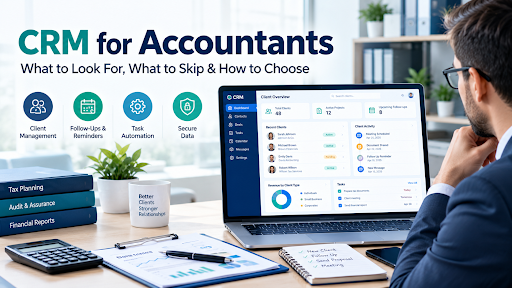
A generic sales CRM was built to chase deals. Your firm chases deadlines. That difference decides which tool works.
It is the second week of March. A client emails the same question for the third time because the answer sits in a partner’s inbox. A prospect who asked for a quote nine days ago has gone quiet, because nobody followed up. A bookkeeper is searching three folders for last year’s engagement letter. Nothing here is a failure of effort. It is a failure of where the information lives.
That is the problem a CRM for accountants is meant to solve. This guide explains what an accounting CRM actually does, how it differs from the practice management software your firm may already use, which features matter, what to check on security, and how to choose without paying for a platform built for a different kind of business.
It is vendor-neutral on purpose. Product features and prices change often, so confirm details on each vendor’s own site before you decide.
What Is a CRM for Accountants?
A CRM (customer relationship management) system is software that keeps every interaction with a person or company in one place: contact details, emails, calls, notes, documents, tasks and the history of the relationship.
A CRM for accountants applies that idea to a firm’s world. Instead of tracking a “deal” moving through a sales pipeline, it tracks:
- Prospects asking about tax preparation, bookkeeping, payroll or advisory work
- Clients with recurring engagements and filing deadlines
- Households and entities, such as a married couple, their rental company and a family trust, linked together
- Contacts at each client, such as the owner, the office manager and the person who sends receipts
- Communication history, so anyone at the firm can see what was said and when
In practice, three kinds of products get called an “accounting CRM,” and mixing them up is the most common buying mistake. We cover that next.
CRM vs Practice Management Software: Which Do You Need?
Many articles on this topic treat these as the same thing. They overlap, but they are built around different centers of gravity.
| General-purpose CRM | Accounting-specific CRM / practice management | Accounting software (the books) | |
| Built around | Sales pipeline and customer contact | Client work, recurring tasks and deadlines | Ledgers, invoices, reconciliations |
| Strongest at | Lead tracking, email follow-up, marketing | Workflows, task assignment, client portals, document requests | Producing financial statements and tax figures |
| Typical weakness | No concept of tax season, entities or recurring engagements without heavy setup | Sales and marketing features can be basic | Not designed to manage client relationships |
| Fits best | Firms that mainly need to win and nurture new business | Firms that mainly need to deliver work on time | Everyone, as a separate system |
| Examples of the type | HubSpot, Zoho CRM, Capsule | TaxDome, Karbon, Canopy, Financial Cents | QuickBooks, Xero |
The names in the last row are examples of each type, not recommendations. Features change, so check current capabilities.
Here is the practical way to think about it:
- If your pain is “we lose leads and forget to follow up,” a general CRM may be enough.
- If your pain is “we miss internal deadlines and chase clients for documents,” you need workflow and practice management features, which a plain sales CRM will not give you without a lot of customization.
- If you have both problems, expect either an all-in-one platform that covers both reasonably, or two tools connected by an integration. Neither is automatically better. All-in-one means fewer logins and less syncing. Two tools means each can be stronger at its job.
An accounting CRM is not a sales CRM with a logo swap. The difference shows up the first time you try to set up a client who files a personal return, a partnership return and a payroll report, all on different dates.
Why Accounting Firms Struggle With Generic CRMs
A sales CRM assumes a simple story: a lead appears, you work it, it becomes a customer, the deal closes. Accounting is a loop, not a line. The same client comes back every quarter and every year, and each return has a due date set by a tax authority, not by you.
Where force-fitting a sales CRM tends to hurt:
- Recurring work. A tax return is not a one-time deal. Without recurring engagement templates, you rebuild the same checklist every year.
- Deadlines that matter legally. Filing dates, extension dates and estimated-payment dates are not “follow-up reminders.” Missing one costs the client money.
- Client types. Individuals, couples, sole proprietors, S corporations and trusts all need different information and different documents.
- Document collection. Half of a busy season is asking clients for documents. A sales CRM rarely has a document request workflow.
- Sensitive data. Tax records are among the most sensitive information a firm holds, which changes the security bar (more on that below).
None of this means a general CRM cannot work. It means you should expect to configure it for your firm, and to decide whether that effort is cheaper than buying something built for the job.
Core Features of a CRM for Accountants
Vendors package features differently, but a useful accounting CRM covers most of the following. Each section also notes where products commonly fall short.
1. Client and Contact Management
One record per client, with linked contacts, entities and households. You should be able to see everyone connected to a client at a glance, plus tags for service type (tax, bookkeeping, payroll, advisory).
Watch for: systems that treat a married couple or a business with several owners as unrelated records.
2. Lead and Prospect Tracking
A simple pipeline: inquiry, discovery call, proposal sent, engagement signed. The goal is that no inquiry sits unanswered during busy season.
Watch for: pipelines that stop at “won” and do not hand the client over to your delivery workflow. The handoff is where information gets re-typed.
3. Recurring Workflows and Deadline Tracking
This is the feature that separates accounting-specific tools from general ones. You build a template (“1040 for individuals,” “monthly bookkeeping close,” “quarterly payroll filing”), and the system creates the tasks, assigns them and tracks due dates for every client.
Watch for: deadline tracking that is only a calendar reminder. You want task status (waiting on client, in review, ready to file), not just a date.
4. Document Collection and Client Portal
A secure place for clients to upload documents, answer questionnaires and sign engagement letters, instead of sending sensitive files by regular email. Good portals show the client exactly what you are still waiting on.
Watch for: portals that are hard for clients to use. If clients keep emailing documents anyway, the portal is not doing its job.
5. Email and Communication Sync
Two-way sync with the inbox your team already uses, so client emails attach to the right record automatically. Templates and bulk messaging help with annual reminders and deadline notices.
Watch for: one-way “BCC to CRM” setups that depend on people remembering to copy the system.
6. Proposals, Engagement Letters and E-Signature
Quotes, scopes of work and signed engagement letters live with the client record. Some tools also set up recurring billing or payment collection as part of the engagement.
Watch for: proposals that cannot be tied to a recurring fee. Accounting revenue is mostly recurring, and your tool should reflect that.
7. Billing and Payments (Sometimes)
Practice management platforms often include invoicing and online payments. General CRMs usually do not. Decide whether you want billing inside the same system or kept in your accounting software.
Watch for: billing that cannot reconcile with your accounting software. Double entry is how revenue reports drift.
8. Integrations With Accounting Software
Your CRM should connect with the software you use to do the work, most often QuickBooks or Xero, plus your tax software, e-signature tool and calendar. Ask for a live demonstration with your actual setup, not a logo on an integrations page.
Watch for: “integration” that means an occasional manual export.
9. Reporting
Which clients are overdue? Which staff are overloaded? What is the pipeline worth? How much recurring revenue do we expect next quarter? If the system cannot answer these without a consultant, the reporting is weaker than the demo suggested. Reporting quality is where CRMs differ most, and we compare how this plays out for sales teams in our guide to CRM platforms for small sales team reporting.
Watch for: dashboards that look good but cannot be filtered by partner, service line or client type.
Security and Compliance: A Higher Bar Than Most CRMs
An ordinary business CRM holds names and phone numbers. Yours may hold Social Security numbers, bank details, tax returns and payroll records. That changes what you should ask any vendor.
For U.S. firms, tax preparers are generally expected to protect client data. The IRS publishes guidance on safeguarding taxpayer data, and the FTC Safeguards Rule applies to many tax preparers and accounting firms that handle customer financial information. In practice that means a written information security plan, access controls, encryption and vendor oversight. Check with your own counsel or compliance advisor about what applies to your firm.
Disclosure and marketing. In the U.S., sharing or using tax return information for purposes beyond preparing the return can require client consent. Before you load client data into a marketing automation tool, confirm what your consent forms allow.
For UK firms, Making Tax Digital for Income Tax is being phased in from April 2026, starting with higher-income sole traders and landlords, which increases how often firms interact with clients. UK firms also have anti-money-laundering obligations, so check whether a CRM can store ID verification records and onboarding checks. Confirm current thresholds and timelines with HMRC.
Questions to ask any vendor:
- Is data encrypted in transit and at rest?
- Does the vendor hold an independent security attestation such as SOC 2, and can you see the report?
- Is multi-factor authentication available, and can you require it for everyone?
- Are permissions role-based, so a junior staff member does not see partner-only records?
- Is there an audit log showing who viewed or changed a client record?
- Where is data hosted, and what happens to it if you leave? Ask about export formats and fees.
- What is the vendor’s breach notification process?
If the answers are vague, treat that as the answer. Our cloud based CRM software buyer’s guide explains how hosting and data ownership affect the buying decision in more depth.
Which Type of Firm Needs What?
“Best” depends on your size and your work. Use this as a starting point.
Solo practitioners and very small firms (1 to 3 people). You need simplicity more than depth. A light CRM or a bookkeeping-focused workflow tool may be enough, as long as it handles recurring tasks and secure document requests. Avoid platforms that need weeks of setup.
Tax-heavy practices. Look at tax-focused practice management platforms with client portals, e-signature, organizers and engagement letters. Seasonal volume makes document collection and status tracking the main pain.
Bookkeeping and advisory firms. Recurring monthly work matters most. Prioritize workflow templates, recurring billing and integration with QuickBooks or Xero. If you also advise on planning, our guide to financial planning software for advisors covers the planning tools that sit next to a CRM.
Mid-size firms (10 to 50 people). Capacity and visibility become the problem. You need workload views, role-based permissions, strong reporting and an implementation plan, not just software.
Marketing-driven firms. If growth depends on content, referrals and email campaigns, a general CRM with strong marketing automation may serve you, provided you accept that delivery workflow will live elsewhere.
How to Choose a CRM for Your Accounting Firm: A 7-Question Checklist
Skip the feature-count contest. The best tool is the one your team will actually update.
- What are our top three problems? Write each in one sentence. “We lose leads in busy season.” “We chase clients for documents by email.” “Partners cannot see who is overloaded.” Judge every demo against those three.
- Is our pain sales, delivery or both? This tells you whether you need a general CRM, a practice management platform or both.
- Does it handle recurring engagements and entity types without custom building? Ask the vendor to set up one of your real client types live.
- Does it integrate with the tools we already use? Ask for a demonstration with your accounting and tax software, not a slide.
- Does it pass our security checklist? Use the questions in the previous section.
- What is the real cost over three years? Include implementation, data migration, training, add-on modules, per-user fees and the cost of integrations. Ask what happens to pricing when your client count or headcount grows.
- Who will own it? Assign one person to configure it and keep data clean. A CRM without an owner decays within a year.
Run a pilot during a quiet period, not tax season. Load a handful of real clients, build one recurring workflow and let two or three staff use it for two to four weeks. A tool chosen by partners and rejected by the people doing the work becomes the new spreadsheet nobody updates.
How Much Does a CRM for Accountants Cost?
There is no honest single number. Pricing depends on a mix of users, number of clients, modules, billing features, storage and support level. Some vendors charge per user per month. Others price by client count or by plan tier. Some offer a free tier for a general CRM, with paid add-ons that matter for accounting work.
Costs firms forget to ask about:
- Setup and data migration fees
- Charges for client portal users or additional clients
- Add-on modules (e-signature, billing, document storage, proposals)
- Integration costs, including any middleware needed to connect systems
- Training for new staff
- Fees to export your data if you leave
A free or cheap general CRM can become the expensive option if you spend months configuring it to behave like an accounting tool. Count staff time as a cost.
Implementation: How to Roll It Out Without Chaos

Software fails at firms mostly because of rollout, not features.
- Clean your client list first. Merge duplicates, fix missing emails and decide which inactive clients to leave behind.
- Define your workflows on paper. Write down the steps of your standard return or monthly close before you build templates.
- Start with one service line. Launch tax or bookkeeping first, then expand.
- Set a “one place” rule. Client information gets updated in the system, not in side spreadsheets or email threads.
- Train by role. A bookkeeper does not need the same training as a partner.
- Review after 90 days. Ask what people avoid using and why. Remove fields nobody fills in.
Common Mistakes When Buying an Accounting CRM
- Buying for the demo. The demo is the software on its best day.
- Choosing a sales tool for a delivery problem. Or the reverse.
- Ignoring security until after purchase. Check it before you sign.
- Over-customizing on day one. Launch simply, add complexity when you know what is missing.
- Letting every field be free text. Free text cannot be filtered or reported on.
- No data owner. Nobody owns it, so everything decays.
- Running tax-season migration. Switch systems when you have time to fix problems.
- Forgetting the exit. Ask how you get your data out before you put it in.
What a CRM Cannot Do
A CRM is useful. It is not a substitute for process.
- It will not fix a chaotic workflow. It gives you a tidier view of the chaos.
- It depends on people updating it. Stale records produce confident-looking wrong answers.
- It does not replace your accounting or tax software. It organizes the relationship and the work around the numbers.
- It can be too heavy for a very small practice. A solo bookkeeper with fifteen clients may do better with a simple tracker for now.
- Integrations are rarely perfect. Expect some manual reconciliation.
Frequently Asked Questions
What is a CRM for accountants?
It is software that stores client and prospect information, communication history, documents and tasks in one place, adapted to accounting work such as recurring engagements, filing deadlines and client document requests.
Do accountants really need a CRM?
Not always. A very small firm with a handful of clients can manage with a disciplined spreadsheet. Once you have many clients, several staff, recurring deadlines or leads slipping through, a CRM or practice management tool usually saves more time than it costs.
What is the difference between a CRM and practice management software?
A CRM focuses on managing relationships: leads, contacts and communication. Practice management software focuses on delivering the work: tasks, workflows, deadlines, documents and billing. Many accounting products combine both, and some general CRMs can be configured to do part of the job.
Can I use HubSpot, Zoho or another general CRM for my firm?
Yes, many firms do, especially for lead tracking and marketing. Expect to build your own recurring workflows, client types and document collection process, or to pair the CRM with a workflow tool.
What features matter most in a CRM for accountants?
Recurring workflow templates, deadline tracking, a secure client portal, two-way email sync, integration with your accounting software, role-based permissions and reporting you can filter without help.
Is a CRM safe for client tax data?
It can be, if the vendor offers encryption, multi-factor authentication, role-based access, audit logs and independent security attestations, and if your own firm has proper policies. Safety is a shared responsibility between the vendor and you.
How much does a CRM for accountants cost?
It varies widely with users, clients and modules. Ask for a three-year total including setup, add-ons, training and exit fees rather than comparing headline monthly prices.
How long does implementation take?
A light CRM can be running in days. A full practice management platform with workflows and migration usually takes weeks. Plan more time if you have messy data or multiple service lines.
Should a small firm start with a free CRM?
It can work for lead tracking. Be realistic about what is missing for delivery work, and about the time you will spend configuring it.
When is the wrong time to switch?
During tax season. Pick a quiet period so you have time to test, train and fix problems.
Final Thought
Look — the best CRM for accountants is not the one with the longest feature list. It is the one that matches your actual problem and that your staff will use in March.
If your trouble is leads and follow-up, a general CRM may be enough. If your trouble is deadlines, documents and recurring work, you need practice management features built for it. If it is both, plan for an all-in-one platform or two well-connected tools. Check security before you fall in love with a demo. Pilot it in a quiet month with real clients. And do not expect software to repair a process nobody has written down.
Ready to decide? Start small: list your three biggest headaches, note which tools you already use, and use the seven-question checklist above to shortlist two or three options for a hands-on trial. For more guides like this one, browse our CRM software section.
Write for SoftwareCora
Share your expertise with SoftwareCora’s audience through a high-quality guest post on AI, SaaS, software, CRM, business technology, or digital marketing.
