

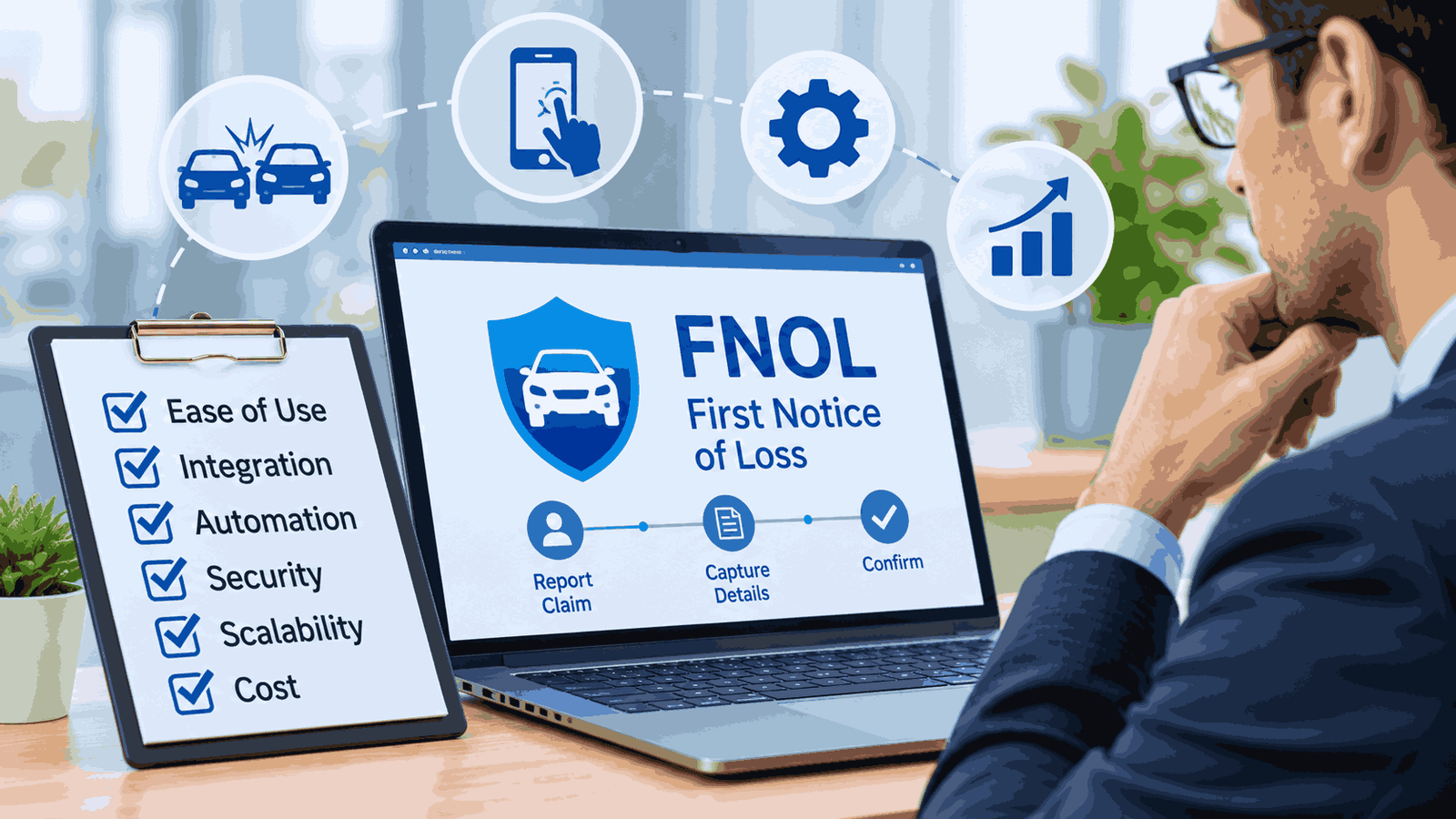
Most FNOL software demos look great. A policyholder taps through a clean flow, uploads three photos, and a claim lands in the adjuster’s queue already routed. Everyone in the room nods.
Then someone feeds it a real claim. A rear-end collision where the insured doesn’t know the other driver’s plate. A water loss reported four days late by a landlord who isn’t the named insured. A workplace injury phoned in by a supervisor who spells the employee’s name two ways. That is where intake projects wobble, and the interface is rarely the reason.
This guide is for the people who live with the result: claims managers, IT and integration leads, MGA and TPA operators, and the procurement and compliance people who sign off. It covers what the software does, which features earn their price, how to connect a digital FNOL platform to an ageing core system, how to get claim summaries that survive an audit, and what to test before you sign. It names no winners. It also contains no invented savings figures, because anyone quoting a precise ROI before they have seen your data is selling something.
Quick answer. FNOL software captures the first report of a loss, checks it against policy data, and hands your claims system a structured, routed claim. Choose on data quality first, integration reality second, interface third. Test with ten of your messiest real claims, and ask how every automated step is logged and overridden.
Why intake goes wrong in the first place
First notice of loss is the moment a policyholder, broker or third party tells you something bad happened. You know the least, and the customer is the most stressed. That combination is the whole problem.
I have watched adjusters re-key data from a half-empty intake form more times than I can count. The form asked for a date of loss and got one. It never asked whether the car was drivable, whether anyone was hurt, or whether the insured had already called a body shop. So the adjuster phoned back, the customer told the story again, and the clock kept running.
The cost rarely shows up as one dramatic failure. It shows up as small gaps patched by humans, claim after claim, until the patching becomes the job.
My strongest opinion in this guide: a slick intake app on top of bad data is just a faster way to collect the wrong information. Buy for data quality first.
What FNOL software actually does
FNOL software captures the initial report of a loss, validates it against policy information, and passes a structured claim to whatever happens next. It sits between the person reporting the loss and your claims management system.
In practice it does five things:
- Offers channels for reporting: web, mobile, phone agent screens, chat, email, SMS.
- Asks the right questions for the line of business and adapts them as answers arrive.
- Checks coverage basics against the policy administration system.
- Captures evidence such as photos, video and documents.
- Creates the claim record and routes it, ideally with a first-pass triage.
Vendors sell the same capability as first notice of loss software, a claims intake solution, an FNOL platform or a digital FNOL layer. The label matters less than one test: does it produce a clean, structured claim that your downstream system can act on without a human rewriting it?
Newer products go further. Some chase missing documents through the claimant’s own channel, write the finished claim back into the core system, and produce a handler-ready summary. Others stop at the form. Knowing which one you are buying is half the battle, and it is where vendor pages are least helpful.
FNOL software vs claims management systems
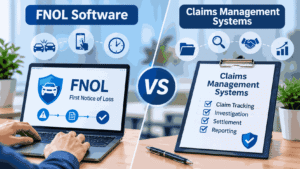
A claims management system runs the life of a claim: reserving, adjuster assignment, payments, subrogation, reporting, litigation, closure. FNOL software handles the front door.
Some core claims suites include an intake module. Some standalone products bolt onto whatever you already run. Neither is automatically better. If your core system is modern and its intake module covers your lines, a separate product may be pointless overhead. If your core is decades old, a separate front end plus an integration layer can be the only practical way to improve the customer experience without a full replacement.
The mistake I see most is buying intake software to fix problems that live in the claims system, like slow assignment rules or rigid reserving workflows. Intake cannot repair what happens after intake.
The FNOL process, step by step
Whatever tool you pick, the underlying process is stable:
- Report received. A policyholder, agent or third party reports the loss through some channel.
- Identity and policy match. The system finds the policy and confirms it was in force on the date of loss.
- Loss details captured. What happened, when, where, who was involved, what was damaged, whether anyone was injured.
- Evidence collected. Photos, video, police report numbers, witness details, documents.
- Preliminary coverage check. A first look, not a coverage decision.
- Triage and routing. The claim goes to straight-through processing, a desk or field adjuster, or specialist handling such as SIU.
- Acknowledgment. The claimant receives confirmation and next steps.
Step 7 carries compliance weight. State fair claims practices rules, many modelled on NAIC guidance, set expectations for acknowledging claims within defined timeframes, and the details differ by state and line. Confirm them with your compliance or legal counsel rather than relying on a vendor’s summary page.
Core features that matter, and some that don’t
Feature lists are the least useful part of most vendor pages because they treat every feature as equal.
Worth paying for
- Configurable question logic. Branching by line of business, loss type and prior answers, editable by your team without a vendor ticket. If every new question needs a services engagement, the form stops improving within a year.
- Policy lookup and validation. A live or near-live connection to the policy system, so you never ask customers for what you already know.
- Structured data output. Clean fields, not a PDF or a free-text blob.
- Document checklists by claim type, with automatic chasing of what is missing.
- Audit trail. Who entered what, when, through which channel, with edits logged.
- Role-aware views and access control, including SSO for staff.
- Proper error handling. What happens when the policy system is down, or a photo upload fails on a bad connection? Boring, and it decides whether the tool survives a storm event.
Nice to have, depending on your book: multi-language support, white-label experiences for MGAs and partners, inspection or repair scheduling, links to repair networks.
Frequently oversold: “AI-powered everything,” dashboards of vanity metrics such as form completion without any link to downstream outcomes, and gamified claimant experiences. A person whose roof just collapsed does not want animations.
Intake channels
You don’t need every channel. You need the ones your policyholders, agents and partners actually use.
Mobile and web self-service
Self-service is the default expectation in many personal lines. It works best for simple, low-severity claims where the policyholder knows the facts and has a phone full of photos. It works badly for complicated losses and distressed customers, and it fails third-party claimants who aren’t logged into anything. Long forms push completion down and call volume up, so test with real customers, not your own staff.
Phone and call center
Phone isn’t going away. Many serious claims still start with a call, and an agent-assist screen that follows the same question logic as your digital channels keeps data consistent. Ask whether the call center and self-service views share one configuration. Two parallel forms drift apart in about a quarter.
Chatbot, voice AI and conversational intake
Conversational channels handle simple, well-structured reports and out-of-hours contact. They struggle with ambiguity, emotion and anything outside the script. The practical rule: one channel among several, with a clean handoff to a human. If a vendor can’t show the escalation path in the demo, they haven’t built one worth trusting. For a plain-spoken look at where an AI voice agent hands off to a person, see our review of where a human still has to step in with an AI voice agent. It isn’t an insurance product, but the handoff questions carry over directly to claims lines.
Auto-FNOL and telematics
Auto-FNOL starts a claim from vehicle, device or telematics data, such as crash detection, without the customer starting it. It can shorten the gap between loss and first contact and supply objective data like impact time and location. It also raises questions about consent, data ownership, false positives (a phone dropped in a cup holder is not a crash) and how the signal reaches your system. Bring privacy counsel in early.
Photo, video and document intake
Photo capture earns its place when guided. Ask for specific angles with on-screen prompts. A free-form “upload some photos” box gives you blurry shots of the wrong side of the car. OCR and intelligent document processing help when they feed structured fields; they don’t help when they produce a text dump someone has to read.
Data capture and quality

This decides whether the project pays off, and buyers skip it.
Before any demo, write down every piece of information your adjusters currently chase after intake. Ask them; they know. It is the call-back list: was the car drivable, is anyone hurt, is the loss location the insured address, were there witnesses, is there a lienholder.
Sort each field into one of three buckets:
- Required for routing. Without it, the claim can’t be assigned properly.
- Required for coverage or compliance. Needed to meet policy or regulatory requirements.
- Helpful but optional. Useful later, harmful if it makes the form too long.
ACORD publishes standard loss notice forms and data standards across lines. They are a sensible baseline for field naming and structure, especially if you exchange data with agents, MGAs and other carriers. Check which versions you are licensed for instead of assuming.
Here is a hypothetical I have seen play out in several shapes. A mid-size carrier launches a polished mobile intake with a dozen required fields and a short optional section. Completion rates look healthy. Three months later, adjusters still phone every claimant, because the optional section, the one asking about injuries and other parties, is where the real information lives and almost nobody fills it in. The form was fast and the data was thin. Fixing it meant making two “optional” fields conditional and required, which took a week of configuration. Finding the problem took a quarter.
Data quality at intake shapes routing accuracy, reserve setting, fraud screening, subrogation potential and how often adjusters re-contact the claimant. I won’t hand you a percentage, because it varies by operation. You can measure your own re-contact rate today, and you should.
Automation, triage and AI
Triage is where FNOL software starts to look smart, and where it can do real damage if over-trusted.
Good triage sorts claims into a few paths: straight-through processing for simple, low-risk claims, standard adjuster handling, complex or high-severity handling, and SIU referral where indicators warrant it. Straight-through processing suits glass claims or minor property damage with clear coverage and low fraud risk. It is a bad fit for anything with injury, disputed liability or coverage questions.
Deterministic rules vs AI-first: the decision that matters
Two competitor-style pitches dominate the market, and they pull in opposite directions. Rule-based (deterministic) automation follows explicit logic you define, so the same input produces the same output and every decision can be explained. AI-first automation uses probabilistic models. It handles messy language and images well, and its outputs can vary.
Neither is the answer on its own. A sensible design uses AI where the input is unstructured (reading an email, classifying a photo, extracting fields from a document) and rules where the decision carries regulatory or financial consequence (routing thresholds, coverage-relevant escalation, acknowledgment deadlines). The test for any vendor: when the AI is wrong, who finds out, how fast, and what is the override?
Keep a human where judgment lives
Over-automated triage is one of the most common reasons these projects disappoint. A rule set tuned on tidy demo data starts misrouting messy real claims, adjusters lose trust, and they begin ignoring the system’s recommendations. Once that happens, you have bought an expensive form.
Practical safeguards:
- Start with one line and one claim type, and widen scope based on results.
- Keep a human override and log every use of it. The override log is your best tuning data.
- Review misrouted claims weekly for the first months.
- Insist on explainability. If the system flags a claim, an adjuster should see why.
The principle isn’t unique to claims. Our guide on what to automate and what to keep human in plan management makes the same argument for a different back office: automating a broken process only makes it fail faster.
When vendors talk about AI at intake, ask four questions. What does the model predict? What data was it built on, and does it resemble your book? How is it monitored for drift and bias? Who is accountable when it is wrong? Vague answers mean the AI is a marketing feature. Regulators are also paying attention: NAIC has issued a model bulletin on insurers’ use of AI systems, and states have adopted it to varying degrees, so check where you operate.
Speeding up FNOL review cycles: where the days actually go
Software that accelerates FNOL review cycles for carriers is only useful if it removes the right delays. In most operations I have sat in, the clock isn’t eaten by adjusters working slowly. It is eaten by claims that arrive unworkable.
Typical delay sources:
- Missing information. The report arrives without a policy number, loss location or injury detail, and someone has to ask.
- Missing documents. Waiting on a police report, photos or an invoice, with nobody chasing consistently.
- Policy matching problems. Name variations, multiple policies, lapsed or changed coverage.
- Assignment lag. Claims sitting in a general queue while someone decides who should take them.
- Duplicate reports. The same loss reported by the insured, the broker and the body shop.
- Rework. Adjusters re-keying or re-asking because the intake data isn’t structured.
What shortens the cycle is fixing those, in roughly this order: dynamic question sets that ask the right things first time, document checklists tied to claim type, automated reminders through the claimant’s preferred channel, pre-filled policy data, duplicate detection, and routing rules based on complexity and workload.
Measure the cycle in stages, not as one number: loss to first notice, notice to first contact, notice to complete file, complete file to assignment. A single “intake time” hides the stage that is actually broken.
Catastrophe events deserve their own test. When a storm hits and volume jumps overnight, can the platform scale intake without staff scrambling? Ask vendors to show behavior under a surge scenario, not a quiet Tuesday.
FNOL summaries and audit trails
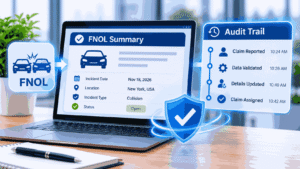
More tools now generate a handler-ready summary of each new claim. Done well, it saves the adjuster ten minutes of reading. Done badly, it hides errors in confident prose.
An automated FNOL summary worth trusting should:
- Show its sources. Every fact traces to a field, a document, or a claimant statement, and the summary says which.
- Separate what was said from what was verified. “Claimant states the vehicle was parked” is different from “policy in force on date of loss”.
- Flag uncertainty and gaps instead of papering over them.
- Keep the original submission untouched, with the summary stored as a separate, versioned item.
- Record who edited what. Handler changes should be logged with timestamps and user IDs.
The audit trail behind it matters more than the summary itself. Look for a log of every action from notification receipt to claim registration, including automated steps, rule versions applied, AI outputs and human overrides. Ask whether logs are tamper-evident, how long they are retained, whether you can replay a claim’s path for a regulator or internal audit, and who can read them. A log you cannot search or export is decoration.
Audit expectations differ by jurisdiction and line. If you operate in the UK or EU, regimes such as Consumer Duty, Solvency II and Lloyd’s requirements may shape what you need to evidence; in the US, state department of insurance rules and market conduct exams do. These are examples to raise with compliance, not a checklist to copy.
Fraud signals at intake
Intake is an early, useful place to spot fraud indicators and a poor place to make fraud decisions.
Useful signals include inconsistencies between the report and the policy, losses reported soon after inception or a coverage change, repeated claim patterns, mismatched photo metadata, and details that contradict telematics or third-party data. Good software surfaces these as flags for review.
Hold a hard line: flags route a claim to a person, usually SIU or a senior adjuster. They do not determine outcomes. Treating a statistical flag as a verdict creates legal and reputational risk, and unfair claims practices rules exist to prevent exactly that. Check how your state’s rules apply with counsel.
Integration with legacy core systems: how to choose insurance middleware
Integration is where timelines go to die.
Every vendor will say they have APIs. Fewer will tell you that your policy admin system’s API may be slow, thinly documented or missing the fields you need. Or that your claims system takes data through nightly batch files. Or that the person who built the original interface retired.
What middleware does here. Insurance middleware (an integration layer) sits between the intake platform and your core systems. It translates formats, maps fields, queues messages, retries failures, and shields the new front end from the quirks of the old core. The best insurance middleware for legacy core systems is the one that fits your specific systems and team; no honest article can name a universal winner. Here is how to judge fit.
Common integration patterns
- Service and API layer. Cleanest, when your core exposes usable interfaces or you can build a facade in front of it.
- Batch and file exchange. Slower, but reliable and often the only option on older cores. Fine for non-urgent data, poor for real-time policy lookup.
- Message queues and event streaming. Good for decoupling and surge handling, with more architecture to maintain.
- UI automation (RPA). Software operates the legacy screens the way a person would. Useful when no interface exists. Fragile when screens change, so treat it as a bridge, not a destination.
- Vendor-built connectors. Quick if your exact system and version are supported. Ask which versions, and how long support lasts.
Criteria for picking middleware
- Documented, referenceable integrations with your core systems and versions, not just common SaaS tools.
- Deployment options that match your rules: on-premise, private cloud, regional data residency.
- Logging, monitoring and alerting that your operations team can actually use.
- Idempotent writes, so a retry after a timeout doesn’t create two claims.
- Clear ownership of field mapping and of change management when either side upgrades.
- A support model after go-live, and an exit path if you switch.
- Honest answers on cost, including the integration work a vendor’s standard quote may leave out.
Data mapping deserves a warning. It is tedious, it needs people who understand both the business and the systems, and it is the step most often underestimated. A vendor’s “standard integration” may cover a configuration you stopped using years ago.
Integration code deserves real testing. The habits in our piece on API testing strategies apply directly to intake-to-claims connections: contract tests, failure injection, and replaying awkward real-world payloads before launch.
If your core can’t accept structured intake data cleanly, plan for middleware or an integration layer and budget for it. It costs money and time that many intake quotes leave out.
Security, privacy and compliance
You are collecting personal data, sometimes sensitive data, at a stressful moment. Treat it that way.
Verify with any vendor:
- Security attestations. Current SOC 2 reports and ISO/IEC 27001 certification where relevant. Read what is in scope. A certificate covering one product line isn’t a certificate for yours.
- Data residency and retention. Where is data stored, for how long, and can you configure deletion?
- Deployment model and key control. Cloud, private cloud or on-premise, and who holds encryption keys.
- Privacy law fit. GDPR for EU and UK data subjects, CCPA/CPRA for California residents, and other state privacy laws. Insurers often have specific exemptions and obligations, so get legal advice instead of assuming.
- Health data. HIPAA may be relevant only where you handle protected health information in a covered capacity, which can arise in some bodily injury and workers’ compensation contexts. Don’t assume it applies to your whole book, and don’t assume it never does.
- Access control and logging. Role-based access, SSO, logged views and edits, sensible limits on who sees photos and documents.
- Regulatory timelines. The software should track acknowledgment and contact deadlines for the states you write in.
None of this is legal advice. Run requirements past your compliance and legal teams before you commit.
Simple deployment for MGAs and small carriers
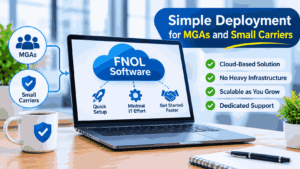
“Simple deployment” gets abused in marketing, so define it before you shop. For an MGA or small carrier, simple should mean:
- Your operations team can change questions, document checklists and routing rules without engineers.
- Prebuilt connections exist to your carrier, TPA or claims systems, or a clear, short path to build them.
- Different products can carry different checklists and routing, for example to different capacity providers.
- Claim notifications meet what your binding authority or delegated authority agreements require. Confirm the exact terms with the carrier.
- You keep ownership of your intake data and can export it if you switch.
- Pricing is usable at your volume, with no minimums sized for a large carrier.
For many MGAs, a TPA-provided intake or a lightweight standalone product beats anything custom. Be wary of any tool whose “simple” setup depends on a services team you will rent forever. That is a managed service, which can be fine, as long as the contract says so.
Choosing by carrier size, line of business and budget
There is no single right answer. Here is how the main solution types compare. Treat the ratings as directional, since real numbers depend on your systems and scope.
| Solution type | Best for | Typical go-live speed | Relative cost | Main risk |
|---|---|---|---|---|
| Module of a core claims suite | Carriers already on, or moving to, that suite | Moderate; tied to the suite’s rollout | Often bundled; can be high overall | Locked into the suite’s roadmap and limits |
| Standalone FNOL platform | Mid-size carriers with several lines and an older core | Moderate | Mid to high | Integration with claims and policy systems |
| Insurtech point solution (AI or photo intake) | Fixing one bottleneck, such as auto damage capture | Fast to moderate | Low to mid | Narrow scope; vendor maturity and data fit |
| Integration layer or middleware on a legacy core | Carriers whose core cannot take clean intake data | Moderate to slow | Mid to high | Mapping effort and long-term ownership |
| Build in-house | Large carriers with strong engineering and unusual needs | Slow | High upfront and ongoing | Maintenance burden; key-person dependence |
| Chatbot or channel add-on | Extending hours or deflecting simple contacts | Fast | Low to mid | Poor handoff; thin data behind a friendly front |
| TPA-provided intake | Small carriers and MGAs without a claims team | Fast | Usually per claim or by contract | Less control over data and experience |
A few patterns I’d stand behind:
Small insurers and MGAs. You probably shouldn’t build. Ask hard questions about data ownership and exit terms, because you will want your intake data if you change TPAs or platforms.
Mid-size carriers. Your biggest risks are legacy integration and adjuster adoption. A standalone platform with proven integrations can make sense, but only after you have mapped your data.
Large carriers. You can afford to build. Ask whether you should. Custom intake becomes a product you maintain forever.
By line of business. Auto and simple property suit photo capture and telematics. Workers’ compensation needs careful injury detail and jurisdiction-specific reporting. Liability and cargo/marine claims often involve third parties and documents more than self-service, so check the tool handles reporters who aren’t policyholders. High-risk commercial lines such as construction and logistics benefit from guided, structured reporting that starts at the incident itself.
Pricing models: what to ask and what to model
Vendors rarely publish prices for enterprise FNOL software, and I won’t invent any. What you can compare is the pricing model:
- Per claim or per transaction. Predictable at low volume; model it at several times your current volume.
- Platform licence. A fixed fee, sometimes volume-banded. Good for forecasting, poor if you are paying for capacity you don’t use.
- Usage-based on successful runs. You pay when a workflow completes. Ask whether failed runs and test executions are billed.
- Per seat. Common in channel and call-center tools. Gets expensive as handler headcount grows.
- Project-based consulting. Custom builds and integration work, usually quoted per scope.
- Implementation or onboarding fees layered on top of any of the above.
Model total cost at 2x and 5x your current volume, include integration and configuration work, and add the cost of leaving. A model that looks cheapest today can become expensive as claims grow.
Build vs buy
Building feels attractive because intake looks simple. It isn’t. The first version is easy. The hundredth change request, the new state requirement, the accessibility audit, the mobile OS update, the security review and the engineer who leaves with the knowledge are what hurt.
Build makes sense when your needs are truly unusual, you have an engineering team you will keep funded, and intake is a differentiator rather than a utility. Buy makes sense for nearly everyone else. A middle path often works: buy a configurable platform and build only the integration layer and the pieces unique to you.
How to choose FNOL software in six steps
- Map your current intake data. List every field adjusters chase after intake, and rank them.
- Define the scope. Which lines, channels and claim types go live first?
- Document your systems. Policy admin and claims interfaces, constraints and owners.
- Write scripted scenarios. Ten real, anonymized, messy claims, including a CAT-event surge and a third-party report.
- Run a scripted demo. Each shortlisted vendor handles your scenarios on their product, not a polished sales environment.
- Score and decide. Weigh data quality, integration effort, auditability, adoption risk, security and total cost.
RFP questions worth asking
- Show me the complete data object you send to a claims system for a bodily injury auto claim.
- What happens when the policy lookup fails, or the write-back call times out?
- Can my team edit question logic and document checklists without a services contract?
- How do you handle claims reported by third parties?
- Show me the audit trail for one claim, including automated steps and human overrides.
- What are your SOC 2 and ISO/IEC 27001 scopes, and what deployment options exist?
- Which customers with systems like mine can I speak to, and can I hear what went wrong, not just what went well?
- What does it cost to leave?
That last question tells you a lot about a vendor.
Rollout and adoption
The technology is the smaller half. The larger half is getting adjusters, call center agents and agents or brokers to use it properly.
Reasons FNOL projects stall, in the order I have seen them:
- Poor adjuster adoption. If adjusters weren’t consulted on the data fields, they will work around the system. Involve a few respected adjusters from day one and let them break things in testing.
- Bad data mapping. Fields land in the wrong place or get truncated, and nobody notices until reports are wrong.
- Over-automated triage. Covered above. It loses trust faster than almost anything else.
- Scope creep. Trying to launch every line and channel at once.
- No owner after go-live. Question logic needs maintenance, and someone has to own it.
A sensible pattern: pilot on one line or region, review daily for a few weeks, adjust, then expand in phases. Timelines depend heavily on integration complexity, so be skeptical of any fixed number of weeks quoted before a vendor has looked at your systems. Some vendors do move faster on supported stacks. Ask for a named reference in an environment like yours who can confirm it.
Train people on why the fields matter, not just where to click. An agent who understands that a missing injury question causes a callback will ask it every time.
Common mistakes
Buying on the demo. Demos use clean data and happy paths. Test with your ugliest claims.
Ignoring the call center. If agents get a different, worse tool than customers, data quality splits by channel.
Treating intake as a technology project. It is an operations project with technology in it.
Counting form completion as success. A completed form with thin data is a failure that looks like a win.
Trusting unsourced vendor statistics. Automation rates, time reductions and cost savings quoted without a source, year and method are marketing. Ask for named, checkable references.
Skipping an exit plan. Know how to export your data and what switching costs.
Letting the form grow. Every team wants one more field. Without a gatekeeper, the form becomes a wall.
Metrics that prove it works
Pick a small set and measure before go-live so you have a baseline.
- Time from loss to first notice (especially for auto-FNOL)
- Time from notice to first contact, to complete file, and to assignment
- Re-contact rate: how often adjusters go back to the claimant for basic information
- Intake completion and abandonment by channel
- Routing accuracy, measured by how often claims get reassigned
- Straight-through processing rate and the error rate inside it
- Data completeness on the fields you ranked essential
- Override rate on automated decisions and summaries
- Customer satisfaction at intake, using your own survey method
- Claims leakage indicators you can tie back to intake gaps
Compare against your own baseline, not against industry numbers from a vendor slide. If you can’t name a benchmark’s source and year, it isn’t one.
FAQs
What is FNOL software?
FNOL software captures the first report of an insurance loss, validates it against policy data, and creates a structured claim for downstream handling. It usually supports several channels, such as web, mobile, phone and chat, and passes data to your claims management system.
What is an FNOL digital platform?
A digital FNOL platform is intake software built around online and mobile reporting rather than phone-only or paper. It typically combines self-service channels, guided questions, photo and document capture, and integrations with policy and claims systems. The term overlaps with FNOL software, and vendors use both loosely.
What is the difference between FNOL software and claims management software?
FNOL software handles intake only. Claims management software runs the rest of the claim: reserving, assignment, payments, subrogation, reporting and closure. Some core claims suites include an intake module, while standalone FNOL products connect to whichever claims system you already use.
What data should be captured at FNOL?
At minimum: who is reporting, policy identification, date, time and place of loss, what happened, what was damaged, injuries, other parties and evidence. Add line-specific fields from ACORD standards or your own adjuster call-back list. Keep optional fields few and purposeful.
How does AI help with FNOL?
AI helps most on narrow tasks: reading emails, classifying photos, extracting document fields, drafting summaries and flagging unusual patterns. Use rules for decisions with regulatory or financial consequences. Ask what the model predicts, what it was trained on, and how your team can override it.
How can carriers speed up FNOL review cycles?
Remove the delays that exist before an adjuster opens the file: ask the right questions first time, chase missing documents automatically, pre-fill policy data, detect duplicates and route by complexity. Then measure each stage separately, because a single intake time hides the stage that is actually slow.
What should an FNOL audit trail include?
It should log every action from notification to claim registration, including automated steps, rule versions, AI outputs, who edited what and when, and human overrides. Ask whether logs are tamper-evident, searchable, exportable and retained long enough to satisfy your regulators and auditors.
Can I trust automated FNOL summaries?
Trust them only if each fact traces to a source field, document or claimant statement, and the original submission is preserved unchanged. Good summaries flag gaps and uncertainty instead of smoothing them over. Spot-check a sample of summaries against source data every week during rollout.
What middleware works for legacy core systems?
It depends on your core’s interfaces. Options include API or service layers, batch file exchange, message queues, vendor connectors and, as a bridge, UI automation. Pick by documented integrations with your exact systems and versions, deployment fit, logging, and who owns mapping and support afterward.
Can MGAs deploy FNOL software simply?
Yes, if “simple” means your operations team can configure questions and routing without engineers, prebuilt connections exist, and you keep your data. Many MGAs do well with a TPA-provided intake or a lightweight standalone product. Check delegated authority notification requirements with your carrier.
How much does FNOL software cost?
It depends on claim volume, lines, integrations and pricing model, and vendors rarely publish prices. Expect licence or per-claim fees plus integration, configuration and support costs. Ask for a total estimate at 2x and 5x volume, including what leaving would cost.
How long does implementation take?
It depends mostly on integration complexity, not the vendor’s software. A lightweight add-on with a simple connection can go live quickly, while a platform tied to legacy policy and claims systems takes longer. Treat fixed timelines quoted before a systems review with caution, and ask for a named reference.
Should we build or buy FNOL software?
Most carriers should buy, or buy a configurable platform and build only the integration layer. Build only if intake is genuinely unusual for you, you will keep engineers funded for years, and you accept the ongoing maintenance, security and compliance burden.
How does FNOL affect fraud detection?
Intake is where early indicators first appear: inconsistent details, recent policy changes, repeated patterns or mismatched photo metadata. Good software flags these for human review. A flag should send a claim to SIU or a senior adjuster, never decide the outcome by itself.
What are the KPIs for FNOL?
Common ones are time from loss to first notice, time to first contact and assignment, re-contact rate, abandonment by channel, routing accuracy, straight-through processing rate, data completeness and override rate. Record your own baseline before launch so improvement means something.
Final summary and next steps
FNOL software earns its keep when it gives adjusters complete, structured, trustworthy data on day one of a claim, and gives claimants a calm way to report a loss. It loses value when the interface is polished and the data behind it is thin, when triage is automated past what the data supports, when summaries can’t show their sources, or when integration to the legacy core is treated as an afterthought.
The short version: map your intake data first, pick the solution type that fits your size and systems, test with ugly real claims, keep humans in the loop where judgment lives, demand an audit trail you can actually read, and measure against your own baseline.

1 Comment
Pingback: Hiring an AI Automation Agency in the USA? Read This First