


You searched for the Etsiosapp version from eTrueSports, expecting a version number. Here’s the awkward truth: nobody has published a version number you can trust.
A number of articles describe “the latest Etsiosapp update” with feature lists and release timelines. When you look for the thing they’re describing (an official listing, a developer name, a changelog), it doesn’t appear. This guide separates what’s confirmed from what’s repeated, and shows you how to check any iPhone app before you install it.
Quick Answer
Direct answer: No independently confirmed Etsiosapp version number, release date or official build history from eTrueSports could be found in the sources reviewed. Several websites describe an “Etsiosapp update,” but at least one site using the eTrueSports name states that no official Etsiosapp product exists. Treat any version number you see as unverified until it appears in an official App Store listing.
Key Takeaways
- There’s no verified version number for “Etsiosapp” from eTrueSports.
- Online articles about it conflict: some describe features and updates, while another site using the eTrueSports name says there’s no official app.
- Even the articles that describe the app disagree on what it does: some call it a live-scores tool, others a game-patch summary app.
- Similar, near-identical keywords (“etsjavaapp,” “ios etruesports”) show up on the same kinds of sites, which is a pattern worth noticing.
- You can verify any iOS app’s real version in under a minute through the App Store.
- If you can’t find an official listing, don’t install a file from a link.
What People Mean by “Etsiosapp”
The term appears in articles describing a mobile application tied to sports, esports and match information, usually under headlines like “Etsiosapp update by EtrueSports.” The descriptions mention things like a live match overlay, scheduled practice matches, team invitations, and options for iPhone and Android.
A related cluster of phrases circulates too: “etsjavaapp,” “etruesports ios,” “ios app etruesports” and similar. They’re described in similar terms, often with sports scores, esports news, schedules and player stats.
The names differ by a few letters, the claimed features overlap, and the sources are mostly the same type of site: general-interest blogs publishing about a trending phrase. That’s not proof of anything on its own. It’s a reason to slow down.
What’s Actually Confirmed (and What Isn’t)
Here’s an honest scorecard, based on what turned up in searches at the time of writing.
| Question | What the evidence shows |
| Is there a confirmed latest version number? | No. Reviewed sources say none has been established. |
| Is there an official build history or changelog? | None found. |
| Is there a verified developer or publisher? | Not established. |
| Do sites agree the app exists? | No. Some describe it in detail; one eTrueSports-named site says there’s no official Etsiosapp. |
| Is there an official App Store listing? | Not confirmed. Check yourself using the steps below. |
Notice the pattern. The descriptive articles say what the app supposedly does. They don’t point to the one thing that would settle it: a listing you can open on Apple’s App Store with a developer name and version history.
I haven’t tested an app, because I couldn’t identify one to test. Anyone claiming a specific build number, file size or “what’s new” list without a store link is asking you to take their word for it.
What the Competing Articles Claim vs What Can Be Verified
Let’s put the popular claims side by side with the evidence. One widely shared “complete guide,” published May 1, 2026, is a good example of the style, and its claims show up in many similar pages.
| Claim made online | What can be verified |
| “The latest version brings faster performance and smarter updates” | No version number is given, so “latest” has nothing to attach to. |
| It’s a game-patch and esports-news summary tool | Other articles describe it as a live sports and esports scores app with a match overlay. The two descriptions don’t match. |
| Users grew from 50,000 (2023) to 700,000+ (2026) | No source, no store data and no company statement is cited. |
| “Generally considered safe if downloaded from official sources” | No official source is identified, so the condition can’t be met. |
| “Download from a trusted source and create an account” | No store link or developer page is provided. |
| An official eTrueSports product | One site using the eTrueSports name says there is no official Etsiosapp. |
The Reported Timeline
Here’s what’s been reported, with the caveat that none of it is independently confirmed:
- May 1, 2026: A “complete guide” article describes feature improvements and a user-growth chart, with no version number.
- Mid-2026 onward: Further articles describe an “Etsiosapp update” with features like a match overlay, practice matches and team invitations.
- August 19, 2026 (as reported): A site using the eTrueSports name states it has no official Etsiosapp application.
A real software timeline has version numbers, dates and change notes tied to an official source. This one has descriptions that keep changing shape.
What a Trustworthy Version Note Looks Like
When an app does have a real update, the note usually includes a version number (like 3.2.1), a release date, a short list of specific changes (“fixed a crash when opening notifications”), and a link to the publisher. Vague wording such as “improved performance and smarter features” with no specifics is marketing copy, not a changelog.
If you want a method for tracking what you’ve checked while you verify, our research dossier guide shows how to keep a simple source log with dates and confidence labels.
Why Keywords Like This Exist
You’ll see this pattern across the web. A phrase starts being searched, even if the underlying product is murky. Sites publish articles to catch the search traffic. Later articles copy earlier ones, adding “features” and “release dates” that sound plausible. The product never has to exist for the articles to rank. We’ve broken down similar name-confusion cases in our Sosoactive explainer and our Adstotally.com review.
Some tells that a page is written for the search term rather than for you:
- It repeats the exact phrase over and over without ever linking to the developer or a store page.
- It describes features in general terms (“real-time updates,” “seamless experience”) with no screenshots from a real device.
- It gives no version number, or gives one without a source.
- It contradicts other pages and doesn’t mention the contradiction.
- The site covers dozens of unrelated topics.
None of this proves a particular app is fake. It does mean the article isn’t evidence of the app.
How to Check an iOS App’s Real Version
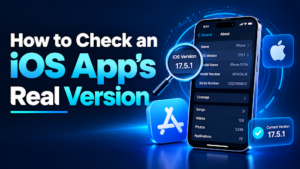
If you do find a listing, here’s how to confirm it’s the real thing.
Check the App Store Page
Open the app’s page in the App Store and scroll down. Look for the developer name under the app title, the What’s New section, and Version History. Tap Version History to see every release, with dates and notes. A real, maintained app has this trail.
Check the developer’s other apps and website too. A genuine publisher usually has a site, a privacy policy and a support address that match the listing.
Check What’s Already on Your iPhone
Go to Settings → General → iPhone Storage, find the app and open it. The version number appears there. You can also see when it was last used and how much space it takes.
Compare Against the Source
Compare the version on your phone with the one in the App Store. If they differ, update through the App Store only. An update prompt inside an app that sends you to an outside website is a red flag.
Is It Safe to Download?
If you can’t find an official listing, assume it isn’t safe to install, and don’t take that as paranoia. Apps distributed outside the App Store ask you to trust a stranger with your device.
Here’s a short checklist before installing anything:
Where is it coming from? The App Store, or the developer’s official, verifiable site. Not a link in a blog comment, a forum post or a messaging app.
Does it ask you to change settings? Installing a “profile,” trusting an unknown developer certificate or enabling unfamiliar permissions is a warning sign. You can review these under Settings → General → VPN & Device Management.
Does it want sensitive details? A sports or esports app doesn’t need your banking details, passwords from other services or access to your contacts to show scores.
Is there a privacy policy and a real contact? A legitimate developer publishes both.
Does it push betting or payment prompts? Some sports apps are tied to gambling or paid contests. Check local laws and read the terms before you hand over money.
Also be careful with lookalike names. eTrueSports appears to be used by more than one site, and different sites describe different things. That’s exactly the sort of confusion scammers rely on, so confirm which site and which developer you’re dealing with. For another example of how to size up an unfamiliar platform address, see our guide to staying safe around Walmart.stellaconnect.net.
How to Update an iOS App Safely
If you’ve confirmed an app is genuine and listed on the App Store, updating is simple, and it should happen only through the store.
- Open the App Store and tap your profile picture in the top right.
- Scroll to the pending updates list and find the app. Tap Update, or Update All.
- Open the app’s store page afterward and check Version History to confirm the new version number and date.
- To avoid manual work, go to Settings → App Store and switch on App Updates under Automatic Downloads.
Two red flags: an in-app message that sends you to a website to “download the new version,” and any request to install a configuration profile to get an update. Real iOS updates don’t need either.
If You’ve Already Installed Something
Don’t panic, but act.
First, check what it actually is: open Settings → General → iPhone Storage and find it. If it came from outside the App Store, delete it.
Second, check Settings → General → VPN & Device Management and remove any unfamiliar profile or certificate.
Third, change passwords for any account you entered while using it, starting with email and financial accounts, and turn on two-factor authentication.
Fourth, watch your accounts for unusual activity over the next few weeks. If you entered payment details, tell your bank or card provider.
Common Problems and Fixes

These apply to any genuine iPhone app, not just this one.
The app won’t open or keeps crashing. Force-close it by swiping up from the bottom of the screen and removing it from the app switcher, then reopen. If that fails, restart the phone. If it still crashes, check the App Store for a pending update.
The update won’t install. Check you’re connected to a stable network, that you have enough free storage (Settings → General → iPhone Storage), and that you’re signed in to the right Apple ID.
The app feels slow. Close background apps, free up storage and update iOS itself under Settings → General → Software Update.
Live data isn’t loading. The problem may be the service, not your phone. Our guide on how to check whether a service is down walks through the checks, and the method works for most apps.
You can’t find the app at all. That’s the most important one. If a search of the App Store turns up no listing under that name, the app probably isn’t there, and you shouldn’t try to get it elsewhere.
What to Use Instead
If your real goal is following live sports or esports on your phone, you don’t need to gamble on an unverified app. Look for apps with a clear publisher, an App Store history spanning years, plenty of recent, real reviews, and a privacy policy you can read. Official apps from leagues, tournaments and established sports media tend to meet that standard. You can browse more app and platform coverage in our gaming section and our technology section.
When you compare candidates, check the same things every time: developer name, version history, what permissions it requests and what the developer says it does with your data.
FAQs
What is the latest Etsiosapp version from eTrueSports?
No confirmed version number could be found. Several articles discuss an update, but none points to an official listing or changelog.
Is Etsiosapp an official eTrueSports app?
That’s not established. One site using the eTrueSports name says it has no official Etsiosapp product, while other sites describe it as if it exists.
Is there an Etsiosapp release date?
Release dates quoted online aren’t backed by a verified source. Treat them as unconfirmed.
Is Etsiosapp available on iPhone and Android?
Some articles say yes. I couldn’t confirm an official store listing for either platform.
Is it safe to download?
Only if you find it on the App Store with a verifiable developer and version history. Don’t install files from random links.
What’s the difference between Etsiosapp and etsjavaapp?
Both names appear in similar articles with overlapping feature claims. I couldn’t verify either as a distinct, official product.
How do I check an iPhone app’s version?
Open Settings, then General, then iPhone Storage and tap the app. Or check Version History on its App Store page.
Why do so many websites write about it?
Because the phrase gets searched. Articles written to catch that traffic don’t need a real product behind them.
Final Thought
Here’s my take: don’t chase a version number that nobody can source.
If an official Etsiosapp from eTrueSports exists, it’ll have a store page, a developer name and a version history you can open in two taps. Until that turns up, the articles describing its features are repeating each other, not reporting.
Verify first. Install second. And if the only route to the app is a link someone sent you, that’s your answer.
Write for SoftwareCora
Share your expertise with SoftwareCora’s audience through a high-quality guest post on AI, SaaS, software, CRM, business technology, or digital marketing.
