

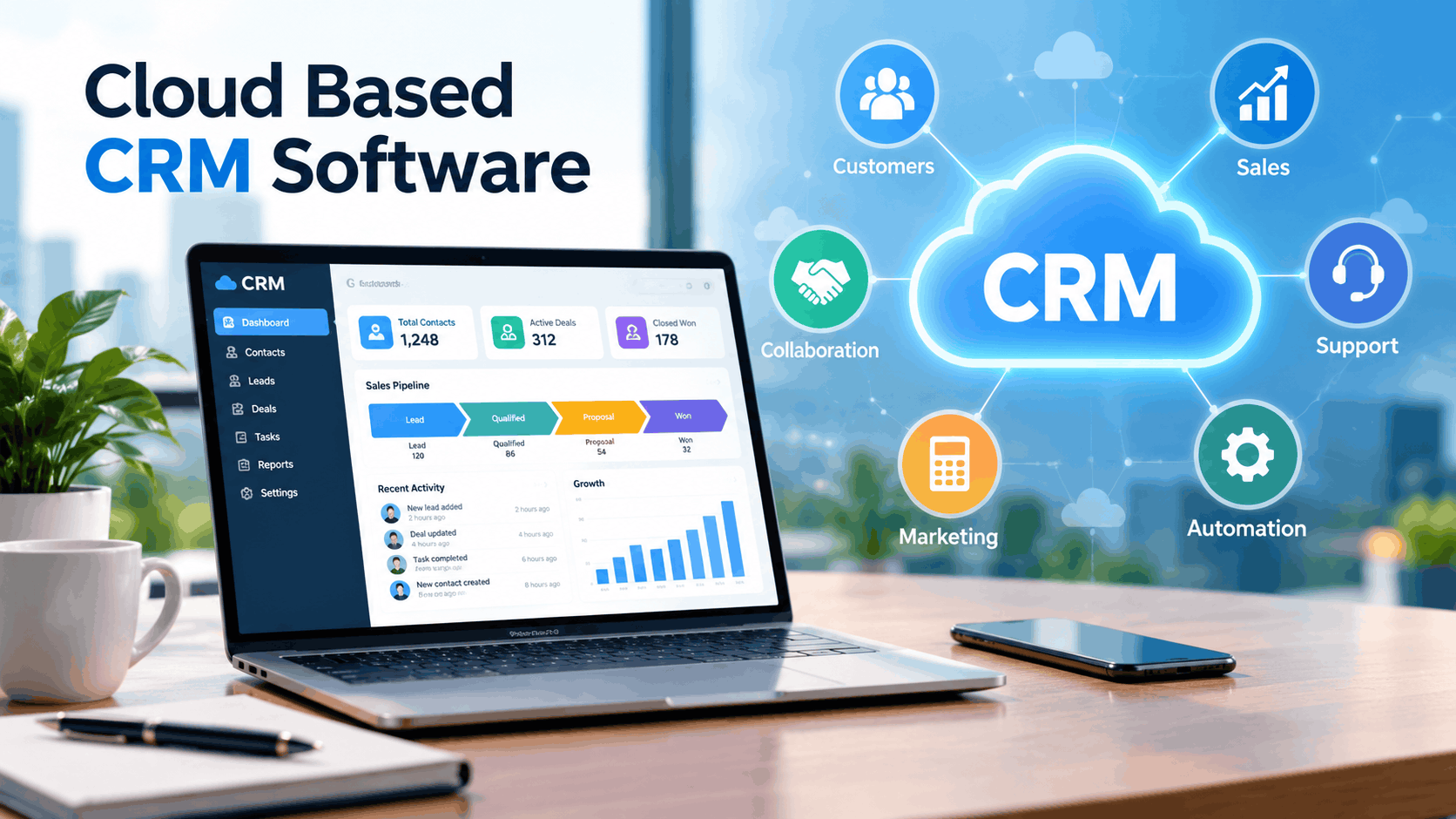
Ten years ago, buying a CRM meant buying a server.
You paid for the licence, hired someone to install it, scheduled downtime for upgrades and prayed the backup worked. Today most teams sign up in a browser, invite colleagues by email and are logging deals before lunch. That shift is why cloud based CRM software has become the default choice for businesses of almost every size.
But “cloud” has also become a label vendors stick on everything, and the differences underneath matter. Pricing models that look similar behave very differently once you add users. Security promises vary in how much they actually cover. And the platform that suits a ten-person team can be a poor fit for a regulated enterprise, and the other way round.
This guide explains what cloud based CRM software is, how it compares with on-premise systems, what to check on security, how pricing really works, and how the main platforms stack up. You’ll get a clear recommendation at the end.
Last updated: October 2026. No vendor paid for placement in this guide.
Two honest notes first. I haven’t run these platforms inside a live business for this piece. The comparison draws on 2026 roundups, vendor pricing pages and recurring user feedback, and many roundups are written by vendors or affiliates, so I’ve leaned on points that appear across several sources. And prices in this market differ by billing cycle, region and plan name, sometimes by a lot, so treat every figure here as a ballpark and confirm on the vendor’s site.
The Short Answer
- Most small teams: start with HubSpot (free CRM, easy to adopt) or Zoho CRM (more features per dollar, more setup).
- Sales-led teams that live in the pipeline: Pipedrive.
- Microsoft-centred organizations: Dynamics 365 Sales.
- Large or complex organizations with admin resources: Salesforce.
- Budget teams that sell by phone: Freshsales or Close.
- Visual, dashboard-loving teams: monday CRM.
My pick for the typical growing business with 5 to 100 employees: HubSpot if marketing matters, Zoho CRM if price matters. The sections below explain the reasoning.
How This Guide Evaluates Cloud CRMs
I judged each platform on six things, in this order of importance for most buyers:
- Fit with how you sell. Does the pipeline, automation and data model match your process?
- Ease of adoption. Will reps actually use it without a long training program?
- Integrations. Email, calendar, marketing, accounting, support and automation tools.
- Reporting and AI. Dashboards, forecasting and whether the AI does anything useful.
- Security and compliance. Certifications, data residency, access controls and the DPA.
- Total cost. Licences, tiers, add-ons, implementation and the time your team spends running it.
Where I describe features, they come from vendor pages and 2026 roundups, not from my own testing, and I say so when a claim rests on a single source.
Related Reading on Software Cora
What Is Cloud Based CRM Software?
Cloud based CRM software is customer relationship management software that you access over the internet instead of installing on your own servers. The vendor hosts the application, stores the data, handles updates and security patches and charges you a recurring fee, usually per user per month.
Most cloud CRMs run as multi-tenant SaaS: many customers share one application, with each company’s data kept logically separate. You log in through a browser or mobile app, and the vendor rolls out improvements automatically.
What a CRM actually does
A CRM keeps everything you know about customers and prospects in one place: contacts, companies, conversations, deals, tasks and history. Depending on the platform, it also automates follow-ups, reports on pipeline and performance, connects to email and calendars and supports marketing, sales and service teams from the same data.
CRMs are often grouped by purpose. Operational CRM automates day-to-day sales, marketing and service work. Analytical CRM turns customer data into reports and forecasts. Collaborative CRM shares customer information across teams so nobody asks the customer to repeat themselves. Most modern cloud CRMs blend all three.
Cloud vs On-Premise vs Hybrid CRM
| Factor | Cloud based CRM | On-premise CRM |
| Upfront cost | Low; monthly or annual subscription | High; licences, servers, setup |
| Deployment speed | Days to weeks | Weeks to months |
| Maintenance and updates | Handled by the vendor | Handled by your IT team |
| Access | Anywhere with a connection | Often limited to office or VPN |
| Customization | Deep on some platforms, limited on others | Highest control over code and data |
| Data location and control | Vendor-hosted; check regions | Fully on your infrastructure |
| Scaling | Add users and plans easily | Requires hardware and licensing planning |
| Total cost over time | Predictable but recurring | Lower recurring, higher capital and staff cost |
For most businesses, cloud wins on speed, cost and effort. One 2026 comparison sums up the logic neatly: cloud costs less upfront because there’s no server to buy, just a per-user fee that scales with your team.
On-premise still makes sense in narrow situations: strict data-sovereignty rules, heavily customized legacy systems, restricted networks or contracts that forbid third-party hosting. Hybrid setups, where some data stays in your environment while the application runs in the cloud, exist for exactly those cases but add complexity.
Some products straddle the line. SugarCRM is listed as available in both cloud and on-premise forms, and EspoCRM is an open-source CRM you can self-host or use as a hosted service. If data control is a hard requirement, shortlist from this group.
If you aren’t in one of those situations, cloud is the sensible default.
Benefits of Cloud Based CRM Software
Fast setup and adoption. You can often be productive in days. Lighter platforms like HubSpot and Pipedrive are built for that, though one 2026 guide notes that even these still benefit from consultant help, with budgets of a few thousand dollars for more involved setups.
Lower upfront cost. No servers, no licences up front, no dedicated hardware.
Automatic updates. New features and security patches arrive without upgrade projects.
Access from anywhere. Reps update deals from a phone between meetings. Remote and hybrid teams see the same data.
Scalability. Add users or move up a plan when you grow, and drop back if you shrink.
Integrations. Cloud CRMs connect to email, calendars, accounting, marketing tools and thousands of apps through native connections and automation platforms.
Built-in analytics and AI. Dashboards, forecasts and AI assistants ship as part of the product, though depth varies by plan.
Disaster recovery. Reputable vendors replicate and back up data across locations, which is more than most small companies manage themselves.
Drawbacks and Risks to Weigh
I’d rather tell you the downsides than let you discover them later.
Recurring costs add up. A subscription that feels cheap at five users can become a major expense at fifty, especially when the features you need sit on higher tiers or cost extra.
Plan gating. Many vendors keep reporting, automation or API access for expensive plans. One 2026 roundup points out that Salesforce’s advertised mid-tier plan can lack API access and advanced automation. Always check what’s included.
Vendor lock-in. Moving later costs time, and one estimate puts migrations at 50 to 100 users in the tens of thousands of dollars. Treat that as a rough warning, but pick a platform you can grow with.
Internet dependence. No connection, no CRM, though most platforms offer offline-friendly mobile apps.
Customization limits. Simpler platforms trade flexibility for ease. Heavy customization often needs higher tiers or a consultant.
Data location and compliance. You depend on the vendor’s hosting regions and certifications. Regulated industries need to check these carefully.
Add-on creep. AI features, extra storage, extra API calls and premium support can all be priced separately.
Security and Compliance: What to Check
“It’s in the cloud” tells you nothing about safety. Ask for specifics.
Certifications. Look for SOC 2 and ISO 27001 reports from the vendor, and ask to see current documents, not just logos on a web page.
Encryption. Data should be encrypted in transit and at rest.
Access controls. Role-based permissions, single sign-on and multi-factor authentication. Make sure SSO isn’t locked behind a higher plan.
Audit logs. You should be able to see who accessed or changed what.
Data residency. If you serve European customers, find out where data is stored and whether an EU region is available. Our guide to GDPR compliance software in France for SMEs covers the broader obligations.
Data processing agreement. The vendor should provide a DPA that lists subprocessors and your rights over the data.
Backups and recovery. Ask how often data is backed up and how fast it can be restored.
Uptime commitments. A 99.9% uptime promise sounds near-perfect but still allows roughly 8.8 hours of downtime a year. Check the service-level agreement and what credits or remedies you actually get.
Industry rules. Healthcare, finance and government work may require specific compliance such as HIPAA. For example, one vendor markets a healthcare edition of its CRM built on a HIPAA-compliant cloud, at a notably higher price than its standard plans.
How Cloud CRM Pricing Really Works
Most cloud CRMs charge per user per month, usually with a discount for annual billing. Beyond that, expect these layers.
Tiers. Plans typically run from free or entry level to enterprise, each unlocking more automation, reporting and customization.
Add-ons. AI assistants, advanced analytics, extra storage, sandbox environments and premium support often cost extra.
Implementation. For simple platforms, setup might be a few days of your own time. For complex ones, consultants can cost thousands and, for large enterprise projects, far more.
Training and admin. Someone has to run the system. Factor in their time.
Integrations. Some connectors are free, others require paid middleware.
Usage limits. Contacts, emails sent, API calls and storage can all be capped.
Reported Entry Prices
Prices below come from several 2026 roundups and differ by source, so they’re approximate. Billing is typically per user per month on annual plans.
| Platform | Free option | Typical paid range (reported) |
| HubSpot | Free CRM | Starter roughly $9 to $20 per seat; Professional around $90 to $100 per seat; Enterprise around $150 per seat |
| Zoho CRM | Free for 3 users | About $14 (Standard), $23 (Professional), $40 (Enterprise), $52 (Ultimate) |
| Pipedrive | Trial only | From about $14 per seat, rising across tiers |
| Salesforce | Free Suite for basics | Starter from about $25; higher tiers reported near $75, $175 and $350 |
| Dynamics 365 Sales | Trial only | Professional about $50 to $65; Enterprise around $95 |
| Freshsales | Free for 3 users | From about $9 per user |
| monday CRM | Trial | Entry plans in the $9 to $25 range |
Notice how wide some ranges are. Always get a written quote for your user count and the features you need.
The Cloud Based CRM Platforms Compared
| Platform | Best for | Strengths | Watch out for |
| HubSpot | Growing teams wanting sales and marketing together | Free tier, ease of use, large ecosystem, strong reporting on higher tiers | Costs climb as you add paid hubs and seats |
| Zoho CRM | Budget-conscious teams wanting depth | Feature-rich at low prices, wide Zoho app ecosystem, AI assistant | More setup; advanced features on higher tiers |
| Salesforce | Large or complex organizations | Deepest customization and ecosystem | Admin-heavy; add-ons and AI cost extra |
| Dynamics 365 Sales | Microsoft-centred organizations | Tight integration with Microsoft 365 and Teams, Copilot AI | Higher entry price; extra Microsoft licensing can apply |
| Pipedrive | Pipeline-focused sales teams | Visual deal board, fast adoption | Lighter marketing tools |
| Freshsales | Budget teams wanting built-in phone and AI | Low price, communication tools, AI scoring | Customization varies by plan |
| monday CRM | Visual, flexible workflow teams | Customizable boards and dashboards | Seat minimums and plan gating |
HubSpot
HubSpot’s free CRM is the most usable free tier in the category, and 2026 comparisons consistently describe it as the fastest platform to roll out. It brings sales, marketing and service tools onto one customer record, and its integration ecosystem is among the largest. The price you pay as you grow is the catch: paid hubs and seats add up, and the reporting you may want most sits on Professional.
Pick it if: you want a friendly, scalable platform and marketing is part of the picture. Skip it if: you need deep customization or the lowest possible per-seat cost.
Zoho CRM
Zoho wins the “more for less” argument in most roundups. Its free plan covers three users, paid tiers run from about $14 to $52, and the wider Zoho ecosystem includes accounting, support and other apps. One roundup reports the Zoho One bundle at roughly $37 to $45 per user, which makes it attractive if you’re building your whole stack from scratch.
The trade-off is setup effort and an interface that can feel crowded.
Pick it if: you want deep features at a low price and can spend a few days configuring. Skip it if: nobody on your team likes configuring software.
Salesforce
Salesforce pioneered cloud CRM and remains the dominant enterprise platform, with a vast ecosystem and the deepest customization. It also costs the most in total: higher tiers climb quickly, add-ons are common and you’ll usually need an admin or partner to run it well.
Pick it if: you’re a large or complex organization with complicated processes and the resources to run it. Skip it if: you’re a small team that wants to be productive next week.
Microsoft Dynamics 365 Sales
Dynamics 365 isn’t just a CRM, it’s an enterprise platform with CRM as one module. It fits organizations already standardized on Microsoft 365, Teams and Azure, with Copilot AI built in. Entry pricing sits higher than the SMB platforms, and extra Microsoft licensing can apply.
Pick it if: your company lives in the Microsoft ecosystem. Skip it if: you’re a small team outside it.
Pipedrive
Pipedrive is built around a visual deal board and consistently earns praise for rep adoption. It’s less ambitious than HubSpot on marketing, which is exactly why many sales teams like it.
Pick it if: your team’s day is moving deals through stages. Skip it if: you need an all-in-one sales and marketing system.
Freshsales and monday CRM
Freshsales offers a free plan for three users, built-in phone and email and AI lead scoring at a low price. monday CRM appeals to teams that already like monday’s flexible boards and dashboards. Both are worth a trial, though customization and plan limits vary.
More Cloud CRMs Worth Knowing
Directory listings in October 2026 also highlight several platforms that fit particular needs. The prices below come from those listings and may differ from the vendor’s current page, so verify before you rely on them.
Creatio is a no-code CRM and workflow platform with AI agents, aimed at organizations that want to build custom processes without developers. Pricing is quote-based on some listings.
SugarCRM is a highly customizable platform for enterprise-style needs, listed with plans from about $59 to $135 per user per month and with cloud and on-premise options.
Keap targets small businesses and service teams that want CRM plus marketing automation, with a Pro plan listed around $249 per month.
Bigin by Zoho is a stripped-down CRM for micro businesses, listed from about $7 per month.
Less Annoying CRM is deliberately simple, with one plan listed around $15 per user per month.
Teamgate and CompanyHub are sales-focused CRMs listed from roughly $15 to $40 per user per month, with customizable pipelines.
EspoCRM is open source, available self-hosted for free or as a paid cloud service.
Others Worth Knowing
Bitrix24, Insightly, Capsule, Copper, Nutshell, Close, Attio and Less Annoying CRM all show up in 2026 lists, and each fits a particular niche, from Google Workspace users to teams that want radical simplicity. For enterprise-scale needs, Oracle and SAP also compete. For more reviews, browse our CRM Software category. If reporting is your priority, see our guide to the best CRM platforms for small sales team reporting.
Related Reading on Software Cora
How to Read Software Directories and “Best Of” Lists
You’ll probably use review sites and directories during your search, and it helps to know their quirks. I looked closely at one popular directory’s cloud CRM category in October 2026 and found patterns worth watching for.
Sponsored placements sit next to editorial picks. Several top listings were labeled as sponsored, which is fine as long as you notice. Treat position as a paid signal until proven otherwise.
Pricing can be inconsistent even on one page. The same product showed one dollar price in a comparison table and a different price in rupees in its own listing, and one vendor’s mid-tier plan was quoted at different amounts across sources. Always check the vendor’s live pricing page.
Not every listing is a CRM. Directories often pad categories with adjacent tools such as digital business cards, community platforms and customer-service suites. Check that a product does the job you need before shortlisting it.
Review counts can be thin. A category might show a high average rating while many top products have no approved reviews yet. Look at how many reviews sit behind the score.
Data errors happen. Headquarters, plan names and currencies are sometimes wrong. A single odd detail is a cue to double-check the rest.
None of this makes directories useless. They’re good for building a longlist and comparing plans quickly. Just verify the details that matter, and don’t let a “recommended” badge replace a trial with your own data.
Which Cloud CRM for Which Business
Solo or tiny team (1 to 3 people). HubSpot’s free CRM or Zoho’s free plan. Don’t pay for anything until you hit a real limit.
Small sales team (3 to 10 people). Pipedrive for pipeline focus, HubSpot if marketing is involved, Zoho if budget rules.
Growing business (10 to 100 people). HubSpot, Zoho or Pipedrive on mid-tier plans. This is where reporting, automation and integrations start to matter.
Marketing-led or inbound business. HubSpot, because contacts, campaigns and deals live together.
Microsoft-centred organization. Dynamics 365 Sales.
Large enterprise with complex processes. Salesforce or Dynamics 365, with a proper implementation budget.
Regulated industry. Shortlist vendors that offer the certifications and data-residency options you need before comparing features.
Startups. Keep the stack lean. Our guide to growth navigate startup tools covers what to buy and when.
How to Choose: A Practical Checklist
Define your must-haves. Contacts, pipeline, email sync, reporting, automation, mobile access. Separate needs from wants.
Map your sales process. Write down your stages and what moves a deal forward before you configure anything.
Check integrations. Email, calendar, accounting, marketing tools, support and any industry software.
Price it at your size and at double. Include add-ons, implementation and the plan tier that actually has your must-have features.
Review security and compliance. Certifications, data residency, SSO, audit logs and the DPA.
Test with real data. Load a sample of your own contacts and deals during the trial. Demo data hides problems.
Involve the people who’ll use it. Let two or three reps try daily tasks. If they groan, believe them.
Ask about exit. How do you export your data? In what format? What does cancellation involve?
Check support. Response times, documentation, onboarding help and community.
A Simple Scorecard
Score each finalist from 1 to 5 on the six criteria above, then weight them. A reasonable starting split is fit with your process 25%, ease of use 20%, integrations 15%, reporting 15%, total cost 15% and security 10%. Adjust the weights for your situation (a regulated business should raise security), score before you see the final prices and let the numbers settle disagreements.
Moving to a Cloud CRM: A 60-Day Plan
Weeks 1 to 2: prepare. Clean your data, remove duplicates and decide which fields and stages you need. Fixing messy data first makes everything easier. Our piece on normalizing messy brand data shows how naming inconsistencies cause problems and how to tame them.
Weeks 3 to 4: set up and import. Configure pipelines, fields, users and permissions. Import contacts and open deals. Connect email and calendar.
Weeks 5 to 6: pilot. Run a small group on the new system while keeping the old one as a reference. Collect feedback and adjust.
Weeks 7 to 8: roll out and train. Move everyone over, run short training sessions and retire the old process. Set one dashboard and a weekly review so people see the CRM being used.
Then review after 90 days. What do reps ignore? What reports does the team trust? Adjust.
AI in Cloud CRM
Almost every platform now includes AI: lead scoring, deal risk alerts, email drafting, meeting summaries and natural-language search. HubSpot, Zoho, Salesforce and Microsoft each brand their own assistants.
Some of this saves real time, particularly automatic activity logging and call summaries. Some is marketing. AI predictions depend on the quality and volume of your data, so small teams with limited history may see little benefit from forecasting features. Test AI on your real data before paying for a higher tier, and watch for AI capabilities sold as separate add-ons. Our AI Software guides cover what’s worth trying.
Mistakes to Avoid
Buying the biggest platform. Enterprise power with no admin to run it means shelfware.
Choosing on the headline price. The cheap tier often lacks the feature you bought the CRM for.
Skipping data clean-up. Garbage in, garbage out. Duplicates and inconsistent names wreck reports.
No ownership. Every CRM needs one person responsible for configuration, hygiene and training.
Over-customizing too early. Start simple. Add fields and automations when a real need appears.
Ignoring adoption. A CRM nobody updates is just an expensive address book. Make updating it the easiest path.
Forgetting exit options. Check data export before you commit.
Neglecting security basics. Turn on two-factor authentication and review user access regularly.
Ignoring what comes after the sale. As accounts grow, you may need customer success tooling too. See our guide to the best customer success platform for SaaS companies for that stage.
FAQs
What is cloud based CRM software?
Cloud based CRM software is customer relationship management software hosted by a vendor and accessed over the internet. You pay a recurring fee, usually per user, and the vendor handles hosting, updates and security while you manage contacts, deals and customer communications.
What is the difference between cloud CRM and on-premise CRM?
Cloud CRM runs on the vendor’s servers and is accessed through a browser or app, with a subscription fee and automatic updates. On-premise CRM runs on your own servers, with higher upfront costs and more control but also more maintenance.
Which is the best cloud based CRM software?
There’s no single winner. For most small and growing businesses, HubSpot or Zoho CRM. Pipedrive suits pipeline-focused sales teams, Dynamics 365 suits Microsoft-centred organizations and Salesforce suits large, complex ones.
Is cloud based CRM secure?
It can be, but check specifics: SOC 2 and ISO 27001 reports, encryption, access controls, audit logs, data residency and a data processing agreement. Reputable vendors often offer stronger security than small companies can run themselves.
How much does cloud CRM cost?
Free plans exist, and paid plans typically run from about $9 to $25 per user per month for entry tiers, and $40 to $100 or more for mid-tier plans with stronger automation and reporting. Enterprise platforms cost more once add-ons and implementation are included.
Can a CRM run both in the cloud and on-premise?
Some can. SugarCRM is listed with cloud and on-premise deployment, and EspoCRM can be self-hosted or used as a hosted service. Most mainstream platforms such as HubSpot, Zoho and Pipedrive are cloud-only.
Is there a free cloud based CRM?
Yes. HubSpot, Zoho CRM, Freshsales and Attio offer free plans, usually capped at a few users and limited features.
How long does it take to set up?
Simple platforms can be usable in days. A well-planned migration for a small business typically takes a month or two. Complex enterprise projects take much longer.
Can I switch CRMs later?
Yes, but it costs time and effort, and larger migrations can be expensive. Choose a platform that can grow with you, and confirm you can export your data in a usable format.
What happens if the vendor has downtime?
You can’t access the CRM until service returns. Check the uptime commitment in the service-level agreement. A 99.9% promise still allows around 8.8 hours of downtime a year.
Do I need a consultant?
Not for light platforms with simple needs. For heavily customized or enterprise platforms, a consultant or implementation partner is often worth it.
Can a cloud CRM help with GDPR?
It can support compliance with features like consent tracking, data export and deletion tools, but compliance still depends on how you use it. Check data residency and the vendor’s DPA.
Final Thought
If I were choosing cloud based CRM software for a growing business of 5 to 100 people, I’d shortlist HubSpot and Zoho CRM, test both with real data for two weeks and choose HubSpot unless budget or customization tipped it to Zoho. For a team that just wants a clean sales pipeline, I’d look at Pipedrive. If we lived in Microsoft 365, I’d go with Dynamics 365. And I’d only choose Salesforce if I had someone to run it.
Whichever you pick, the big wins come from the basics: clean data, a simple pipeline, one owner, a weekly review and a security checklist you actually follow.
Ready to choose? Write down your five must-have features, pick two platforms from this list and run a two-week trial with your real contacts. For more comparisons, browse our CRM Software, Business Software and Marketing Software guides, and read choosing business software without overspending before you buy.
Write for SoftwareCora
Share your expertise with SoftwareCora’s audience through a high-quality guest post on AI, SaaS, software, CRM, business technology, or digital marketing.

8 Comments
Pingback: Financial Planning Software for Advisors: 2026 Buyer's Guide
Pingback: Walmart.stellaconnect.net: What It Is & How to Stay Safe
Pingback: What Is a CTMS? Features, Benefits & How to Choose
Pingback: CRM for Accountants: Features, Benefits & How to Choose
Pingback: Best CRM for Small B2B Sales Pipeline: Top Picks 2026
Pingback: Test.com Pricing Enterprise Plans: What Gauge Enterprise Really Costs in 2026
Pingback: Is Reddit Down Right Now? Status Checks and Quick Fixes
Pingback: Most Effective CRM Tools for Growing B2B Companies in 2026