

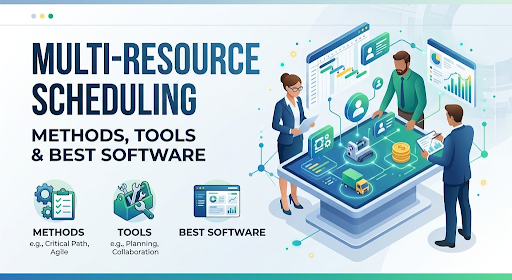
Scheduling one person is easy. Scheduling a surgeon, a scrub nurse, an operating room and one piece of imaging equipment for the same ninety minutes is a different sport.
That’s the heart of multi-resource scheduling. The job isn’t finding a free slot on a calendar. It’s finding the slot where everything the work needs is free at the same time: the people with the right skills, the room, the machine, the vehicle, sometimes the materials. Miss one and the whole booking collapses, usually at the worst possible moment.
Most teams start with a shared spreadsheet or a calendar app, and that works until it doesn’t. Then comes the double-booked meeting room, the technician sent to a site without the right equipment, the project that quietly needs the same specialist as three other projects. By then the cost isn’t a few wasted minutes. It’s missed deadlines, idle assets and people who stop trusting the schedule.
This guide explains what multi-resource scheduling is, the concepts and strategies that make it work, what to look for in software, how the main tools compare and how to roll it out without a six-month headache. You’ll get a clear pick at the end.
What Is Multi-Resource Scheduling?
Multi-resource scheduling is the process of analyzing the capacity of everything your work depends on, then assigning work to those resources over time so that each task gets what it needs when it needs it. One 2026 guide describes it plainly: analyze resource capacity, then schedule work based on what the analysis shows.
The word “multi” matters. Single-resource scheduling asks, “When is this person free?” Multi-resource scheduling asks, “When are this person, this room and this machine all free, and is this the right use of them?”
The kinds of resources
People. Employees, contractors, specialists, each with skills, working hours, leave and cost rates.
Equipment. Machines, tools, vehicles, medical devices, lab instruments. These have availability, maintenance windows and sometimes setup or cleaning time.
Facilities. Rooms, bays, studios, courts, desks, operating theaters.
Materials and capacity. Stock, bandwidth or throughput that gets used up or limited by volume.
Tools built for this problem treat equipment and facilities as first-class resources with their own availability, instead of squeezing them into a people calendar. That distinction is one of the clearest dividing lines between basic and serious scheduling software.
Why It’s Hard
Four things make multi-resource scheduling harder than it looks.
Constraints multiply. Every extra resource adds its own rules. A technician needs a certification, the van needs servicing and the client site is only open mornings. Each constraint shrinks the set of valid slots.
Dependencies chain together. Task B can’t start until task A finishes, and both need the same specialist. Delay one and a ripple spreads.
Demand and capacity shift. Someone calls in sick, a machine breaks, a rush job arrives. A plan that was perfect on Monday is wrong by Wednesday.
Priorities collide. Projects compete for the same people. Without a clear rule, whoever shouts loudest wins, which is rarely the highest-value work.
A good scheduling process, and good software, makes those collisions visible early instead of discovering them on the day.
Multi-Resource, Single-Resource and Multi-Project Scheduling
Three terms get mixed up constantly, so here is the difference.
| Term | Question it answers | Scope |
| Single-resource scheduling | Is this one person or asset free? | One resource, one task |
| Multi-resource scheduling | Are all the inputs this task needs free at the same time? | Many resources per task or phase |
| Multi-project scheduling | Can shared resources cover all active projects without overload? | Portfolio level |
Most real operations need all three. A hospital needs surgeon, room and equipment aligned for one procedure (multi-resource) and has to share the same surgeons across a week of procedures (multi-project). If a tool only does the first, you’ll feel the gap the first time two projects want the same specialist.
Five Types of Scheduling Problems
Different businesses are constrained by different things, and the right method depends on which constraint is fixed.
Resource-constrained. Capacity is limited and hard to expand, so dates flex. Common where specialists are scarce.
Time-constrained. The deadline is fixed, so resources flex: overtime, extra crews, reprioritized work. Common with regulatory or contractual dates.
Skill-based. Expertise matters more than raw availability. A free junior can’t replace a certified specialist.
Multi-project. Shared people and assets are spread across concurrent projects, and the goal is to prevent overload at portfolio level.
Equipment plus people. Work only moves when both align, as in construction, labs, field service and clinics. Equipment is usually the harder constraint to flex, so schedule it as fixed blocks first.
Related Reading on Software Cora
Techniques Experienced Teams Use
Level intensity, not just hours. Ten hours of routine work is not the same as ten hours of complex design decisions. Avoid stacking deep-thinking tasks for the same specialist in the same week, even if the hour counts look fine.
Use a heat map to spot clusters. Look 8 to 12 weeks ahead. Overload rarely comes from one surprise. It usually comes from several projects hitting their busiest phase at once. Once you see the cluster, you can stagger the starts.
Put buffers where dependencies are dense. A single buffer at the end of a project protects the finish date but doesn’t stop mid-project ripples. Small buffers before integration, between build and review and around approval steps work better.
Re-check the critical path weekly. The task that would hurt most if it slipped two days changes as work unfolds. Ask the question every week during active phases.
Decide priority rules before the squeeze. Which job protects revenue? Which carries a penalty? Which client matters most? Settle that in advance so conflicts don’t become arguments.
Feed real data back in. If integration steps keep running 15 to 20% over estimate, widen future windows. Plans should learn from what actually happened.
Scheduling and Time Tracking: Close the Loop
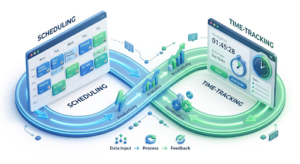
Scheduling says how work should unfold. Time tracking shows how it actually unfolded. Kept apart, plans drift toward optimism and history never corrects the future.
Connected, they form a feedback loop. Actual effort per task reveals which phases always overrun, which roles quietly absorb coordination work and where your capacity numbers are too generous. A consultant “allocated at 70%” is really at 100% if tasks consistently take longer than planned.
If you track billable work, this is also where utilization and margin become visible. For equipment-heavy operations, the equivalent is logging actual usage and downtime against the booking.
Core Concepts You Need to Know
These terms show up in every serious tool, so it’s worth learning them once.
Capacity. How much work a resource can actually do in a period, after leave, meetings, maintenance and setup. Not the same as hours in a day.
Utilization. The share of available capacity that’s booked. Too low means idle assets. Too high means no room for surprises. Many teams aim for a deliberate buffer rather than 100%.
Conflict. Two bookings competing for the same resource at the same time. Good software prevents or flags these automatically.
Resource leveling. Adjusting the schedule, often by moving start dates, so no resource is over-allocated. It can push the finish date out.
Resource smoothing. Rearranging work within existing slack so peaks flatten without changing the end date.
Skills and qualifications. Matching tasks to resources that can actually do them, not just resources that happen to be free.
Lead time and buffers. Time added between bookings for travel, setup, cleaning or handover.
Forecast load. A view of future demand against future capacity, so you can see overloads weeks before they hit.
Strategies That Work
1. Start from demand, not from the calendar
List the work coming in, what each job needs and by when. Then compare it with real capacity. Teams that start from the calendar schedule whatever’s easy. Teams that start from demand schedule what matters.
2. Model every resource that can block you
If a job can be delayed by an unavailable van or a single certified inspector, that resource belongs in the system. If it’s not in the schedule, it will cause a surprise.
3. Schedule the scarce resource first
Find your bottleneck, the one resource everyone waits for, and plan around it. Fill its time with the highest-value work and let other resources flex around it.
4. Build in buffers on purpose
A schedule with zero slack looks efficient and breaks on contact with reality. Add buffers for travel, setup and overruns, and protect them.
5. Set clear priority rules
Decide in advance how conflicts get resolved. By deadline? Customer tier? Revenue? Written rules beat hallway arguments.
6. Review forecast load every week
Look at the next four to eight weeks, not just tomorrow. Overloads are cheapest to fix while they’re still weeks away.
7. Let people see their own schedule
A schedule nobody can see is a schedule nobody follows. Give each person access on mobile, and make changes visible instantly.
8. Measure and adjust
Track what actually happened against the plan. The gap is your most valuable data.
Where Multi-Resource Scheduling Shows Up
Healthcare and clinics. Clinicians, rooms and diagnostic equipment must line up, with cleaning time between patients.
Field services and trades. Technicians, vehicles and parts, plus travel time between jobs.
Construction. Crews, cranes, inspections and site access, all with dependencies.
Professional services and agencies. Specialists spread across several client projects, with billable targets.
Film, events and production. Crews, studios, gear and locations, often booked weeks ahead.
Education and labs. Instructors, classrooms, lab instruments and student groups.
Manufacturing. Machines, operators, tooling and materials with changeovers.
Hospitality. Staff, rooms, spas and venues. If you run hotels, our guide to hospitality software and revenue management in France covers the property-side tools.
A Worked Example (Hypothetical)
Imagine a small physiotherapy clinic with three therapists, two treatment rooms and one shared ultrasound machine. A new patient wants a 45-minute session that needs a therapist with sports-injury training, a treatment room and the ultrasound unit.
A calendar app shows that Therapist A is free at 10:00 and Room 1 is free at 10:00. It books the session. But the ultrasound machine is already in Room 2 with another patient until 10:30, and Room 2 needs ten minutes of cleaning afterward. The booking looks fine and fails in practice.
A multi-resource scheduler checks all the requirements together: the qualified therapist, a free room, the machine and the cleaning buffer. It finds the first slot where every piece lines up, say 10:45, or it offers a different time with a different therapist. It also warns you that the ultrasound unit is booked at 85% of capacity this week, which tells you whether a second unit is worth buying.
That last detail is the quiet payoff. Scheduling data turns into capacity decisions.
What to Look For in Multi-Resource Scheduling Software
Support for multiple resource types. People, equipment, rooms and vehicles as distinct resources with their own availability.
Visual scheduling. Drag-and-drop boards or timelines so you can see conflicts and move work fast.
Conflict detection. Automatic warnings when a booking exceeds capacity or double-books a resource.
Capacity and forecast views. Heatmaps or load graphs that show over- and under-allocation ahead of time.
Skills matching. The ability to assign by qualification, not just availability.
Multi-project support. If resources are shared across projects, you need a portfolio view and priority controls.
Integrations. Calendars, project tools, HR and payroll, accounting and communication tools. Scheduling in a silo creates duplicate work.
Reporting. Utilization, schedule adherence, billable hours and bottleneck analysis.
Mobile access and notifications. Field teams and busy managers need updates on the go.
Pricing that scales. Check whether you pay per user, per resource or per module, and what happens as you grow.
The Software Compared
This table summarizes how each product is generally positioned in 2026 coverage. Prices and features change often, so verify with each vendor.
| Tool | Best for | Standout strength | Indicative price | Watch out for |
| Ganttic | Teams scheduling people, equipment and projects together | Visual multi-resource board with native support for non-human resources | From about $25 per month in one 2026 roundup | Interface favors planners more than casual users |
| Resource Guru | Scheduling-first teams wanting simplicity | Clean drag-and-drop booking, availability and capacity planning | Check vendor | Lighter on complex project dependencies |
| eResource Scheduler | Shared resource pools across many projects | Heatmap-style capacity visibility | Check vendor | Broader portfolio features may be more than small teams need |
| Epicflow | Complex multi-project environments with shared specialists | Future load forecasting and portfolio planning | Quote-based | Heavy for simple scheduling needs |
| Kantata | Professional services with billable work | Scheduling linked to project accounting and invoicing | Quote-based | Overkill if you don’t bill by time |
| Forecast | Dependency-heavy projects | AI-assisted scheduling and allocation | Check vendor | AI claims worth testing on your data |
| LiquidPlanner | Projects with uncertain timelines | Predictive scheduling that adjusts to availability | Check vendor | Learning curve on predictive features |
| Rocketlane | Professional services and implementation teams | Scheduling, time tracking and project financials in one delivery platform | Listed at $49 per user per month (Standard) and $69 (Premium), billed annually, minimum 5 users | Built for client-project delivery, not bookings of rooms or equipment |
| Jira and PM tools (Asana, Monday.com, Wrike, Trello) | Teams already living in project management | Planning inside the work tool you use daily | Varies | Basic resource features; limited equipment and room modeling |
Ganttic
Ganttic is described in a 2026 roundup as resource planning software built for teams that schedule more than just people. Its pitch is a single visual board covering people, equipment and projects, and if your scheduling spans machines, rooms and staff at once, that’s where multi-resource scheduling gets first-class treatment. One roundup lists it from about $25 per month and rates it 4.0 out of 5.
Pick it if: you schedule equipment and facilities alongside staff and want one visual view. Skip it if: you only schedule people and want the simplest possible booking tool.
Resource Guru
Resource Guru is repeatedly named as the straightforward choice for scheduling-first teams: fast drag-and-drop booking, availability tracking and capacity planning, with timesheets in some plans. It suits teams managing several projects at once without wanting a heavy project suite.
Pick it if: you want clean, quick scheduling with minimal setup. Skip it if: you need deep dependency modeling or financial controls.
eResource Scheduler
eResource Scheduler is positioned for multi-project shared resource pools, with heatmap-based capacity visibility and broader project portfolio features.
Pick it if: the same people and assets are fought over by many projects and you need portfolio-level visibility. Skip it if: you have a small team with a handful of bookings.
Epicflow
Epicflow is AI-powered resource management and scheduling software aimed at organizations delivering complex, high-stakes projects with shared specialists. Its features include dynamic multi-project scheduling, a future load forecast that predicts bottlenecks and a portfolio planning tool. A caution: most of the favorable language about Epicflow comes from its own material, so ask for a pilot.
Pick it if: you run many parallel projects and shared specialists are your bottleneck. Skip it if: your scheduling is mostly bookings rather than project portfolios.
Kantata
Kantata links resource scheduling to project accounting and invoicing, which suits professional services firms where utilization and billing are the same conversation.
Pick it if: you bill clients for time and need scheduling tied to finance. Skip it if: you don’t bill by the hour.
Forecast and LiquidPlanner
Forecast leans on AI-assisted scheduling for complex, dependency-heavy projects. LiquidPlanner uses predictive scheduling that adjusts as availability changes, which helps when timelines are uncertain. Both are worth a trial if your projects behave less like bookings and more like evolving plans.
Rocketlane
Rocketlane is a professional services automation platform aimed at teams that deliver client projects, such as software implementations. It combines project plans, skill-aware resource assignment, time tracking and project financials, and it markets AI agents for scheduling and risk monitoring. Its pricing page lists Standard at $49 and Premium at $69 per team member per month, billed annually with a five-member minimum, plus custom Enterprise pricing. It also claims strong customer results, but those figures come from the vendor, so ask for references.
Pick it if: you run billable client projects with shared consultants and want scheduling tied to time tracking and margin. Skip it if: your resources are rooms, vehicles or machines, or you mostly take bookings.
Project Management Tools
Jira, Asana, Monday.com, Wrike and Trello can handle basic resource planning inside a project context. They’re convenient if your team already uses them, but they tend to model people well and equipment and rooms poorly. Use them when your resources are almost entirely people. For broader productivity tooling, see our Productivity Software guides.
Related Reading on Software Cora
Calendar, Spreadsheet or Software?
A spreadsheet or shared calendar works when you have a few resources, simple rules and one person who owns the schedule. It breaks when two people edit at once, when constraints multiply or when you need to answer “can we take this job next month?” quickly.
Dedicated software earns its place when you have dozens of bookings a week, several resource types, skill requirements or dependencies, or when scheduling mistakes cost real money.
A good trigger: if you’ve double-booked something expensive twice in a quarter, or your scheduler is the only person who understands the system, move.
How to Roll Out Multi-Resource Scheduling in 60 Days
Weeks 1 to 2: map your resources and rules. List every resource type, who owns it, its availability, setup time and constraints. Write down your priority rules for conflicts.
Weeks 2 to 3: clean your data. Standardize resource names, skills and calendars. If the same room or technician appears under three names, the tool will struggle. Our piece on normalizing messy brand data shows how naming drift causes trouble in any system.
Weeks 3 to 4: pilot with one team. Pick a team with real complexity but friendly people. Load their resources and run live schedules in the tool alongside the old method.
Weeks 5 to 6: connect and train. Link calendars, project tools and communication channels. Train schedulers and the people who receive schedules.
Weeks 7 to 8: expand and measure. Roll out to other teams. Start tracking utilization, conflicts and schedule adherence against your baseline.
Review monthly after that. Scheduling rules drift as your business changes.
Metrics to Track
- Utilization by resource and by team
- Conflict rate: how often bookings clash or get reworked
- Schedule adherence: how often work starts and finishes as planned
- Lead time: from request to scheduled work
- Idle time on expensive assets
- Overtime and rush rates
- Forecast accuracy: planned load versus actual
If you can’t pull these in a few minutes, your scheduling data isn’t ready, and that’s the first thing to fix.
Where the Technology Is Heading
Vendors are adding predictive capacity models that use past time data to forecast pressure before it arrives, smarter conflict alerts that flag risky overlaps and not just double bookings, and AI assistants that suggest who should do what. Some tools now call this “agentic” scheduling, meaning software that watches the plan and prompts people to act.
My take: useful, if you treat it as a smart assistant. The suggestions are only as good as your skills data, time records and priority rules. Test any AI feature on a month of real history before paying extra for it.
Mistakes to Avoid
Scheduling people but not the things they need. The missing van or machine is the usual culprit.
Planning to 100% utilization. No slack means every surprise becomes a missed deadline.
No written priority rules. Conflicts get settled by whoever argues best.
Ignoring setup and travel time. Real capacity is always lower than nominal capacity.
Letting the schedule live in one person’s head. Single points of failure make holidays risky.
Buying heavy software for light needs. A portfolio tool won’t fix a simple booking problem.
Skipping data clean-up. Messy resource and skill data produce unreliable schedules.
Trusting AI scheduling blindly. AI can suggest options, but test its output against reality and keep humans in charge of exceptions. Our AI Software guides cover where it genuinely helps.
The Computing Meaning of Multi-Resource Scheduling
If you arrived looking for the computer-science version, here’s the short orientation. In cloud and high-performance computing, multi-resource scheduling means allocating several resource types, such as CPU, memory, storage and network bandwidth, among competing jobs or users.
A well-known approach is Dominant Resource Fairness (DRF), which looks at each user’s dominant resource, the one they use the largest share of, and aims for fair allocation based on it. Researchers have also studied HPC schedulers that go beyond CPUs, treating things like burst buffers as schedulable resources. One published scheme, BBSched, formulates the problem as a multi-objective optimization and reports performance gains of up to 41% over a naive method in trace-based simulations. Those are research results on specific workloads, not general guarantees.
The business tools in this guide don’t solve that problem, and cluster schedulers don’t solve yours. Same name, different job.
FAQs
What is multi-resource scheduling?
Multi-resource scheduling is planning work against several limited resources at once, such as people, equipment, rooms and vehicles, so every task has what it needs when it needs it. It avoids double-bookings and balances workload across all resources.
What is the best multi-resource scheduling software?
For most teams scheduling people with equipment or rooms, Ganttic is a strong first look because it handles multiple resource types visually. Resource Guru is a simpler alternative, and eResource Scheduler or Epicflow suit shared resources across many projects.
How is it different from project scheduling?
Project scheduling focuses on tasks, dates and dependencies. Multi-resource scheduling focuses on whether the people, equipment and facilities needed for those tasks are actually available. In practice, you need both.
What is the difference between multi-resource and multi-project scheduling?
Multi-resource scheduling coordinates several resource types within a task or phase, such as a technician, a vehicle and a tool. Multi-project scheduling balances shared resources across many projects at portfolio level. Real operations usually need both.
What is resource leveling?
Resource leveling adjusts a schedule, often by moving start dates, so no resource is over-allocated. It can extend the finish date. Resource smoothing flattens peaks using available slack without changing the end date.
Can Excel handle multi-resource scheduling?
For a few resources and simple rules, yes. Once you have many bookings, constraints, several editors or a need for quick what-if answers, spreadsheets become fragile and dedicated software pays off.
How much does scheduling software cost?
It varies. One 2026 roundup lists Ganttic from about $25 per month, while enterprise tools like Epicflow and Kantata quote privately. Check current pricing and whether you pay per user or per resource.
How do I prevent double booking?
Model every resource, use software with automatic conflict detection, set clear booking rules and give people one shared view of the schedule.
What metrics show whether scheduling is working?
Utilization, conflict rate, schedule adherence, lead time, idle time on expensive assets and forecast accuracy.
Can AI schedule multiple resources?
It can suggest schedules and flag risks, and some tools advertise AI-assisted allocation. Test it on your real constraints and keep a human in charge of exceptions.
What does multi-resource scheduling mean in computing?
It means allocating several resource types, like CPU, memory and bandwidth, among competing jobs. Approaches such as Dominant Resource Fairness aim to share those resources fairly.
Final Thought
If I were choosing multi-resource scheduling software for a small or mid-sized business that books people alongside equipment, rooms or vehicles, I’d trial Ganttic and Resource Guru side by side for two weeks, and I’d pick Ganttic if equipment and facilities mattered as much as staff. If I ran many parallel projects fighting over a few specialists, I’d add eResource Scheduler or Epicflow to the trial. If I billed clients by the hour, I’d look at Kantata or, for client implementation work, Rocketlane.
I’d skip heavy portfolio tools for simple booking problems, and I’d skip spreadsheets the moment a double-booking cost real money.
Whichever tool you pick, the real gains come from the habits around it: model every resource, write down your priority rules, keep a buffer and look at next month’s load every week.
Ready to start? List every resource your work depends on, mark the one that causes the most delays and trial two tools against that single bottleneck. For more guides, browse our Productivity Software and Business Software sections, and read choosing business software without overspending before you buy.
Write for SoftwareCora
Share your expertise with SoftwareCora’s audience through a high-quality guest post on AI, SaaS, software, CRM, business technology, or digital marketing.

1 Comment
Pingback: What Is a CTMS? Features, Benefits & How to Choose