

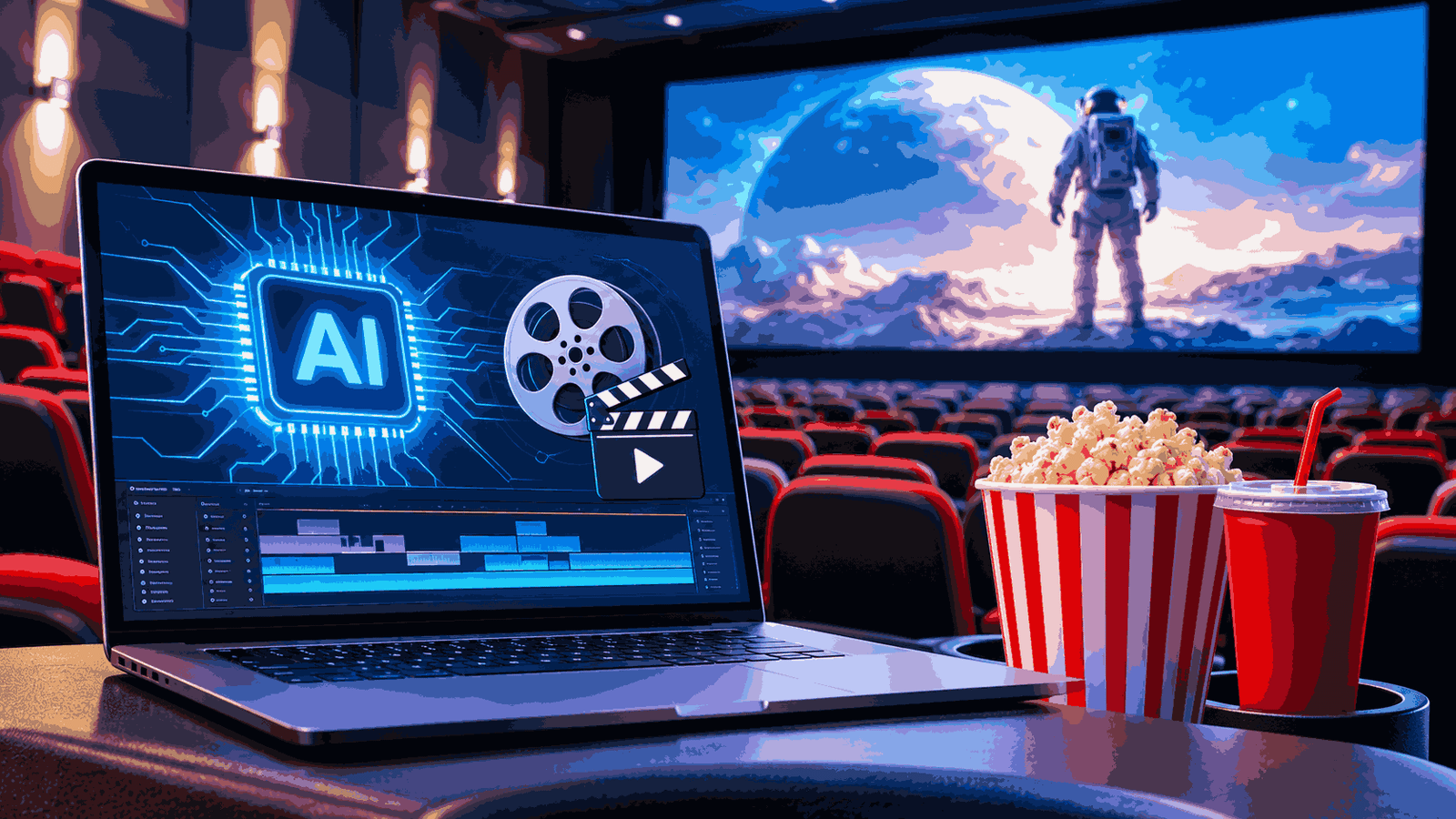
AI can spot a gun on camera. It cannot answer the alert for you.
That is the sentence I wish every theater operator heard before a vendor demo. In the demo, a box appears around a pistol in a test clip, a chime sounds, and the room nods. Nobody asks who is behind the concession counter when the chime goes off, whether that person has ever seen the alert screen, or what they are supposed to do in the next ninety seconds.
This guide is for the stage before you sign anything. It explains what AI gun detection software for movie theaters actually does, how the products differ, which seven things to compare, where accuracy claims get slippery, what the privacy exposure looks like, and how to run a pilot that tells you something true.
It is vendor-neutral on purpose. No product is endorsed here, and none is presented as a guarantee that violence will be prevented. None can honestly be.
The Short Version
If you want the answer before the reasoning:
- Camera-based gun detection finds visible firearms in video. It does not find concealed ones.
- The software produces alerts. People produce the response. Budget for both.
- The most important differences between products are who verifies the alert, where the video is processed, and whether the system touches biometric data.
- SAFETY Act status is worth asking about and easy to misread.
- Test on your own cameras, at your own entrances, in your own busiest hour, before you commit.
The rest of this guide explains each point and tells you how to check it.
What AI Gun Detection Software Actually Does
Strip away the marketing and a weapons detection system does one narrow thing: it examines a stream of data and flags something that looks like a firearm for a human to check.
Most gun detection software works on video. A computer vision model, trained on large sets of labeled images, looks at frames from your IP cameras and estimates whether an object resembles a handgun or long gun. When its confidence passes a threshold, it raises an alert, usually with a still image or short clip, and sends it to a person or a platform.
Two words carry the weight in that description: visible and human.
Visible, because a camera cannot detect what the lens cannot see. A pistol in a waistband, a firearm in a zipped bag, a weapon held low and angled away from the camera: all of these sit outside what video analytics can claim. Human, because the output is a recommendation. Someone must look, decide, and act.
I describe it to operators as a fast, tireless junior observer. It never gets bored watching lobby cameras at 11 p.m. It also has no judgment, no context, and a habit of mistaking a black phone case held at a strange angle for something far worse.
Read More Article
- Cloud Security Tips: Simple Ways to Keep Your Data Safe
-
Zanus AI Voice Agent: What It Does, What to Check Before Buying
How It Works: Cameras, Models and Alerts
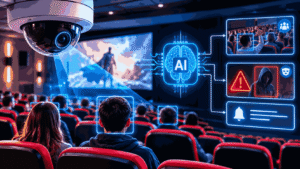
The pipeline has four parts, and a weakness in any one is a weakness in the whole.
Capture. IP cameras record the scene. Resolution, mounting height, angle, lens and lighting matter more than most buyers expect. A model that performs well on clean daytime footage can struggle with a backlit entrance at sunset.
Inference. The object detection model scores candidate objects in each frame, either on a device at your site or on remote servers.
Alerting. If a score crosses the threshold, the system raises an alert. The threshold is a dial, not a fact. Set it sensitive and you catch more real events and drown in false ones. Set it conservative and the reverse happens.
Verification and response. A trained person confirms or dismisses the alert, and a written protocol governs what follows.
Edge vs Cloud Processing
Edge processing runs the model on hardware at your site, inside a camera or on a local server or rack appliance. Latency is low, video can stay inside your network, and detection can keep running if your internet drops. The costs are rack space, power, and someone responsible for maintaining the hardware.
Cloud processing sends video or frames to remote servers. Deployment is simpler and updates are easier to roll out. In exchange you take on bandwidth demands, an internet dependency, and a harder conversation about where footage is stored, who can see it, and for how long.
Some platforms split the work: detection on-site, a second check in the cloud. Neither design is automatically better. A single-screen independent cinema with a thin connection may prefer edge. A regional chain with a central security operations center (SOC) may prefer cloud management with edge detection at each site. Ask for a data-flow diagram in writing before the pricing conversation.
Existing CCTV vs New Hardware
Vendors often say their software works with the cameras you already have. Sometimes true. Often the honest version is “some of them, in certain positions.”
An older 1080p camera high over a wide lobby may be fine for general monitoring and useless for spotting an object the size of a hand at distance. Detection needs enough pixels on the target, a workable frame rate, and a clear angle. Have the vendor test your actual camera feeds at your actual entrances, and confirm compatibility with your video management system (VMS) and what integration or API work is involved.
Single-Threat vs Multi-Threat Analytics
Some products only detect firearms. Others run several analytics on the same cameras: knives, fights, loitering, unauthorized access, crowd density, perimeter breaches, smoke, even falls and slip hazards. The pitch is that one integration covers many use cases.
For a cinema, a few of these are genuinely useful. Perimeter and exit-door monitoring helps with propped doors and unauthorized entry. Crowd monitoring at the lobby during a sold-out opening has operational value. A fall in the dark near stairs is a liability event, not only a security one.
The trade-offs are real, though.
- More models, more alerts. Every added detection type is another source of false positives competing for the same staff attention.
- More data, more privacy surface. Tracking people across multiple cameras, even without identifying them, changes your legal and reputational position.
- Pricing structure. Ask whether additional detections are included or billed separately, and whether new models are added automatically or need testing first.
- Focus. A system tuned for six jobs may do the first one less well than a specialist. Test the firearm detection on its own merits.
Knife detection, offered by some vendors, deserves the same skepticism as firearm detection and more: knives are smaller, more varied, and far more common as harmless objects.
Camera-Based Analytics vs Scanners vs Metal Detectors
“AI weapon detection” describes several very different things, and the confusion costs buyers money.
| Approach | Best for | How it detects | Relative cost | Main limitation |
|---|---|---|---|---|
| Camera-based AI video analytics | Continuous monitoring of entrances, lobbies, exterior | Computer vision flags a visible firearm in video | Moderate; depends on camera reuse, licensing, monitoring | Cannot see concealed weapons; depends heavily on camera placement and lighting |
| AI-enabled screening portals | Controlled entry points | Sensors detect metallic or other signatures; software classifies them | Higher; hardware, staffing, lane space | Throughput at peak times; performance claims need independent verification |
| Walk-through metal detectors | Fixed checkpoints | Electromagnetic detection of metal | Lower to moderate | Cannot tell a gun from keys; staffing and queues |
| Handheld wands | Secondary screening | Same principle, close range | Low | Slow, intrusive, staff-dependent |
| X-ray bag screening | Venues with bag checks | Imaging of bag contents | Moderate to high | Needs trained operators; slows entry |
| Bag policy plus staff observation | Smaller venues, lower-risk shows | Human judgment at ticket check | Low | Inconsistent; depends on training |
Relative cost is directional. Real figures vary by vendor, venue and contract. Get written quotes rather than trusting a range from any article, including this one.
Two points the table cannot show.
First, “AI” on a screening portal does not mean the system is detecting guns specifically. In November 2024 the Federal Trade Commission announced action against a weapons-screening vendor, alleging unsupported claims about detection ability, false alarm rates and performance compared with metal detectors. The proposed order restricted the company from making such claims without evidence. The FTC’s public announcement is worth reading before any vendor meeting because it tells you which questions regulators consider legitimate.
Second, camera analytics and physical screening are not substitutes. They cover different moments, different guests and different failure modes. For a deeper side-by-side, see AI weapon detection vs metal detectors.
Where It Fits in a Cinema
Cinemas are awkward environments, and a guide written for schools or stadiums will miss most of this.
Entrances and lobby. This is where camera analytics is most defensible. Guests arrive in a funnel and slow down at the box office and ticket check. Mount cameras at face-and-torso height with a clear line to the door, not only as ceiling domes.
Auditorium doors. Ticket-checkers and door cameras give a second look point. Dark interiors defeat most video models, so do not expect meaningful analytics inside a dimmed auditorium.
Concession area. Crowded, reflective, full of objects held at odd angles. Expect more false alerts here than at a quiet side door.
Parking lot and exits. Exterior cameras add early warning, but weather, headlights and distance make detection harder, and the legal footprint grows because you may be capturing people who never enter.
Peak periods. Opening weekends and late shows are when staffing is thinnest relative to the crowd. A system that works on a Tuesday matinee proves very little about Friday at 9 p.m.
Audience mix. Family showings, teen groups and birthday parties change what normal looks like, and they change how a false alarm lands. A staff member confronting the wrong guest in front of children is a bad outcome even when the technology is “working.”
Staffing reality. Cinema teams skew young and turn over frequently. Whatever you deploy has to survive a training cycle every few months, which means the alert screen and the response steps must be simple enough for a new shift lead to learn in an hour.
A hypothetical, labeled as such: picture a multiplex that installs scanning at the main entrance only. Guests with large bags start using the side exit doors to get in. The checkpoint did what it was designed to do, and the side door became the weak point. Layout and flow decide whether technology helps. A site walk finds those gaps faster than a brochure does.
Seven Things to Compare Before You Buy

Vendor roundups tend to rank products. Rankings age fast and are often published by the vendors themselves, so I would rather give you the dimensions to compare. Use them for every vendor, in writing.
1. SAFETY Act Status
Ask whether the specific product holds a DHS SAFETY Act designation, at what tier, and with what dates. The next section explains how to read the answer.
2. Detection Scope
Firearms only, or firearms plus other analytics? Does it include knife detection? Which detections are generally available and which are in limited release? A feature announced is not a feature deployed.
3. Verification Model
This decides your latency, your staffing, and where responsibility sits. There are four common patterns:
- Vendor-monitored SOC. The vendor’s operators review each detection before you are notified. Pros: fewer false alerts reach you, and you need less in-house staffing. Cons: added time between detection and notification, dependence on the vendor’s staffing and queue depth, and an extra party viewing your video.
- Customer-managed. Alerts go to your team, who verify. Pros: control, and typically faster delivery to the people on site. Cons: you must staff every show and train for it.
- Direct alerts with no human review. Fastest and cheapest, and the most exposed to false alarms. Rarely appropriate on its own in a public venue.
- Hybrid. You choose per site or per shift, or route to a third-party monitoring center. More flexible and more complex to manage.
Whatever the vendor’s claim for alert speed, ask how it was measured, from which moment to which moment, and under what load.
4. Integration Ecosystem
The value of an alert depends on where it goes. Ask about:
- your VMS, so alerts and clips appear where your team already works;
- emergency dispatch data platforms, which can pass location and imagery to 911 centers (and what your own procedures say about who triggers that);
- mass notification, so staff and guests can be told what to do;
- access control, if you want doors to lock or unlock as part of a plan;
- an open API for logging alerts in your own incident system.
Automation sounds attractive. Automatic door lockdowns tied to an unverified alert are a different risk profile from automatic notifications to a trained verifier. Decide what is automatic and what is human before you buy.
5. Privacy Architecture
Does the system identify objects only, or does it also identify or profile people? Does any facial recognition or biometric matching exist, even as an optional module? How is cross-camera tracking done, and on what visual features? What is retained, for how long, and who can access it? Security attestations such as SOC 2 or ISO 27001 show how the vendor manages its own information security. They do not replace your own privacy review.
6. Processing Location
Edge, cloud, or both, with the consequences covered above: bandwidth, resilience, data governance, hardware to host.
7. Deployment Requirements
Camera compatibility, network changes, rack space, power, installation time, ongoing maintenance, and who does the work. Ask for a realistic timeline for one site, and what has to be true on your side for the vendor to hit it.
Read More Article
- Project Management Software for Safety Engineering Consultancy
-
API Testing Strategies: 9 Moves That Catch Bugs Before Your Users Do
Reading SAFETY Act Claims Correctly
The Support Anti-terrorism by Fostering Effective Technologies (SAFETY) Act of 2002 lets the Department of Homeland Security designate qualified anti-terrorism technologies and offers certain liability protections to sellers and, in some cases, their customers. You will hear about three tiers:
- Developmental Testing and Evaluation (DT&E) designation: a preliminary tier for technologies still being evaluated.
- Designation: recognizes a qualified anti-terrorism technology (QATT) and places it on DHS’s list of approved technologies.
- Certification: a higher tier, available to technologies that already hold designation, with additional protections.
Here is what the badge does not mean.
It does not certify accuracy. DHS reviews a technology’s anti-terrorism effectiveness and the seller’s insurance and quality processes. It does not promise the system will catch every weapon, and it does not mean the false alarm rate is low.
It does not cover your own failures. If you skipped training, ignored alerts or had no protocol, protections that apply to the seller do not become protections for you.
It is specific. Approval attaches to a defined product, version and use, for a stated period. A vendor’s newer product, or a different configuration, may sit outside it.
It depends on the event. The protections apply to claims arising from an act that the Secretary of Homeland Security determines to be an act of terrorism. That is not automatic for every shooting.
My advice: ask for the designation documentation, check the effective dates on DHS’s approved technologies list at safetyact.gov, confirm the exact product named, and have counsel and your insurance broker read it. Treat it as one signal among several, and not as a substitute for the other six dimensions.
Accuracy, False Positives and False Negatives
This is the section vendors like least, so it gets the most space here.
A false positive is an alert on something that is not a weapon: a phone, prop, toy, camera, flashlight. A false negative is a real weapon the system does not flag. Every system has both. The question is how many, in your environment, at your threshold.
Published accuracy is not your accuracy. A figure measured on a curated test set, in good light, with an unobstructed weapon, tells you little about your lobby at 9 p.m. When a vendor quotes a number, ask for the test conditions, the dataset, who ran the test, whether it was independent, and what the false alert rate was at the same threshold. A detection rate without a false alarm rate is half a statement.
Claims about speed and range deserve the same test. You will see alert times quoted in seconds and detection distances tied to camera resolution. They are only meaningful if you know where the timer starts and stops, and what camera, lens and lighting were used. Ask to measure them yourself at your entrances.
False positives have a cost you can feel. Each one pulls a staff member off the floor, risks an awkward confrontation with an innocent guest, and trains your team to distrust the system. Here is a composite pattern I have heard from operations managers: the dangerous moment for a detection system is not the first week. It is month three, when the team has learned to dismiss the chime.
False negatives are worse and harder to measure. You rarely learn about them until something goes wrong, which is why you want independent testing and a pilot rather than faith.
Concealment is the structural gap. Camera-based AI cannot see weapons under clothing, in bags or in vehicles. If concealed weapons are your concern at a controlled entry point, physical screening is a separate layer, with its own limits and its own guest friction.
Models and environments drift. New carpet, new lighting, a replaced camera, a seasonal lobby display: any of these can change performance. Ask how the vendor monitors accuracy after deployment and how updates are tested before they reach your site.
For governance, the NIST AI Risk Management Framework (AI RMF 1.0, published January 2023) gives a useful structure: govern, map, measure and manage AI risk. It is voluntary, and its questions are the right ones to put to a vendor. Our guide on false positives in AI weapon detection covers tuning and measurement in more depth.
Privacy, Biometric and Legal Considerations

Software that looks for objects and software that looks for people sit in different legal territory. Know which one you are buying.
Facial recognition and biometrics. Some security platforms bundle face matching with weapon detection or sell it as an add-on. Many operators do not want it and do not realize it exists. Ask directly, and get the answer in the contract. Biometric privacy laws, including the Illinois Biometric Information Privacy Act, impose consent and retention requirements and have produced significant litigation. Various cities and states restrict or regulate facial recognition, and the landscape keeps moving.
“Non-biometric” tracking. Some systems follow a person across cameras using clothing, build or movement rather than a face. Vendors often present this as privacy-safe. Whether a regulator or court agrees depends on the jurisdiction and the facts, so ask counsel and ask the vendor what features the tracking relies on.
General privacy law. Depending on where you operate and whose data you hold, laws such as California’s CCPA/CPRA or Europe’s GDPR may apply to guest video and any personal data your analytics create. Rules on notice, purpose, retention and access differ.
Signage and notification. Tell guests that video analytics is in use, in plain language, in a visible place. Check local requirements for wording and placement.
Retention. Decide how long alert clips and ordinary footage are kept, who can view them, and how they are deleted. A short written schedule reduces exposure.
ADA and guest access. Any physical checkpoint or secondary screening has to account for guests with disabilities, medical devices and service animals. Confirm your obligations with counsel before you design one.
I am not a lawyer, and none of this is legal advice. It is a list of topics to put in front of your counsel before vendor selection, not after. The longer treatment is in privacy and legal issues of AI video analytics.
From Alert to Action: The Response Workflow
Back to the opening. Detection is the cheaper half of the problem. Response is where theaters succeed or fail.
An alert-to-action workflow should answer six questions in writing:
- Who receives the alert? A named role on every shift, including nights and weekends.
- Who verifies, and how fast? A trained person reviews the clip. Set a target time and test it.
- What are the outcomes of verification? Confirm, dismiss, or escalate. “Use judgment” is not a procedure.
- If confirmed, what happens? Law enforcement notification, guest and staff protection actions, internal communication, and who is authorized to decide.
- If dismissed, what is logged? Every alert, true or false, goes in an incident log with a reason. That log is how you tune the system later.
- Who does not engage? Most theater staff should not approach a suspected armed person. The protocol should say who acts and who explicitly does not.
NFPA 3000, the standard for an active shooter and hostile event response (ASHER) program, treats this as a whole-community effort covering planning, response and recovery, coordinated with law enforcement, fire and EMS. Check the current edition before citing it in a policy. CISA publishes free guidance on active assailant preparedness and security of soft targets and crowded places that applies directly to cinemas. ASIS International maintains standards and guidelines on workplace violence and active assailant prevention and response; verify the current titles and versions.
If you read one section of this article, make it this one. An alert nobody is trained to act on is noise. I would take an average detection tool and an excellent response plan over the reverse, every time. For a template, see staff response protocol for a weapon alert.
Staff Training and Human Verification
The Alert Verification Step
The verifier is the most important role in the system and the least glamorous. They must be able to look at a still or short clip and decide quickly. They need to know what common false triggers look like in your own building. And they need permission to dismiss, because a culture that punishes over-dismissal and under-dismissal equally produces hesitation.
If you use a vendor monitoring service, ask who the operators are, what training they get, how many sites each watches at once, and what response time is contractual. If you verify in-house, someone has to be present for every show. That staffing cost rarely appears in a proposal.
Tabletop Exercise Format
A tabletop does not need to be elaborate. A workable hour looks like this:
- Gather the general manager, a shift lead, the person who handles alerts and, if possible, a local law enforcement contact.
- Present a short, realistic scenario: an alert fires at the main entrance at 8:45 p.m. on a busy Saturday, with only the information the screen would show.
- Walk through decisions step by step. Who sees it? What do they do? Who do they call? What do ushers hear, and when?
- Write down every point where the room hesitates or disagrees. Those are your gaps.
- Fix the plan, then repeat in a quarter.
Keep scenarios plain and respectful. You are testing a process, not rehearsing a tragedy.
Can AI Replace Security Guards?
No, and a good vendor will say so. Software extends what a small team can watch. It cannot de-escalate a tense conversation at the ticket stand, notice that something feels off about a guest’s behavior, or make a judgment call. It adds to your security posture. It does not stand in for people.
Cost and Total Cost of Ownership
I am deliberately not quoting prices. They vary widely by vendor, venue size and contract structure, and any number here would be stale or invented. What I can do is show you where the money hides.
- Software licensing. Per camera, per site, per month, or per detection type. Ask what happens to the price when you add cameras, screens or analytics.
- Hardware. New cameras, edge servers or rack appliances, network upgrades, power. If you were told existing cameras would work, find out what that means in practice.
- Bandwidth. Cloud processing and cloud clip storage can add ongoing network load.
- Integration. VMS connections, alert routing, access control links, any custom API work.
- Monitoring and verification. Vendor-run subscriptions or in-house staff time. Both recur.
- Training and drills. Initial and ongoing, including refreshers when staff turn over.
- Maintenance and updates. Camera cleaning, firmware, model updates, support contracts.
- Legal and compliance. Counsel review, signage, retention infrastructure.
- Guest friction. Harder to price. Slow entry or awkward secondary screening costs goodwill and, at the margin, attendance.
- Insurance. Some underwriters ask about security measures, and a documented, trained program may be viewed more favorably than technology alone. Ask your broker what changes, if anything. Do not assume a discount.
Contract terms matter as much as price. Look for the pilot-to-contract path, the term length, auto-renewal, price escalators, data ownership and deletion on exit, and a clear right to cancel if the system does not meet agreed performance. The FTC’s 2024 action over unsupported weapons-detection claims included provisions allowing certain customers to exit contracts, which tells you how seriously regulators view the gap between marketing and performance.
Choosing by Theater Type and Budget
There is no universal answer, but there is a sensible way to approach it.
Single-site independent cinema. Budget and staffing are the limits. Start with what costs little and pays off: a clear bag policy, trained ticket-checkers, a written response plan, a tabletop, a relationship with local law enforcement, and an audit of camera coverage at entrances. If you add AI video analytics, begin with a limited pilot at the main entrance, and consider edge processing if your bandwidth is modest.
Regional chain. You have the scale to justify central monitoring and standard procedures. The risk is inconsistency: one location trained, another not. Pilot at two or three sites with different layouts before wider rollout, and insist on one central incident log.
Large multiplex or premium venue. Peak crowds, multiple entrances and a bigger profile may justify layered measures, such as physical screening at controlled entrances alongside camera analytics. Plan lane capacity carefully, because a screening queue on opening night is a safety and reputation issue of its own.
Venues with a verification gap. If you cannot staff a verifier for every show, a vendor-monitored model may suit you better, accepting the latency trade-off. If you have a central SOC already, customer-managed alerts may be faster and cheaper.
Venues that care most about concealed weapons. Camera analytics alone will not meet that need. Look at physical screening, and be honest about throughput.
Whatever your size, be skeptical of any recommendation that starts with a product and not with a site walk.
How to Evaluate Vendors and Run a Pilot
A Note on Comparison Pages
Many “best AI gun detection systems” pages are published by vendors that appear in their own rankings. That does not make the information false. It does mean superlatives, “only platform” claims, and unsourced numbers should be treated as marketing until you verify them. Ask each vendor for customer references in your own industry vertical, ideally entertainment or large-venue hospitality, who will confirm the detection capabilities are working in their environment.
Vendor Question List
Bring these to every demo. Vendors who answer plainly deserve another meeting.
- What exactly does the system detect, and what can it not detect?
- What accuracy data exists, who produced it, and was any of it independent?
- What are the false alert rates at the default threshold, in venues like mine?
- How is alert speed measured, and what does it look like during peak load?
- Does it perform any facial recognition or biometric identification, even optionally?
- If it tracks people across cameras, what features does it use?
- Where is video processed and stored, and for how long?
- Which cameras and VMS platforms does it support, and can you test my feeds?
- Who verifies alerts, how fast, and what is contractually guaranteed?
- Which detections are generally available and which are in limited release?
- Does the product hold a DHS SAFETY Act designation, for which exact product and version, and with what effective dates?
- What security attestations does the company hold, and can I see them?
- How do I exit the contract if the pilot fails, and what happens to my data?
Running the Pilot
A pilot is how you find out whether the product works in your building. Run it like an experiment.
- Write the success criteria first. Before the pilot begins, put in writing what counts as success: alerts per week, acceptable false alert rate, verification time, staff confidence, guest complaints. You and the vendor both sign it.
- Pick the scope. One or two locations, specific entrances, defined hours that include a busy period.
- Establish a baseline. What does your current process miss or cost? Without a baseline, any result looks like progress.
- Run in shadow mode first, if possible. Let the system generate alerts that staff review without acting on, so you can measure false alerts before the system affects guests.
- Log everything. Every alert, who handled it, how long it took, whether it was valid.
- Test the response, not just the detection. Run at least one tabletop and one live-process drill during the pilot.
- Review honestly. Compare results to the criteria. If the system fell short, a clean exit is a good outcome and not a failure.
See how to run a pilot and evaluate vendors for the full walkthrough.
Common Mistakes
Buying the technology before the plan. The most common mistake and the most expensive.
Trusting a headline accuracy number. Ask what it was measured on.
Reading the SAFETY Act badge as an accuracy guarantee. It is not one.
Skipping the site walk. Camera angles, lighting, door flow and queue space decide results.
Ignoring guest experience. A checkpoint that creates a sixty-person line before a blockbuster will not be tolerated for long.
Assuming privacy is the vendor’s problem. If it is your venue and your cameras, a share of the exposure is yours.
Letting alerts pile up. Unreviewed alerts are worse than none. Every alert needs an owner.
Never rehearsing. A plan that has never been practiced is a document, not a capability.
Treating the purchase as the finish line. Models, staff and buildings change. Review quarterly.
Standards and Frameworks Worth Knowing
A short, practical list. Verify the current version of anything before you cite it in a policy.
- NFPA 3000 (Standard for an Active Shooter/Hostile Event Response Program): a framework for planning, response and recovery involving multiple stakeholders.
- CISA resources on active assailant preparedness and security of soft targets and crowded places.
- DHS SAFETY Act and its approved technologies list at safetyact.gov: read the scope and dates, not just the badge.
- NIST AI RMF 1.0: a voluntary structure for governing and measuring AI risk.
- ASIS International: security management standards and guidelines, including active assailant and workplace violence prevention and response.
- FTC guidance and enforcement on AI and security-product claims, including the November 2024 weapons-detection action.
- Trade association guidance: the theater-owner industry body (long known as the National Association of Theatre Owners; confirm its current name and resources) may offer venue-specific material.
- Local law enforcement: not a standard, but often the most valuable contact on this list. Many agencies will walk your venue and review your plan.
Frequently Asked Questions
What is AI gun detection software?
AI gun detection software uses computer vision to analyze video from cameras and flag objects that look like firearms. It sends an alert to a person who verifies whether the threat is real. It supports human decisions. It does not decide or act on its own, and it cannot see concealed weapons.
How does AI detect guns on camera?
A model trained on many labeled images examines each video frame and scores how closely an object matches a firearm. When the score passes a set threshold, it raises an alert with a snapshot or clip. Lighting, camera angle, distance and image quality strongly affect how well this works.
Can it work with existing CCTV?
Sometimes. Many IP cameras can feed analytics software, but older or poorly placed cameras may not give enough detail. The only reliable test is a trial on your own feeds, at your own entrances, at your busiest hour. Ask the vendor to run that test before you commit.
How accurate is AI gun detection?
It depends on conditions, and published figures rarely match real venues. Ask for the test method, who ran it, and the false alarm rate at the same threshold. Be cautious of near-perfect claims, and verify performance in a pilot at your own site.
What causes false positives?
Common triggers include phones held at odd angles, dark objects, toys, props, tools and reflections. Low light, crowds and poor camera placement make them more likely. Tuning thresholds and camera positions can reduce false alerts, usually at some cost to sensitivity.
Can AI cameras detect concealed weapons?
No. Camera-based AI detects visible, drawn or brandished firearms. It cannot see weapons under clothing, inside bags or in vehicles. If concealed weapons at controlled entries are your concern, physical screening is a separate layer with its own trade-offs.
AI detection vs metal detectors: what is the difference?
Camera analytics looks for a visible gun in video, so it misses concealed weapons. Metal detectors sense metal at a checkpoint but cannot tell a gun from keys. They address different moments and are often combined. AI-branded screening portals still need independent verification of their claims.
How fast do the alerts arrive?
It depends on the verification model. Direct or customer-managed alerts reach your team quickly. Vendor-monitored alerts add a human review step that takes extra time. Vendors quote figures in seconds, but you should ask how it was measured. End-to-end response also depends on integrations, staff and your protocol.
How much does it cost?
It varies by vendor, venue size and what you already own. Expect costs for software, hardware, integration, monitoring, training and maintenance, not just the license. Get written quotes and a full cost breakdown, and ask what changes if you add screens, cameras or locations.
Is it legal to use in theaters?
Using video analytics in a private business is generally lawful, but privacy, biometric and signage rules vary by location. Facial recognition draws the most scrutiny, and laws like Illinois BIPA, CCPA/CPRA and GDPR can apply. Confirm requirements with legal counsel before deploying.
Does it use facial recognition?
Weapon detection and facial recognition are separate functions, but some platforms offer both. Do not assume. Ask the vendor in writing whether any biometric identification occurs, whether it can be disabled, and what data is stored. If you do not want it, put that in the contract.
Does a SAFETY Act designation mean the system works?
No. It means DHS designated a specific technology as a qualified anti-terrorism technology and that certain liability protections may apply to claims arising from a determined act of terrorism. It does not certify accuracy or cover your own failures. Check the product, version and dates at safetyact.gov.
What happens after an alert?
A trained person reviews the clip and confirms or dismisses it. If confirmed, your written protocol governs notifying law enforcement, protecting guests and staff, and communicating internally. Every alert, valid or not, should be logged. Without that plan, the software only sends notifications.
Do theaters need staff training?
Yes. Staff need to know who handles alerts, how verification works, what to do and what not to do, and how to communicate. Run a tabletop at least a few times a year and after any major change to systems or staffing. Training is where most of the safety value comes from.
What should I ask a vendor?
Ask what the system cannot detect, what independent testing exists, what the false alarm rate is, how alert speed was measured, whether it uses facial recognition, where data goes, who verifies alerts, which cameras it supports, what SAFETY Act coverage exists for the exact product, and how you can exit the contract.
How do I run a pilot?
Write signed success criteria first, then test at one or two sites against a baseline. Start in shadow mode if you can, log every alert, drill the response, and review results against the criteria. If it falls short, exit cleanly. A good pilot can end in a no.
Final Summary and Next Steps
AI gun detection software can be a useful extra set of eyes at a cinema’s entrances and lobby. It is not a shield, it cannot see what the camera cannot, and it is only as good as the person who answers the alert and the plan that person follows.

1 Comment
Pingback: Hiring an AI Automation Agency in the USA? Read This First